AI for Email Newsletters: Write Engaging Emails 5x Faster


AI email newsletter writing uses artificial intelligence to automate content creation, personalization, and optimization, allowing business owners to produce engaging newsletters in a fraction of the time while improving open and click-through rates.
Introduction
Writing email newsletters used to eat up hours of my week. As a solopreneur dealing with multiple clients, I’d stare at blank screens wondering how to make each newsletter feel fresh and engaging. Sound familiar?
Here’s something that caught my attention. According to ArtSmart, 63% of marketers now use AI in email marketing tools for their email marketing efforts. That’s nearly two out of every three marketers who’ve already made the switch to AI-powered email creation!
AI email newsletter writing isn’t about replacing your voice or spitting out robotic content. It’s about giving you a smart assistant that handles the heavy lifting so you can focus on strategy and connection. Whether you’re sending weekly tips to customers or monthly updates to your community, AI tools can help you write faster, personalize better, and actually enjoy the process again.
In this guide, I’ll walk you through exactly how to use AI for email newsletter writing, which tools actually deliver results, and how to work smarter not harder!
Why AI Email Newsletter Writing Changes Everything for Small Businesses
We all experience this feeling. I used to dread newsletter day. Like, physically dread it. Each week, I’d stare at a blank screen for what felt like hours, trying to come up with something “engaging” and “valuable” for my 3000 subscribers. And the thing is, I knew my audience needed to hear from me consistently, but between client work, managing my team, and just keeping my business running, writing newsletters felt like this massive time suck.
Then I searched for an alternative, which is AI email newsletter writing, and I’m gonna cover all you need to know about it in this guide.
Here’s what most small business owners don’t realize about creating traditional newsletters. It’s not just the writing that kills you! It’s the brainstorming, the research, the “what should I even talk about this week” mental hell. I was spending 3-4 hours per newsletter, easy. And honestly? Half the time, my open rates were okay because I was rushing through it just to get it done.
And of course, AI fixes this in ways I didn’t expect. Yeah, it helps with writer’s block, that’s obvious. But it also solves the consistency problem. You know that guilt you feel when you skip a newsletter because you’re swamped? AI tools can help you maintain that weekly (or daily) rhythm without burning out. Imagine using AI for your newsletters and not missing a single send. That’s HUGE for building trust with subscribers.

The performance stuff is real too. Personally, my click-through rates jumped by about 40% after I started using AI to help optimize my subject lines and calls-to-action. And this might sound weird, but my deliverability improved. Turns out, when you’re not rushing through your newsletter at 11 PM the night before it goes out, you naturally write cleaner, more focused content that spam filters actually like.
And how about the cost? Well, think about it this way. Hiring a copywriter for weekly newsletters could run something like $500-800 per month minimum. But an AI tool? It’s maybe $20-50/month depending on the features you need. Even if you factor in the time you need to spend editing and refining the AI content, you are still coming out way ahead.
But here’s the misconception I hear constantly. “Won’t AI make my newsletters sound robotic and inauthentic?” And look, if you just copy-paste whatever ChatGPT spits out without editing, yeah, it’ll sound generic for sure. But that’s not how AI content creation for beginners actually works in the real world. You’re using AI as a drafting tool, not a ghostwriter. The authenticity comes from how you shape and refine the output to match your voice.
How to Use AI for Email Newsletter Content Creation (Step-by-Step)
Okay, so let me walk you through my actual process because this is where most people mess up. They think, “I will just ask ChatGPT to write a newsletter,” and then wonder why it sounds like a corporate press release!
Start with your newsletter goals and who you’re actually writing for. I made this mistake early on. I’d give the AI a vague prompt like “write a newsletter about productivity” without any context. And of course it was garbage! Now, before I even open an AI tool, I spend 5 minutes answering, “What’s the main point I want to make? What do I want readers to do after reading this? What’s happening in my business or industry right now that they care about?”
For audience persona stuff, get specific. Instead of “small business owners,” I tell the AI something like, “Write this for solo entrepreneurs making $100-500K annually who are drowning in operational tasks and skeptical of AI hype.” That specificity completely changes the output.
Choosing the right tool matters more than you’d think. I’ve tested probably a dozen different options. ChatGPT is my go-to for most newsletters because it’s conversational and I can have back-and-forth dialogue to refine things. I just describe my newsletter topic and audience, and it gives me a solid first draft. For quick newsletters, I’ll sometimes use Claude (which is what I’m using right now actually, ha) because it tends to be a bit more concise.
Copy.ai I tested for a few months, and it’s good if you want more structured templates. They have newsletter-specific formats that can be helpful when you’re starting out. Also, a client of mine swears by Jasper for her weekly newsletters, but I found it a bit too formal for my taste. The best AI writing tools really depend on your writing style and how much control you want.
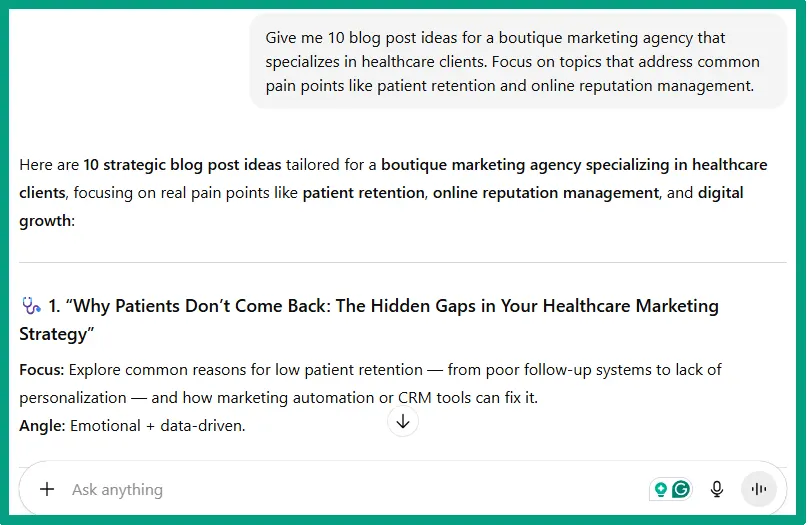
Prompts are everything. Seriously, I cannot stress this enough. For example, here’s a bad prompt, “Write a newsletter about email marketing!” But here’s a better prompt, “Write a 400-word newsletter for my audience of freelance designers about why email marketing beats social media for client retention. Tone, conversational, slightly self-deprecating, actionable. End with one specific action step they can take this week.”
See the difference? The second prompt gives the AI context, structure, tone, and direction. I keep a doc of my best-performing prompts and just modify them for my specific needs. Saves so much time.
For subject lines specifically, I’ll ask the AI to generate 10 options, then I pick my top 3. The AI is honestly better at subject lines than I am because it can quickly generate variations without getting mentally stuck on one approach.
Generating the body content is where you need to stay involved. I like to ask for an outline first, then expand section by section. So I might say, “Create an outline for a newsletter teaching solopreneurs how to automate their client onboarding using AI. Include a hook, 3 main tips with examples, and a call-to-action to try one tool.” Once I approve the outline, I’ll ask it to expand out each section.
The hook is critical. I usually rewrite AI-generated hooks entirely because they tend to be too salesy. But the AI is great for the middle sections where I need to explain concepts or list steps. For calls-to-action, I give very specific instructions like, “End with a CTA encouraging readers to reply to this email with their biggest challenges. No links, no downloads, just an email reply.”
Editing is super important. Every AI-generated sentence should be monitored. Does this sound like me? Would I actually say this? Is this specific enough, or is it generic advice anyone could give? I usually end up rewriting a third of the AI content, but that’s still way faster than starting from scratch.
And honestly, the more you use AI tools for newsletters, the better your prompts get, and the less editing you need. It’s a skill that compounds over time.
Best AI Tools for Email Newsletter Writing in 2025
I’m not going to pretend I use every tool on the market, but I’ve tested enough to have strong opinions.
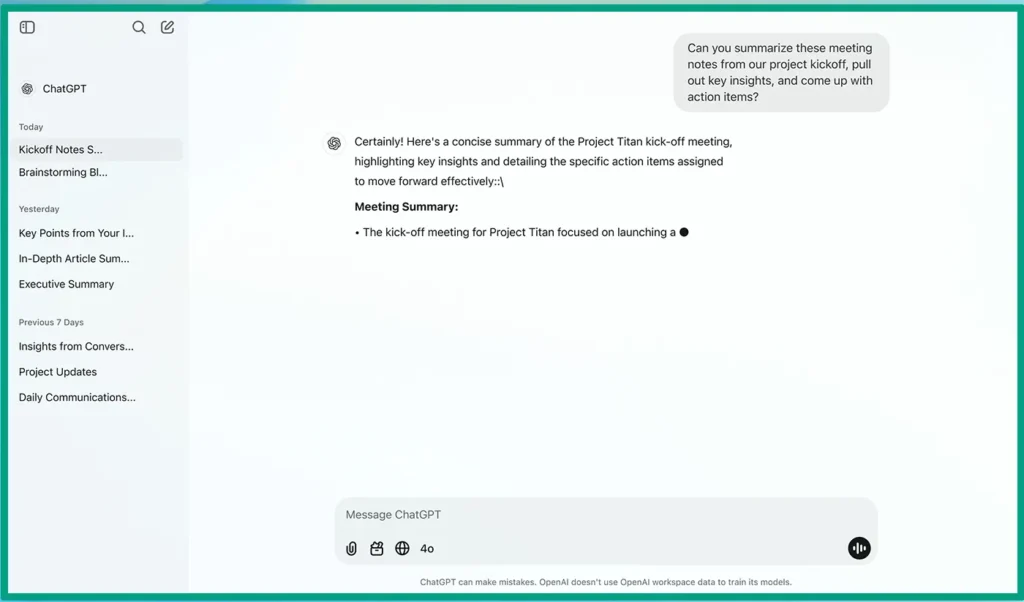
ChatGPT is my daily driver. The free version is honestly sufficient for basic newsletter writing, but I pay for Plus because the faster response times and higher limits matter when I’m cranking out content. It’s incredibly versatile. I use it for subject lines, body content, even responses to subscriber replies. The conversational interface means I can say “make that paragraph more casual” or “add a specific example about e-commerce,” and it instantly delivers.
Claude, I’ve been testing recently, and it’s excellent for longer-form newsletters. It tends to be more concise and less repetitive than ChatGPT, which I appreciate. A friend of mine who writes technical newsletters for a SaaS company uses Claude exclusively because it handles complex topics really well without getting overly simplistic.
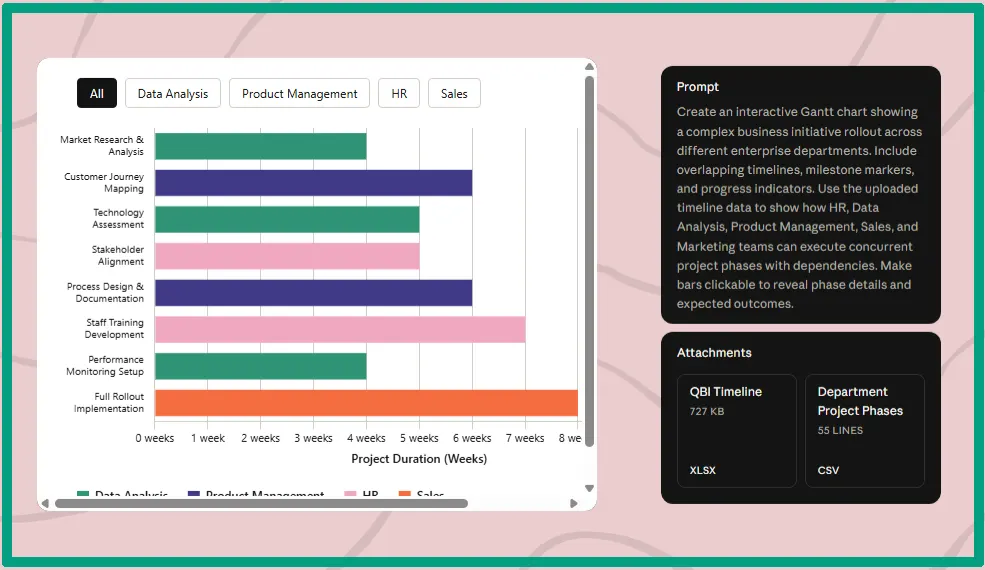
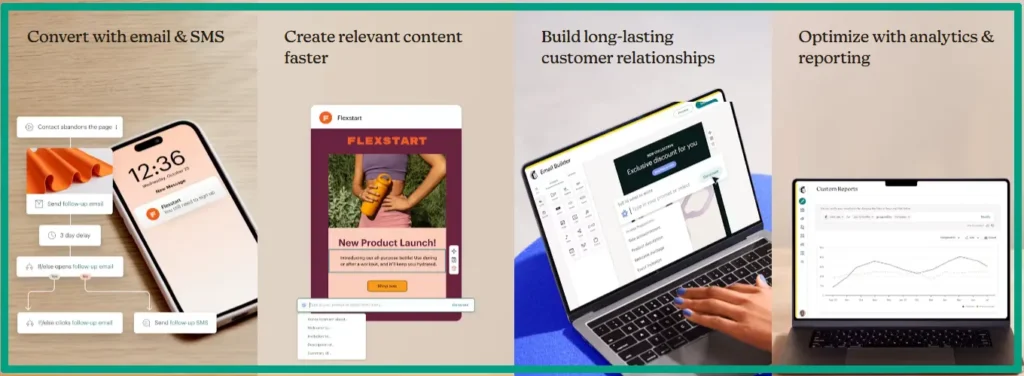
If you’re looking at specialized email marketing platforms, Mailchimp‘s AI features are pretty solid now. Their subject line optimizer uses AI to predict open rates based on your historical data, and their content generator can create newsletter sections based on your past emails. I don’t use it personally because I prefer the flexibility of standalone AI tools, but if you’re already paying for Mailchimp, it’s worth exploring.
Kit (ConvertKit) added some AI capabilities recently. Nothing fancy, but their AI tagging and segmentation features are genuinely useful. I have a client who uses Kit, and she says the AI-assisted segmentation has improved her conversion rates because it’s automatically grouping subscribers based on behavior patterns she wouldn’t have spotted manually.

For subject line specific tools, I tested SubjectLine.com’s AI analyzer, and it’s… fine! Honestly, I get better results just asking ChatGPT for 10 variations. But some people like the specific scoring and comparison features.
For ideation and research, I bounce between ChatGPT and Perplexity. Perplexity is amazing when I need current information or want to see what’s trending in my industry. I’ll ask it “What are small business owners talking about regarding AI adoption this month?” and it’ll pull recent sources. Then I take those insights and build newsletter topics around them.

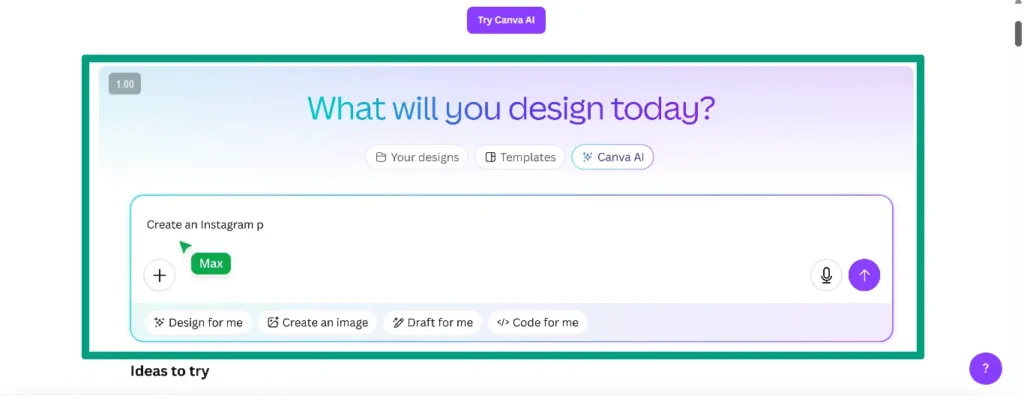
I haven’t found an AI tool for email design that I love yet. Most email platforms have decent templates already, and AI-generated layouts tend to be either too basic or weirdly formatted. I just stick with proven templates and let AI handle the copywriting, but if you still insist on trying your own design, you can try tools like Canva.
The last point, Free vs. paid really depends on your volume. If you’re sending one newsletter per week, the free versions of ChatGPT or Claude are probably sufficient. But if you’re creating multiple newsletters, testing variations, and need faster generation, upgrading to Plus pays for itself immediately. For solopreneurs just starting out with AI content creation for beginners, I always recommend beginning with free tools and upgrading only when you hit their limits.
Maintaining Your Authentic Voice While Using AI for Newsletters
This is the part that stresses people out the most, and I totally get it. When I first started using AI, I was paranoid that my subscribers would notice and think I was a fake!
But here’s what I learned. Voice consistency matters way more than whether you used AI to draft your newsletter. Your subscribers don’t care about your process; they care about whether your newsletter sounds like you and provides value. And honestly, maintaining consistency is easier with AI because you’re not writing under time pressure like when you’re exhausted.
Training AI on your brand style isn’t as complicated as it sounds. I keep a simple doc with 5-6 example newsletters I’m proud of, and a list of phrases I use often (“here’s the thing, honestly, and look”), and a list of words/phrases I never use (like “leverage” or “utilize”, too corporate). When I start a new AI chat, I’ll paste in one example newsletter and say: “This is my writing style. Match this tone and vocabulary.” It works surprisingly well.
The real magic happens in editing. I read the AI draft out loud. Literally out loud. If something sounds like corporate jargon, I rewrite it. If a sentence is too long or complicated, I break it up. If there’s a claim that feels vague, I add a specific example from my own experience.

Next, before and after example. If AI gave me this opening, “Email marketing continues to be one of the most effective channels for business growth, with studies showing an average ROI of 4200%.” Boring, right? I rewrote it to something like, “I spent three hours last Tuesday analyzing my email stats, and holy crap, every dollar I put into my newsletter is generating about $38 back. Email marketing is wild.” Same information, but completely different vibe.
Balancing efficiency with authenticity means knowing when to depend on AI and when to write yourself. Personal stories? Always write those manually. AI can’t invent your actual experiences (well, it can, but they’ll be obviously fake)! Technical explanations or list-style content? AI handles that great with minimal editing. Emotional or vulnerable content? Write it yourself; authenticity in those moments is everything.
For AI for copywriters or anyone in the content space, voice consistency is critical. Your audience hired you (or subscribed to you) for your perspective and expertise, not for your ability to physically type every word yourself! Using AI as a drafting assistant doesn’t change the value you provide.
Advanced Strategies for AI-Powered Newsletter Success
Once you’ve got the basics down, this is where AI gets really fun. I’m going to share some strategies that took me from “okay, this saves time” to “holy shit, this is transforming my business!”
Audience segmentation with AI is incredibly powerful. I feed my AI tool basic data about subscriber behavior(what links they click, which topics get the most engagement, who replies to my emails), and ask it to suggest segments. It identified patterns I would’ve never spotted. Like, apparently, subscribers who click on tool recommendation links but never on strategy content are a specific persona (they want tactical solutions, not big-picture thinking). Now I send them different content, and my conversion rates for that segment doubled.
Optimal send times. I’ll be honest, I thought this was hype! But I uploaded my email analytics to ChatGPT (open rates by time/day for the past six months) and asked it to identify patterns. Turns out, my audience responds way better to Tuesday 7am sends than my default Thursday 10am. I made the switch, and my open rates increased by 15%. Not revolutionary, but definitely worth the 5-minute analysis.
Automating workflows is where an AI content calendar tool becomes essential. I use a combination of AI and automation now. Every month, I ask ChatGPT to generate 8-12 newsletter topic ideas based on current trends in my industry, seasonal relevance, and past performance. It creates a content calendar with topics, angles, and key points for each newsletter. Then I load those topics into my project management system with deadlines, and I’m set for the month.
Repurposing blog content into newsletters works like a charm. I have a backlog of probably 50 blog posts sitting on my site. Now, when I’m short on newsletter ideas, I’ll paste a blog post into ChatGPT and say, “Convert this into a 500-word newsletter for my email list. Make it more conversational and personal than the blog post. Add a story in the opening and end with a question to encourage replies.” Suddenly, I have fresh newsletter content without creating anything new.

Performance measurement is another area where AI helps. I export my email analytics monthly and ask AI to identify trends. AI can help you answer questions like, “What topics performed best? What subject line patterns got the highest opens? Are there specific CTAs that drive more clicks?” It’s like having a data analyst on demand.
Honestly, the stuff coming down the pipeline is kind of wild. We’re looking at AI that can predict individual subscribers about to bail before it happens, or super personalized content that rewrites entire sections based on each reader’s behavior, or tools that analyze subscriber replies at scale for common questions and content ideas. The key is staying curious and testing new features as they roll out, because early adopters are going to have a massive advantage in subscriber engagement.
But keep in mind that the most important thing I’ve learned through all this is, AI isn’t about replacing your voice or your personal touch. It’s about helping you show up consistently for your audience. It’s about having more mental energy to focus on strategy and relationship-building instead of worrying over whether a sentence is perfect or not!
My newsletters are better now than they were before AI. They’re more consistent, more strategic, and somehow, weirdly more personal because I’m not exhausted and resentful every time I sit down to write one! That’s the real transformation here.
FAQ
Q: Can AI really write newsletters that sound human and engaging?
Yes! AI email newsletter writing tools have advanced capabilities to produce natural, engaging content when given proper guidance. The key is editing AI output to match your unique voice and providing detailed prompts about your audience and goals. Most successful users treat AI as a collaborative partner rather than a replacement.
Q: How much time can I actually save using AI for newsletter writing?
Based on my experience alone, you can potentially save 2-4 hours per newsletter using AI tools. The time savings come from faster content generation, subject line creation, and reduced writer’s block, allowing you to produce consistent content quickly.
Q: Will using AI for email newsletters hurt my deliverability or spam scores?
No, AI-written content doesn’t naturally affect deliverability. What matters is content quality, avoiding spam trigger words, and maintaining a good sender reputation. AI can actually help improve deliverability by creating more engaging content that drives higher open and click rates, which positively signals to email providers.
Q: What’s the best AI tool for small business newsletter writing?
The best tool depends on your needs and budget. ChatGPT and Claude offer flexibility and affordability for custom content. Specialized tools like Jasper or Copy.ai provide email-specific templates. Many email platforms like Mailchimp now include built-in AI features. Start with free options and upgrade based on your specific needs.
Q: How do I keep my newsletter from sounding generic when using AI?
Always edit AI-generated content to add your personality, specific examples, and unique perspectives. Provide detailed prompts including your brand voice, audience details, and desired tone. Use AI for structure and initial drafts, then customize with personal stories, specific data, and authentic opinions that reflect your expertise.
Conclusion
AI email newsletter writing isn’t about taking shortcuts or losing your authentic voice. It’s about reclaiming your time and mental energy so you can focus on more important things like building genuine connections with your audience.
I’ve watched countless solopreneurs and small business owners transform their newsletter process using AI tools. They’re no longer afraid of Monday mornings staring at blank screens! Instead, they’re consistently showing up in their subscribers’ inboxes with valuable, engaging content that drives real results.
The beauty of AI email newsletter writing is that it meets you where you are. Whether you’re just starting your first newsletter or you’re managing multiple subscriber segments, AI tools can help you without requiring a bigger team or budget.
Ready to write your next newsletter in half the time? Then start by choosing one AI tool, experiment with a simple prompt for your next subject line, and notice how much faster the words flow. Your subscribers won’t know the difference, but your schedule definitely will!