AI Note-Taking Apps That Turn Lectures into Study Guides

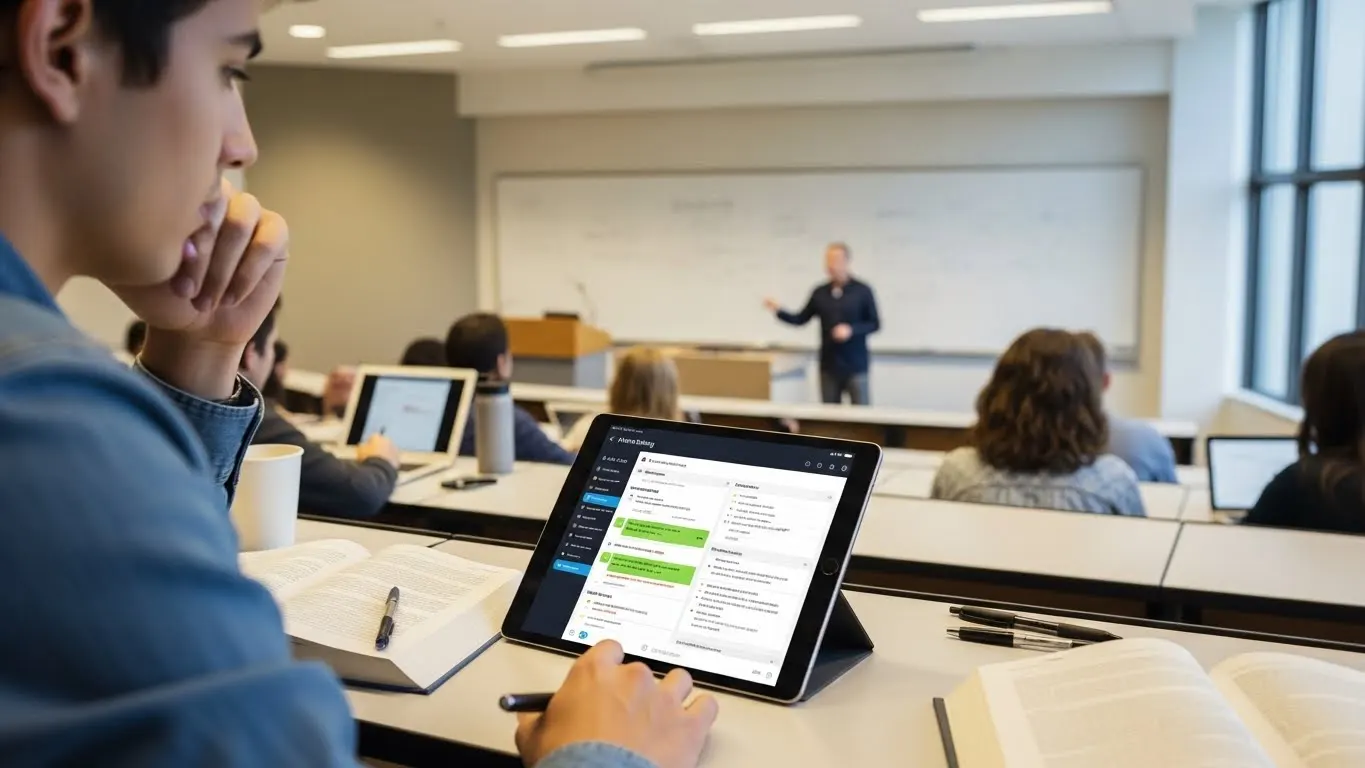
AI note-taking apps can automatically transform different lecture materials into organized study guides, flashcards, and summaries, which helps students join the 92% who now use AI to improve their academic performance and learning methods.
Introduction
Remember that sinking feeling when you realize you missed half the lecture because you were too busy trying to write everything down? Yeah, me too! I’ve been there, taking notes like crazy while my professor went through all the slides like he was late for his anniversary or something!
Here’s the thing though. Traditional note-taking is broken, and that’s the truth! You’re either paying attention or writing stuff down, but rarely both at the same time. Plus, when exam season hits, those messy notebooks become another problem to solve instead of the study tool they should be!
But here’s where things get exciting. A recent survey by the Higher Education Policy Institute (HEPI) found that 92% of students now use AI tools regularly, up from just 66% in 2024. And that’s not just a new trend. The AI note-taking apps don’t just record what your professor says. They actually transform those lectures into organized study guides, complete with summaries, flashcards, and questions to practice.
So if you’re tired of choosing between listening and note-taking, or if your current study prep takes way too long, stick around. I’m breaking down the AI note-taking apps that actually work and showing you how they can turn your lectures into ready-to-use study materials without all the hassle. Let’s do this!
How AI Note-Taking Apps Actually Work (And Why They’re Different)
Okay, just before we start, I should note that I use AI note-taking apps for my business since my study days are over! But the principles are all the same.
I remember when I first heard about AI note-taking apps, I thought they were just fancy voice recorders with a transcription feature that came along with it! But after testing a few of them out (mostly for my business or my clients, as I mentioned before), I realized there’s actually a lot more going on under the hood, which I’m gonna try my best to cover in this guide.
Here’s the basic process. You hit record during a lecture, and the app starts capturing audio. But instead of just saving that audio file like your phone’s voice recorder app would, an AI note-taking app runs it through speech recognition software that converts spoken words into text in real-time. That’s step one.
From there, natural language processing (NLP) kicks in. This is where things get interesting. The AI analyzes the transcription to understand context, identify main ideas, and figure out what’s actually important. And think about it! If professors ramble sometimes, go off the track, or repeat themselves, the AI filters through all that noise to pull out the meaningful stuff.

Then comes the organization phase. The app takes those key concepts and structures them into something usable (bullet points, summaries, even study materials). Some apps can generate flashcards or practice questions automatically. It’s basically turning a messy hour-long lecture into a clean, organized study guide without you lifting a finger beyond hitting record!
Now, how about accuracy rates? Most decent AI note-taking tools claim 85-95% accuracy, but that’s under ideal conditions. I’ve tested this myself, and when you throw in technical jargon (say, medical terms or advanced chemistry), thick accents, or professors who talk at warp speed, that accuracy can drop. Some apps handle this better than others, and honestly, the best ones let you train them on specific vocabulary or even connect to your course materials so they “learn” the terminology.
Where these tools really shine is in situations where traditional note-taking falls apart. Like fast-paced lectures where you can’t keep up. They’re perfect. Or online classes where you’re trying to watch, listen, and type all at once. They’re Lifesavers. Or group study sessions where multiple people are talking. Well, some apps can even identify different speakers and label who said what.
The difference between a regular recording app and a smart AI note-taker is like the difference between filming a cooking show and having a chef write down the recipe for you. One gives you raw footage you have to sort through later. The other gives you an actionable, organized guide you can actually use.
Top Features That Turn Lectures Into Actual Study Guides
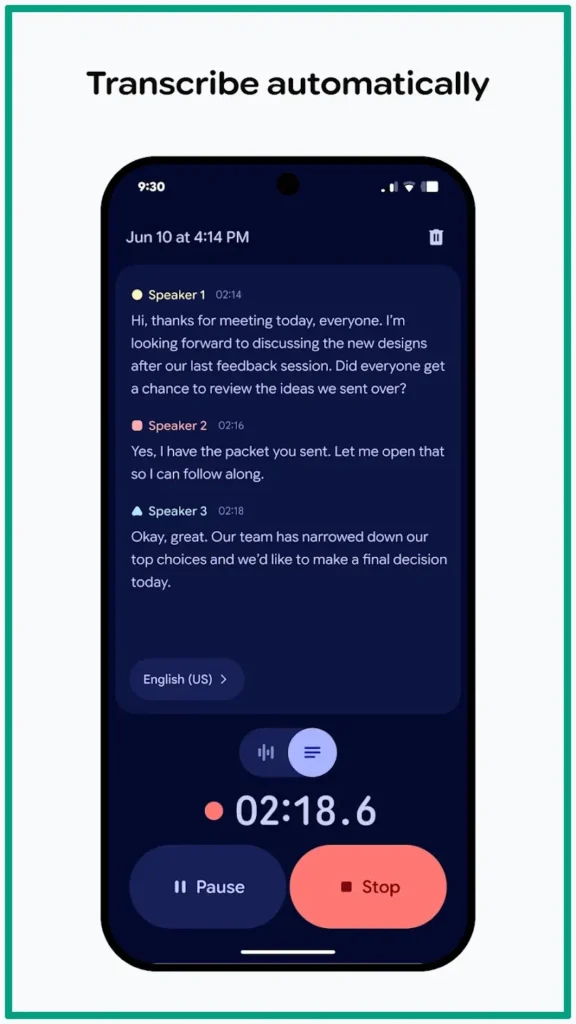
The automatic transcription feature is pretty standard now, but the good apps do it with speaker identification and timestamps. This matters more than you’d think. When I’m reviewing notes and need to jump back to a specific moment in the lecture, having timestamps means I can click right to that spot in the audio instead of scanning through 90 minutes of recording.
Smart summarization is where an AI text summarizer for students really earns its keep. Instead of reading through 20 pages of transcript, you get a condensed version that highlights the key concepts and main ideas. Some apps use bullet points, others create paragraph summaries. I prefer the ones that do both, because sometimes I want the quick overview and sometimes I need a bit more detail.
Here’s a feature I didn’t appreciate until I actually used it. The AI flashcard generator tools are built right into the note-taking app. After your lecture is transcribed and summarized, the app can automatically create flashcards from the content. It pulls out definitions, important dates, key concepts, and formats them into study cards you can review later. Saves hours of manual flashcard creation, which, let’s be real, nobody actually enjoys doing!
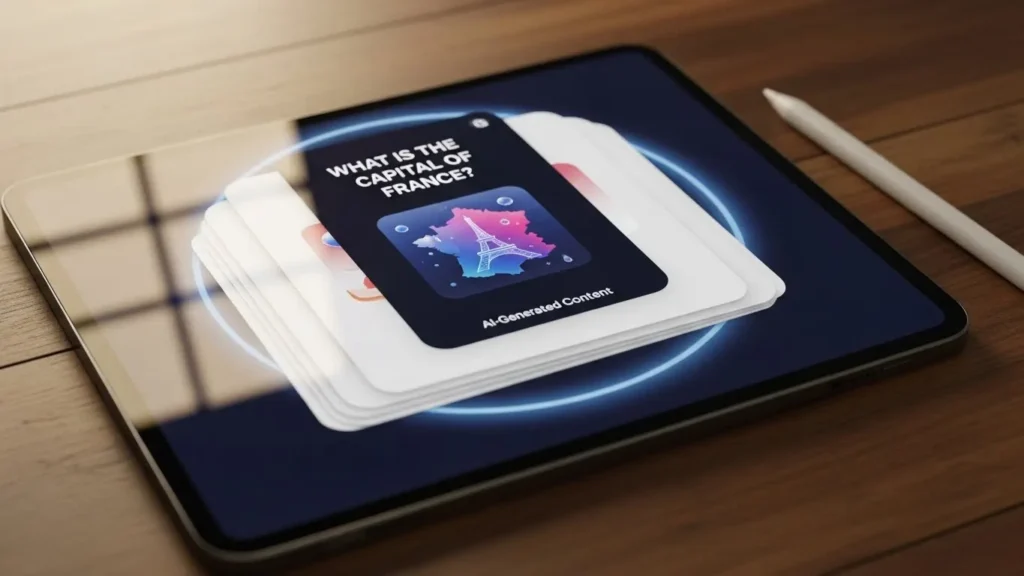
Quiz and practice question creation are similar but different. Instead of just flashcards, some apps generate actual test-style questions based on the lecture content (like multiple choice, true/false, short answer). One of my clients uses this for her nursing materials, and she says it’s scary accurate at predicting what shows up on exams (and that’s excellent news). The AI is identifying the same emphasis points a professor would use when writing a test.
Integration with other platforms is huge. If your notes live in isolation, they’re less useful. The better apps sync with Google Drive, Notion, Evernote, and other tools students already use. You can export your summaries, share them with study groups, or pull them into whatever organizational system you’ve got going.
And search functionality, man, this one’s underrated. Being able to type in something and instantly find every lecture where it was mentioned in all your notes? That’s powerful. Way better than flipping through notebooks or scrolling through files hoping you remember which day the professor covered that topic!
I’ll close this section with an important question. Why do you think these features actually matter for retention and exam prep? Well, because they remove the gap between recording information and actually studying it. Traditional notes require you to re-read, reorganize, and manually create study materials. These tools do that tedious work automatically, so you can spend your time actually learning instead of just processing information.
The Best AI Note-Taking Apps for Students
I’ve tested probably a dozen different apps at this point (partly for clients, partly because I’m a bit obsessed with productivity tools), and here’s what I’ve found works best for different situations.
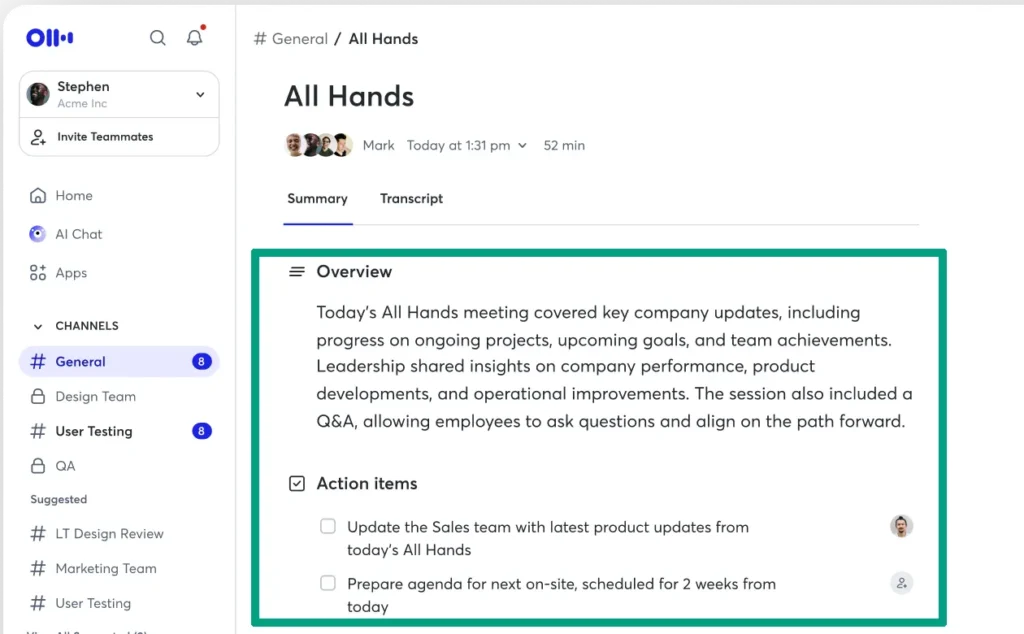
Otter.ai is the one I use most consistently. The free/basic tier gives you 300 minutes per month, which is solid for most students. The transcription accuracy is really good, even with fast talkers, and the speaker identification works well in group settings. But the downside is, the AI summary feature is pretty basic on the free plan. You’ll need the paid version for the really smart summarization.
Notion AI is interesting because it’s built into an app students already use for organization. You can record, transcribe, and then immediately organize those notes within your existing Notion workspace. The AI features are add-ons to the regular Notion subscription, so you have to pay extra for those. I’ve got a client who swears by this for keeping all her course materials in one place.
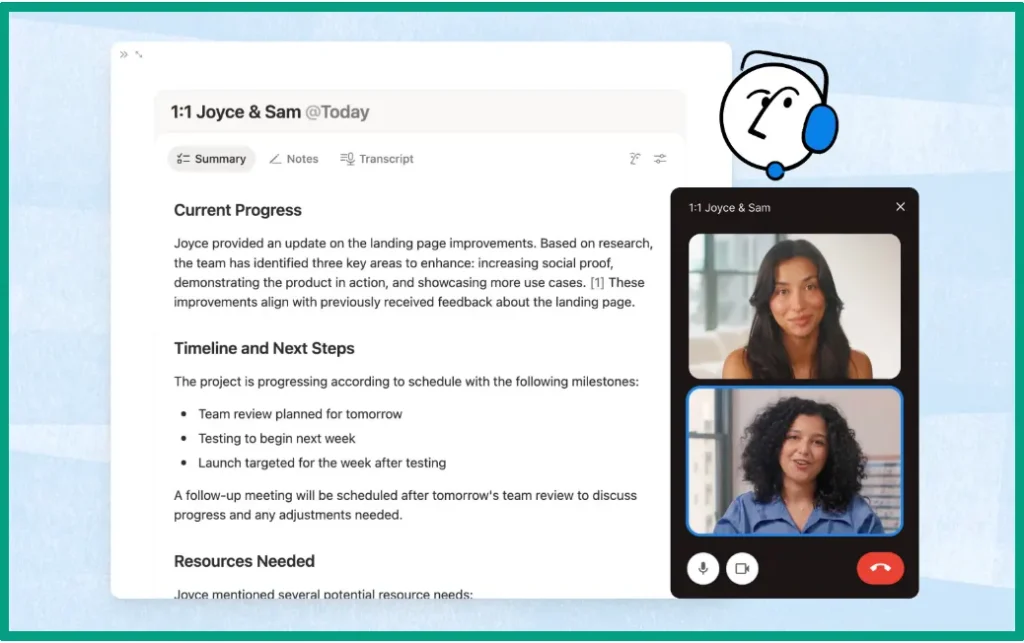
For medical students specifically, I keep hearing about Notability with audio recording sync. It lets you handwrite notes while recording, and later you can tap any handwritten word to jump to that moment in the audio. The AI features aren’t as advanced as some others, but the combination of handwriting and audio is apparently perfect for complex diagrams and medical terminology.
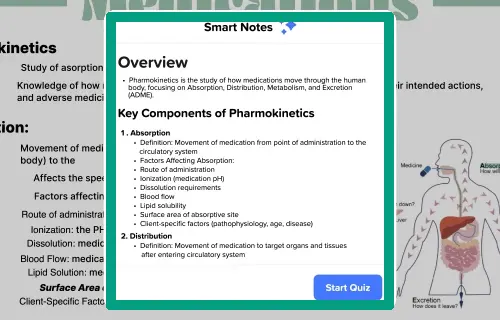
The best free AI study tools category basically belongs to Google’s Recorder app if you’re on Android. It’s completely free, transcribes in real-time, and the accuracy is surprisingly good. But the catch is, it’s Android-only and doesn’t have fancy features like automatic flashcard creation. But for basic transcription and searchable notes, it’s hard to beat.
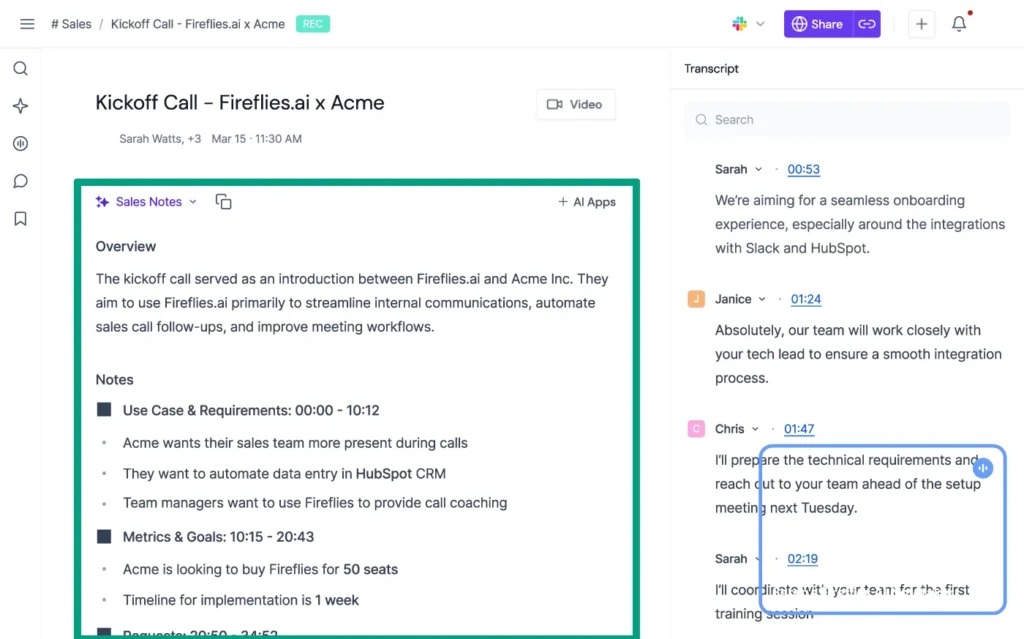
Fireflies.ai is great for online classes because it can join Zoom meetings automatically and record them for you. Even if you miss class, it captures everything. The AI summary is pretty detailed, with the ability to break down action items, questions, and key topics. The free tier is limited, which means you probably need to upgrade to a paid plan.
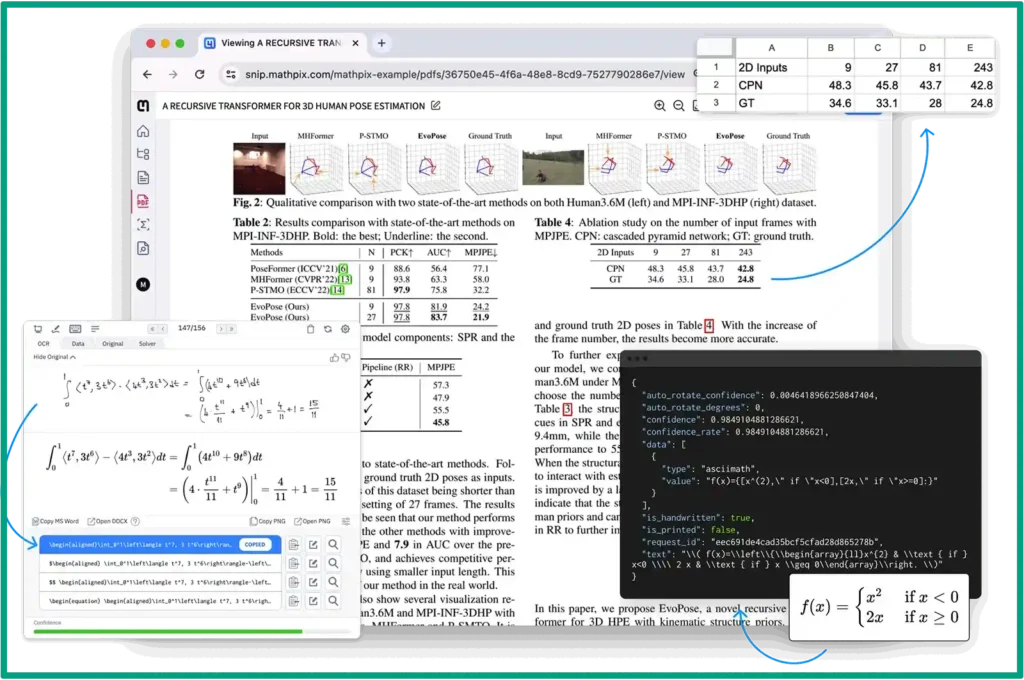
For math and technical subjects, I’ve heard about Mathpix Snip a lot. It’s not strictly a note-taking app, but it converts handwritten equations and diagrams into digital format using AI. The good news is, you can pair it well with other note-taking tools.
To conclude, the truth is that the best AI learning tools depend on your learning style. If you’re visual, you need something with good organization and tagging. If you’re auditory, focus on apps with great playback features and audio search. If you learn by testing yourself, prioritize the ones with built-in quiz generation.
Also, desktop vs mobile experience varies wildly. Otter and Notion work great on both. Some apps feel weird on mobile but work great on desktop or vice versa. So I recommend testing the free versions on whatever device you’ll actually use in class before committing to a paid plan.
Getting Started: How to Actually Use These Tools Effectively
Setting up your first AI note-taking app is pretty straightforward, but let me walk you through the basics so you don’t make the mistakes I’ve seen people make.
First, download the app and create an account. Obvious, yeah, but here’s what’s not obvious! Actually test it before the first day of class. Record yourself talking for five minutes about anything, seriously, recap your favorite TV show, and see how the transcription looks. This tells you if the app understands your voice, if the accuracy is acceptable, and if you can figure out the interface without panicking mid-lecture!
Next, check your microphone situation. Built-in laptop mics are okay for quiet environments, but in a big lecture hall, you’ll get better results by placing your phone or recorder closer to the professor. A friend of mine’s first test recording picked up more AC noise than actual lecture content! If you’re in the front rows, you’re golden with most devices. Otherwise, maybe invest in a cheap external mic.
Audio quality matters more than you’d think. Close any tabs playing music, silence your notifications, and if you’re recording on your phone, put it on airplane mode. Background noise confuses the AI and drops your transcription accuracy. One of my clients’ kids was getting terrible results until we figured out he was sitting next to a noisy air vent!

Here’s another tip that might be obvious. But organization is where people either win or lose with these tools. Create a folder or tag system by class from day one. Some apps let you add custom tags or categories. Use them. Future you will be grateful when you’re searching for notes and they’re already sorted instead of dumped into one giant pile of 40+ lectures!
Also, for better transcriptions and summaries, here’s a trick. If you know the lecture topic beforehand, some apps let you add custom vocabulary or context. For example, if you’re studying organic chemistry, then it’s a good idea to add the technical words you’ll be discussing. It helps the AI recognize those words instead of guessing (and butchering)!
How to use AI for studying effectively means combining AI-generated notes with your own annotations. The AI catches what was said, but you catch what you found confusing or important. Most apps let you highlight, add comments, or insert your own notes alongside the transcript. Do this during or right after class while it’s fresh. Your personal insights make the AI notes actually useful for studying, because after all, you’re the one in charge, not AI!
One side note, though. After you’ve gone through all these troubles, you will notice, the mental load reduction is probably the real magic you were looking for! When you’re sitting in a lecture and you’re not focusing on typing like crazy, but instead you actually listen and think about what’s being taught, this is where your brain shifts from transcription mode to comprehension mode. I’ve heard this described as “being present in class again,” which sounds cheesy but is actually pretty accurate.

But let’s be real about concerns of over-relying on AI. There’s a risk of becoming too passive. If you just hit record and mentally check out, you’re not going to learn much even with perfect notes! The best free AI study tools are just tools, not teachers. They work best when you’re actively engaged and using them to support your learning, not replace it.
To close this section, here is a quick list of common mistakes you might encounter when using AI note-taking apps:
- Recording in loud environments without testing first.
- Forgetting to hit record (happens more than you’d think, so always double-check).
- Not reviewing the transcription for errors. AI is good but not perfect, so scan through for obvious mistakes, especially on technical terms or names.
- And treating the AI notes as a complete replacement is probably the biggest mistake! The app captures what’s said, but if you zone out completely, you won’t remember context, emphasis, or what was actually important vs comments.
FAQ
Q: Can AI note-taking apps really replace manual note-taking?
A: Not entirely. AI apps handle transcription and organization brilliantly, but you should still add your own thoughts and annotations. Think of AI as your study partner that handles the tedious work so you can focus on understanding concepts during class and adding personal insights later.
Q: How accurate are AI transcriptions for technical subjects?
A: Modern AI note-takers hit 95-98% accuracy in ideal conditions. The key is clear audio. For technical terms, most apps let you build custom vocabularies. Medical, engineering, and science students often train their apps with field-specific terminology to boost accuracy even higher.
Q: Do I need internet connection for AI note-taking apps to work?
A: It depends. Most apps need the internet for real-time transcription, but some let you record offline and process later. Check your app’s offline capabilities before relying on it for lectures in buildings with no wifi or airplane mode situations.
Q: Are AI-generated study guides actually helpful for exams?
A: Absolutely, but with a catch! AI-generated flashcards and summaries give you a solid foundation fast. However, you’ll learn better if you review and customize them. Use AI to create the first draft, then add examples, mnemonics, and connections that make sense to you personally.
Conclusion
Look, I get it. Adding another app to your already chaotic student life might feel like just one more thing to figure out. But here’s what I’ve learned. The right AI note-taking app doesn’t add to your workload; it actually saves you time.
We’re talking about apps that let you stay present during lectures instead of typing everything down like crazy! Tools that turn those hour-long recordings into organized study guides while you’re grabbing coffee (guilty!). Systems that help you actually remember stuff instead of just collecting notes you’ll never look at again!
The students who save hours every week are not working less. They’re working smarter. And honestly, in a world where professors are packing more content into every semester, you need that edge.
So here’s my final advice. Pick one app from this list and try it for a week. Just one. See how it feels to walk out of a lecture with organized notes already waiting for you. Test out those auto-generated flashcards. Experience what it’s like to search your entire semester’s worth of notes in seconds.
You might find that the tech actually helps you become a better student. Not because it does the work for you, but because it handles the tedious work so you can focus on the part that matters, which is learning the material. And really, isn’t that the whole point?