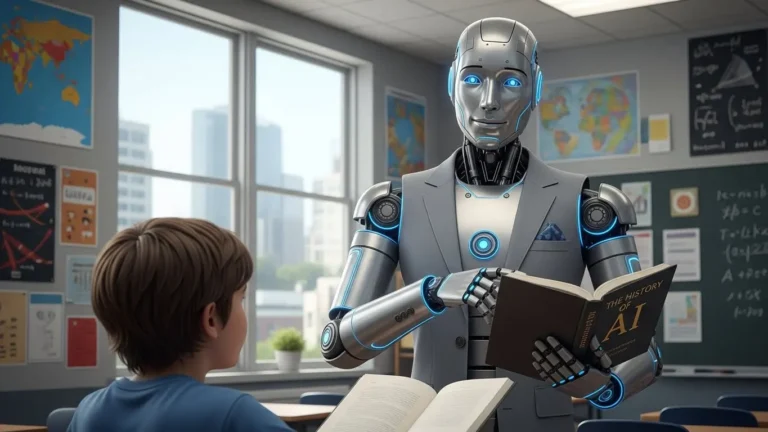
How Teachers Can Create Lesson Plans with AI (Save 6 Hours Per Week)


An AI lesson plan generator helps teachers create lesson plans in minutes instead of hours, saving an average of 6 hours per week by automated formatting, differentiation, and resource generation while keeping them in full control of the curriculum.
Introduction
If you’re a teacher, then you probably know that feeling when Sunday night rolls around, and you’re still staring at a blank template to create a lesson plan! Yeah, I’ve been there. Well, not exactly there, I mean, I’ve been in a similar situation! Here’s the thing though. Planning takes forever, and honestly, it’s one of the biggest time drains for teachers.
But here’s something interesting. According to EdSurge, A recent poll of over 2200 teachers by the Walton Family Foundation and Gallup found that teachers who use AI weekly save an average of 6 hours per week. Pretty wild, right? I take it!
And look, I run a small business helping different people with a variety of problems, and I know how AI lesson plan generator tools can change the education field. We’re not talking about replacing teachers. I mean, that’s silly! We’re talking about using AI to handle the boring stuff (formatting, finding resources, creating worksheets, etc) so you can spend more time connecting with students.
In this guide, I’ll show you exactly how to use AI lesson plan generator tools to cut your planning time way down. Plus, I’ll share which tools actually work and which ones are just… don’t!
What Is an AI Lesson Plan Generator (And Why Teachers Love It)
Okay, so an AI lesson plan generator is basically a tool that uses artificial intelligence to help you create lesson plans way faster than doing it manually (that’s straightforward, right?). All you have to do is type in what you want to teach (like 5th-grade photosynthesis, or high school Romeo and Juliet, or whatever) and the AI spits out a structured lesson plan complete with objectives, activities, and sometimes even assessment ideas. It’s kinda like having a teaching assistant who never sleeps and doesn’t need coffee!
Here’s the thing though. These aren’t just generic templates you’d find on Pinterest or Teachers Pay Teachers! Because those templates are static. You download them and then spend forever tweaking them to fit your actual classroom! An AI lesson plan generator on the other hand, actually generates custom content based on what you tell it. You want a lesson on fractions for students? Done. Need to add a hands-on activity because your kids are sleepy after lunch? Just ask for it.
And look, I need to be real with you. AI isn’t magic. It’s built on language models that have been trained on tons of educational content, so it knows what a good lesson plan looks like. But it doesn’t know your students. It doesn’t know that Jamie needs extra processing time or that your class loses their minds every time you mention dinosaurs! That’s where you come in.

What AI handles really well is the tedious work we’re all familiar with. Things like the structure, the vocabulary lists, the discussion questions. I mean, I’ve tested these tools to see what it’s like to create a week-long unit plan in like 30 minutes that would’ve probably taken me hours.
Now, here’s what you can realistically create in just a few minutes. You can start with full unit plans spanning multiple weeks, or single-day lesson plans with timing built in, or activity sheets and worksheets, or discussion prompts, or even lab instructions if you teach science. I’ve seen teachers create escape room activities, project-based learning outlines, and those bell-ringer activities we all need for the start of class!
But listen (and this is important), AI isn’t replacing teachers. Not even close. It’s more like having an assistant who does the initial draft while you bring the expertise and the heart. You’re still the one who knows teaching, who understands child development, who can read the room and pivot when a lesson isn’t landing. The AI just handles the time-consuming parts so you can focus on the actual teaching.
The Biggest Benefits of Using AI for Lesson Planning
Well, I’ve mentioned this already, that the time savings are honestly wild. I’m talking about turning a two-hour Sunday night planning session into a 20-minute review and tweak situation.
But here’s where it gets really good, and that’s differentiation. You know how you’re supposed to create modified versions of everything for different reading levels? And how that theoretically should happen, but realistically, you’re just hoping your struggling readers can kinda follow along?! Yeah, AI actually does this. You can ask it to generate the same lesson at three different reading levels and it’ll give you versions that cover the same content but with adjusted vocabulary and sentence complexity. It’s that simple but powerful!
Assessment materials are another huge win. Need a quick quiz? An exit ticket? A rubric for that project you assigned? The AI quiz generator tools can create these in seconds. And I mean actually decent quizzes, not just random questions. All you have to do is specify the question types, the difficulty level, and the number of questions, and you’re good to go. One of my friends uses this feature constantly because she teaches multiple sections and likes to rotate questions so kids aren’t sharing answers between periods.

The Sunday night stress thing is real. Some teachers used to plan week-to-week, sometimes day-to-day when things got really bad! Now they can knock out two or three weeks of lessons in one sitting and then just adjust as needed. It’s not that the AI plans are perfect (because they’re not!), but having something solid to start with means you’re not staring at a blank page at 9 PM on Sunday wondering what the heck I’m gonna teach tomorrow!
Plus, these tools are amazing for subjects outside your comfort zone. I know an English teacher who sometimes has to cover a social studies class during prep periods. He told me, “I don’t know that much about this stuff!” So, with a bit of my guidance and with the help of AI, he managed to kick off with a solid starting point and researched the specific parts he needed to understand better. It’s like having a very knowledgeable colleague who you can bother with questions at midnight!
The AI grading tool features that some of these platforms offer are also pretty handy. They can help create answer keys or grade written responses based on rubrics you provide.
To conclude, these tools are powerful if you know how to use them and use them correctly. A friend of mine said she saves precious hours per week using these tools. She plans out her units at the start of each term, tweaks them as she goes, and actually has time to do things like call parents and sponsor things without working until 11 PM every night!
Best AI Lesson Plan Generator Tools for Teachers
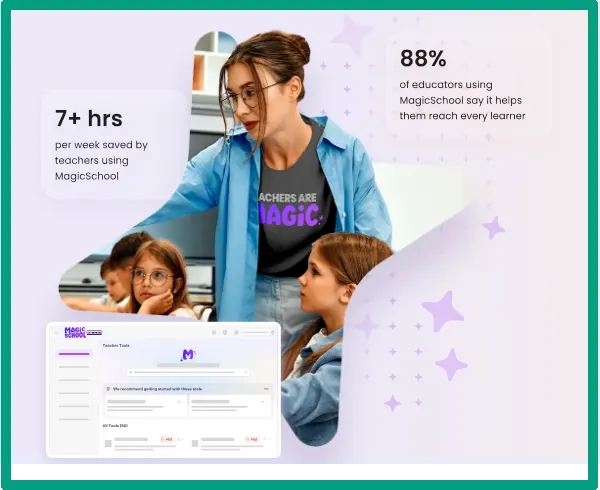
Magic School AI is probably the most popular one I’ve seen teachers actually using. It’s got like 80+ different tools specifically for educators, like lesson plan generators, assignment creators, all that stuff. The best feature for lesson planning is probably the ability to create entire unit plans with all the lessons already mapped out. You can specify your standards, your teaching approach, even your class length. Also, the interface is pretty straightforward, and honestly, it’s built by teachers who got tired of existing tools not working right!
Eduaide.AI is another solid option that really shines with differentiation. I’ve messed around with this one a few times, and it’s great at creating multiple versions of the same content. If you teach in a school with lots of English language learners or a wide range of reading levels, this might be your best bet. It also handles standards alignment really well, which you can search by state standards, and it’ll suggest lesson ideas or build plans around them.

Now, here’s something people don’t always think about. You can actually use ChatGPT or Claude (the regular AI chatbots) as lesson plan generators if you write good prompts. It’s totally free, which is huge if you’re on a teacher’s salary and already spending your own money on classroom supplies. The trick is being specific. Don’t just say “create a lesson plan on fractions.” Instead, try something like “Create a 45-minute lesson plan on adding fractions with unlike denominators for 5th graders who struggle with math. Include a warm-up activity, direct instruction, guided practice, and an exit ticket.” This way, you’ll get way better results.
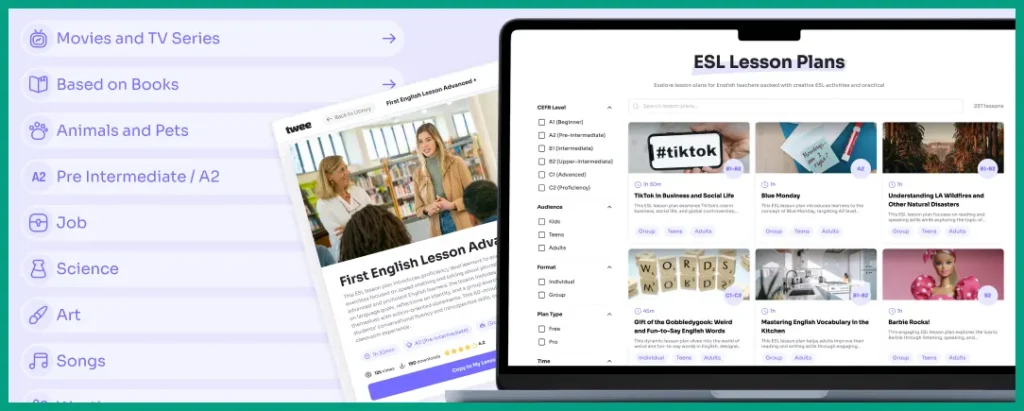
Twee is specifically designed for ESL and language teachers. If that’s you, definitely check this out. It creates reading passages, vocabulary exercises, and discussion questions, all tailored for language learners. A client of mine who teaches English as a second language uses this constantly, and she genuinely loves it. She says it saves her hours on creating appropriately leveled reading materials.
And finally, Curipod is interesting because it’s not just about planning; it creates interactive lessons with built-in engagement tools. Think polls, drawings, word clouds, that kind of thing. If you’re teaching in a one-to-one environment where every kid has a device, this could be really useful. It keeps students engaged during the lesson instead of just sitting there while you talk!
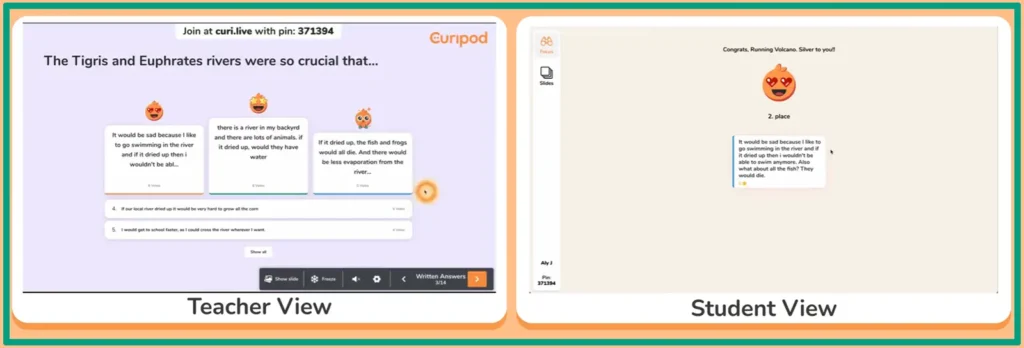
Okay, now the question is, which one should you actually use? Here’s how I think about it. If you teach elementary, Magic School, or Eduaide are probably your best bets because they handle differentiation well. Middle and high school teachers might be fine with ChatGPT or Claude and good prompts, especially if budget is tight. And language teachers should check out Twee. Also, if you’re trying to make your lessons more interactive, Curipod is worth testing.
The best AI education apps these days usually have some kind of lesson planning feature built in, so if you’re already using an educational platform for other stuff, check if it includes this before paying for another subscription. And honestly, some of these tools work better together. For example, you can use ChatGPT for the initial draft because it’s free, then you might run specific parts through an AI quiz generator if you need assessment materials.
And finally, if you’re a homeschool parent who found this guide, some of the best AI homeschool tools are usually the same ones teachers use.
Step-by-Step: How to Create Your First AI Lesson Plan
Alright, let’s actually do this. First, pick a tool and set up your account. I’d start with Claude or Magic School since they’re the easiest to get into. Both have free versions, and the signup takes like two minutes. Just use your email, create a password, and you’re in.
Next up (and this is where most people mess up!), you need to write a clear prompt. Here’s what to include: grade level, specific topic, your learning objectives, and how much time you have. The more specific you are, the better your results will be. So instead of “create a science lesson,” try something like “Create a 50-minute lesson plan on the parts of a cell for 7th grade life science. Include a warm-up review, direct instruction with visual aids, a hands-on activity, and an exit ticket. Align to NGSS standard MS-LS1-2.”
See the difference? The first one is gonna give you generic garbage! The second one gives the AI everything it needs to actually help you.
But (and this is step three), you gotta review what it gives you. Sometimes the AI suggests weird activities that don’t actually work in a real classroom. A friend of mine once got a lesson plan that included “students will create a full-scale model of the solar system in the classroom!” Uh, yeah, that’s not gonna happen in a 900-square-foot room with 32 kids! So you read through, check for stuff that’s unrealistic, make sure the timing actually makes sense, and verify that the activities match your students’ abilities.

Step four is where you add your personality back in. The AI-generated lesson is gonna sound kinda robotic and formal. You need to rewrite parts in your actual teaching voice. Change the examples to things your students care about. Add in jokes or references they’ll get. Let’s say you teach in a town that’s obsessed with football, so you can always adjust examples to include sports references because that’s what lands with the kids.
Now, I can not stress this enough. If you think you can just copy-paste what the AI gave you and teach it directly. Obviously, you can’t! Always gotta review and edit.
Step five, save templates for lessons you’ll teach again. If you teach multiple sections of the same class or if this is a lesson you do every year, save that prompt and the final edited version. Next year, you can just pull it up and make minor tweaks instead of starting over.
Oh, and one thing you should always be aware of. Sometimes the AI just gets stuff wrong! It’ll suggest an activity that doesn’t actually teach the objective, or it’ll include content that’s factually questionable. Let’s say you’re creating a history lesson. The AI might include a detail about a battle that you’re pretty sure was off. You need to check first, and yeah, it might have the date wrong by like three years! So always verify facts, especially for social studies and science content.
Last point, the AI ethics in education conversation is real, too. We need to be thoughtful about when and how we use these tools. Using AI to handle the busywork so you can focus on actually teaching? That’s smart. Using AI as a replacement for your own expertise and judgment? That’s a problem!
FAQ
Q: Is using an AI lesson plan generator considered cheating?
No way. Think of it like using a calculator for math or a spell checker for writing. AI lesson plan generators handle tedious formatting and resource gathering, but you’re still the expert deciding what and how to teach. You’re using a tool to work smarter.
Q: Will AI-generated lesson plans meet my state standards?
Most AI lesson plan generator tools let you input your specific state standards. The AI then builds lessons around those requirements. But always double-check the alignment yourself, since AI can miss subtle standard documents.
Q: Can AI create lesson plans for special education students?
Yes, but with supervision. AI tools can modify content for different reading levels and create IEP-aligned materials. However, you know your students best, so review everything to make sure accommodations actually fit their needs.
Q: How long does it take to create a lesson plan with AI?
Usually 5-15 minutes total. You’ll spend 2-3 minutes writing your prompt, 1-2 minutes waiting for AI to generate content, and 5-10 minutes reviewing and tweaking the output. Way faster than traditional planning.
Conclusion
So yeah, AI lesson plan generator tools are pretty incredible for saving time. I’m not saying they’re perfect. You’ll still need to review, edit, and add your own teaching magic. But honestly? Getting back around 6 hours every week is something that no one can ignore!
Think about what you could do with that time. Maybe leave school before 5 PM? Spend more one-on-one time with struggling students? Or just have a life outside teaching? All of that becomes possible when you’re not drowning in lesson plans.
Start small. Pick one tool and just create one lesson plan this week. See how it feels. Tweak what doesn’t work. Before you know it, you’ll have a system that works for you.
The goal isn’t to let AI do your job. The goal is to let AI handle the boring stuff so you can focus on what you actually became a teacher for. Things like connecting with kids and helping them learn. And if that means using an AI lesson plan generator to get your Sundays back? I say go for it!