
Top AI Tutoring Platforms for K-12 Students (2026 Comparison)


The best AI tutoring platforms for K-12 students combine personalized learning paths with real-time feedback and adaptive content. These platforms use smart algorithms to identify learning gaps and adjust difficulty levels automatically, helping students improve their test scores.
Introduction
Here’s the thing about finding the right tutor for your kid. You want someone who actually gets how they learn, right? But what if someone could track every single concept they struggle with, adjust the teaching style on the fly, and be available 24/7 when they’re panicking about their homework? That’s where AI tutoring platforms come in.
According to recent research from Engageli, students in AI-powered learning environments are achieving 54% higher test scores compared to traditional methods. Just think about it for a minute because this is HUGE. We’re not talking about robots replacing teachers! We’re talking about smart tools that fill in the gaps, give instant feedback, and keep kids from feeling stuck.
Personally, I run a small business helping other entrepreneurs figure out which tech tools actually work, and I’ve spent a good amount of time testing AI tutoring platforms with real families. Some are useful and some… just meh! In this comparison, I’ll walk you through the best AI tutoring platforms for K-12 students to see what makes each one different, and which one might actually be worth your money.
Best Overall in a Glance
IXL Learning
Best For: Elementary to middle school students who need practice with multiple subjects
- Pros:
- Covers all core subjects with 17000+ skills
- Clear progress tracking and real-time diagnostics
- Works on any device with offline mode available
Cons: - Subscription costs add up quickly
- Can feel repetitive for advanced students
- Heavy focus on drill-and-practice rather than traditional learning
Reading Eggs
Best For: Early readers ages 2-13 needing phonics-based learning with gamification
- Pros:
- Proven phonics approach with over 3,000 lessons
- Highly engaging games and rewards system
- Comprehensive progress reports for parents
Cons: - Monthly subscription required
- Can feel too game-heavy for serious learners
- Limited effectiveness for some older students
Khan Academy’s Khanmigo
Best For: Comprehensive subject coverage across all K-12 grade levels with free access
- Pros:
- Completely free for all students and teachers
- Covers math, science, reading, and social studies
- Built on ChatGPT with proven educational framework
Cons: - Limited personalization compared to paid platforms
- Can feel overwhelming due to massive content library
- Requires strong self-motivation from students
What Makes an AI Tutoring Platform Actually Good?
Okay, so the thing about AI tutoring platforms is, most of them sound amazing on their websites, but when your kid actually sits down to use them? Total different story! I learned this the hard way when I signed my nephew up for one of those so-called “revolutionary” platforms last year. Looked great in the demo, but he was bored within a week!
The real difference between traditional tutors and AI tutors isn’t just that one’s human and one’s not. A good human tutor can read your kid’s face, catch when they’re getting frustrated, and switch tactics on the spot. The best AI education apps on the other hand, try to do this with adaptive algorithms, but honestly, they still lack the emotional intelligence department. So, what they DO beat humans at? The answer is patience. An AI tutor will explain the same concept 47 times without sighing or checking the clock!
But here’s what actually matters when you’re comparing platforms. Adaptive learning sounds fancy, but what it really means is the system figures out what your kid doesn’t know and adjusts the difficulty. Some platforms just throw harder problems at kids who get answers right, but that’s not adaptive; that’s just lazy programming! Real adaptive learning tracks patterns, like noticing your kid always struggles with fractions involving mixed numbers but crushes decimals.
Instant feedback is huge, and this is where AI really shines. When I was helping a friend’s daughter with her math homework, she’d do a whole page of problems wrong because she misunderstood one concept at the start. An AI math tutor catches that mistake on problem one and redirects her right away. No waiting until next week’s tutoring session to find out you’ve been doing it wrong for days!

But let me be real about “personalized learning” for a second. Every platform claims they personalize everything, but a lot of them just mean they let kids pick an avatar or choose a theme color! True personalization means the system remembers that your kid learns better with visual examples, or needs extra practice with word problems, or gets distracted after 15 minutes and needs a quick break.
What you should look for depends totally on your kid’s learning style. Visual learners need platforms with lots of diagrams, animations, and color-coding. I’ve noticed best AI homeschool tools usually do a better job with this because they’re designed for parents who need multiple teaching approaches in one place.
How about auditory learners? Well, look for platforms with video explanations and text-to-speech features.
And kinesthetic learners (the kids who need to move and touch things)? They need interactive simulations, not just reading and clicking.
One last thing that’s kinda mind-blowing about AI is how it spots knowledge gaps humans miss. Like, a human tutor might notice your kid struggles with algebra. But an AI can track that the real issue is they never fully understood order of operations back in 6th grade, and that’s causing problems now. It connects dots across months or even years of learning data.
Best AI Tutoring Platforms by Subject
So I’m gonna break this down by subject because honestly, using one platform for everything rarely works despite what the companies claim. Different subjects need different approaches, and one size-fits-all is not gonna cut it!
Carnegie Learning
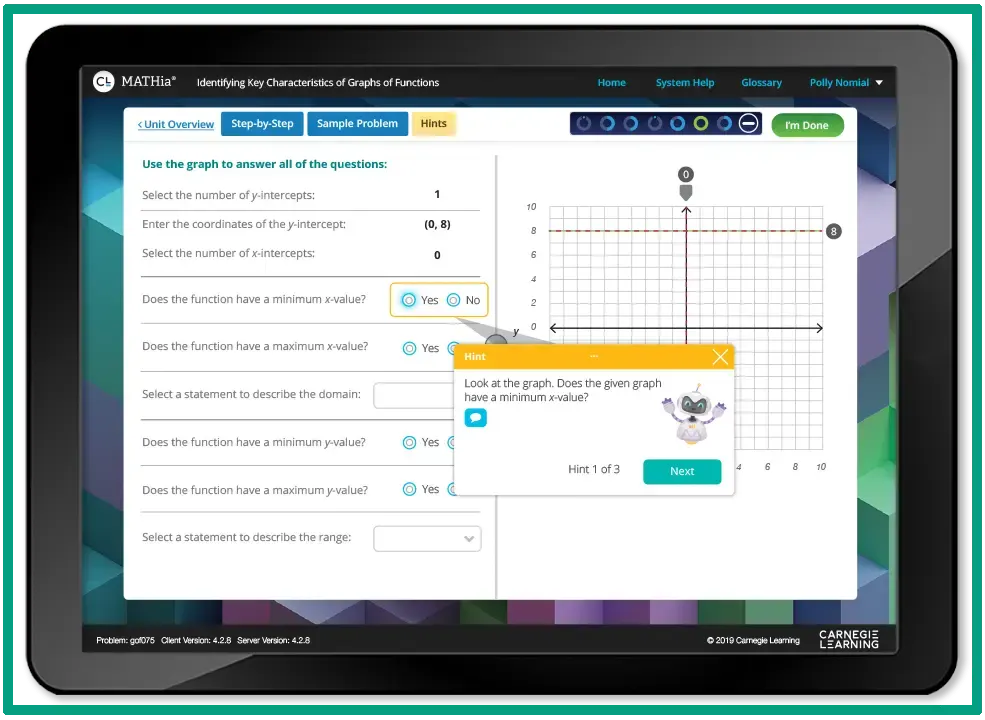
Best for: Middle and high school students who need deep math instruction with conceptual understanding, not just an answer-getting approach!
Pros:
- Forces students to explain reasoning, not just find answers
- Strong for multi-step problem solving
- Adapts well to individual learning pace
Cons:
- Premium pricing can be steep
- Interface feels a bit dated compared to newer platforms
- May be overkill for elementary students
A client of mine uses Carnegie Learning with her 8th grader, and the way it walks through algebra problems is pretty solid. It doesn’t let kids skip steps, which is frustrating for them at first, but actually builds better habits as well as foundational learning.
Photomath
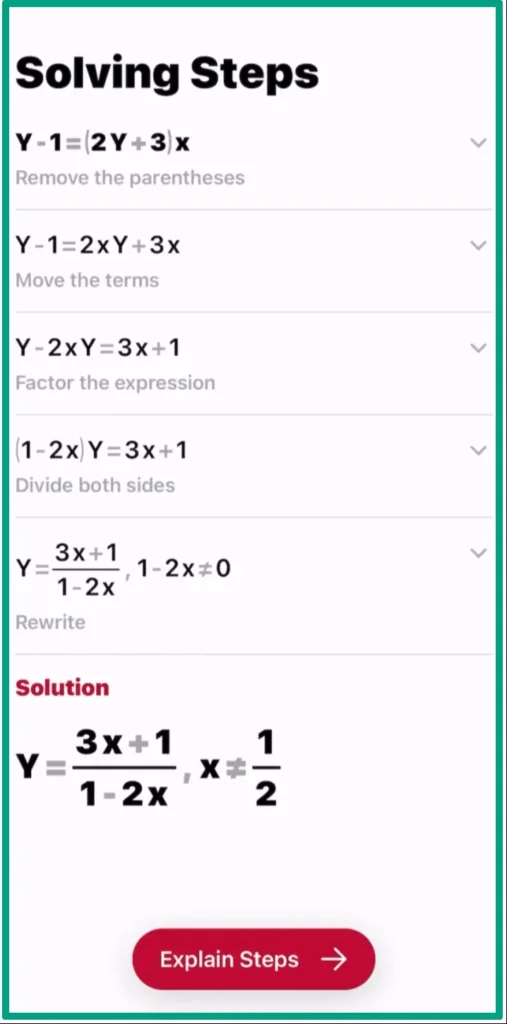
Best for: Students who need to check their homework and understand where they went wrong on math problems.
Pros:
- Shows step-by-step solutions clearly
- Covers a wide range of math topics
- Works by scanning problems with your phone camera
Cons:
- Easy to use as a cheating tool without learning!
- Sometimes misreads handwritten problems
- Doesn’t build skills as well as practice-based platforms
Photomath is the one every parent seems to know because kids use it to check homework. But truthfully? It’s better as a learning tool than a cheating tool if you actually make them read the explanations instead of just copying answers!
Mathway
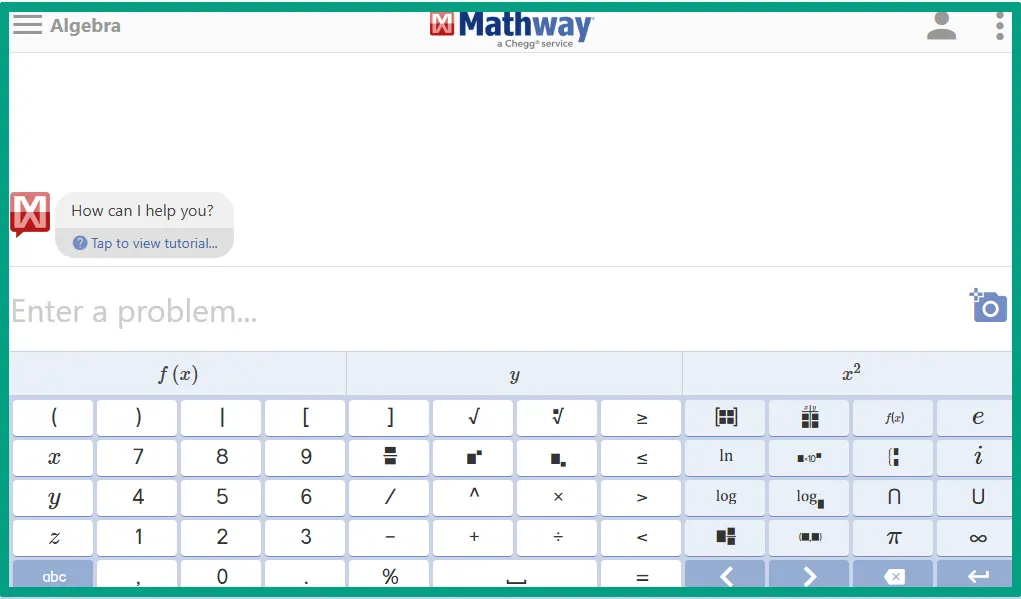
Best for: High school and college students tackling advanced math like calculus and trigonometry.
Pros:
- Handles complex math that other apps can’t
- Clean, straightforward interface
- Good for checking difficult homework
Cons:
- Free version doesn’t show work steps
- Paid version adds up if you use it regularly
- Tempting to skip the learning process
Mathway is similar to Photomath but goes deeper into advanced topics. I’ve recommended it to high schoolers who just need to verify they’re on the right track with harder problems.
DreamBox

Best for: Students (grades 3-12) who need engaging, game-like math practice that actually teaches.
Pros:
- Colorful and genuinely fun for younger kids
- Strong adaptive learning that adjusts in real-time
- Builds number sense, not just memorization
Cons:
- Subscription pricing for families
- Can be too game-like for some parents’ taste
- Limited to math only
DreamBox strikes a good balance between engaging and educational. My friend’s kid actually asks to use it, which is pretty much the dream, right?
Raz-Kids
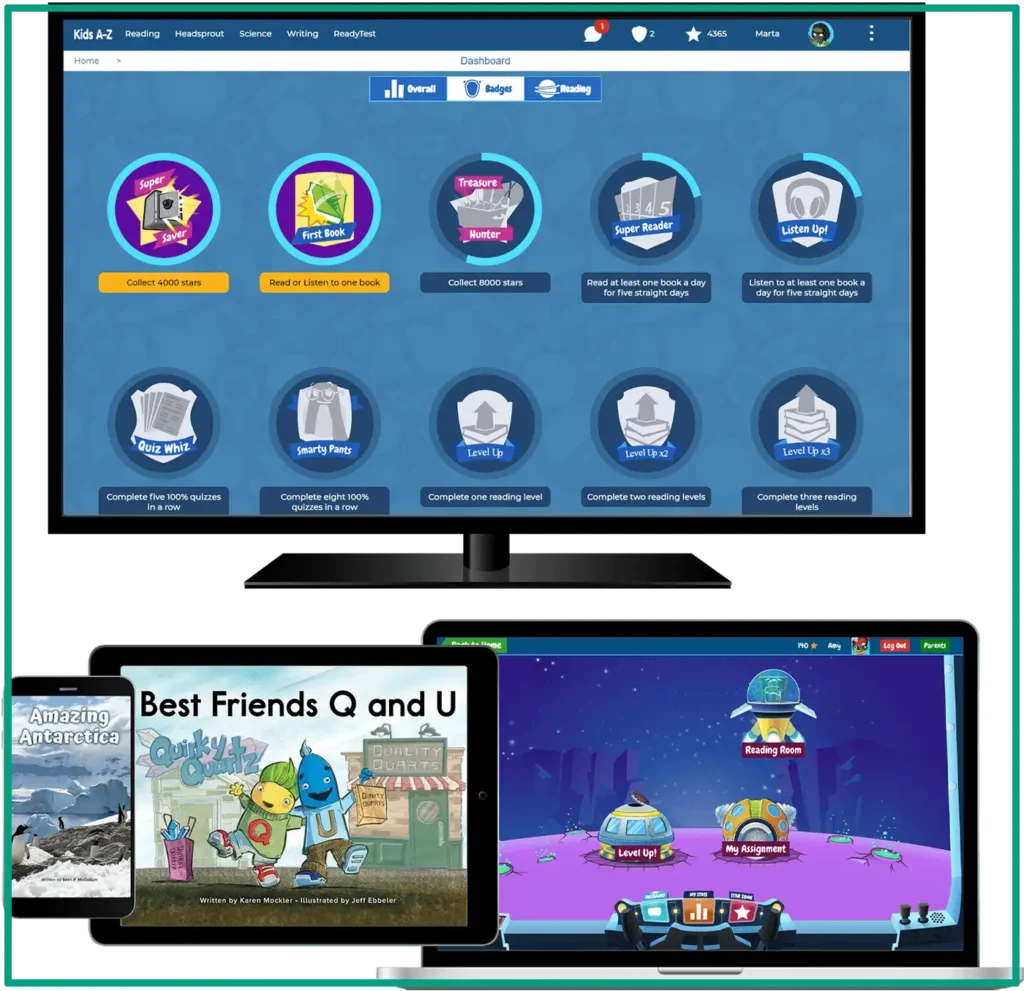
Best for: Early readers who need leveled books and fluency practice with built-in accountability.
Pros:
- Huge library of leveled books
- Tracks reading fluency and comprehension
- Kids can record themselves reading
Cons:
- Requires a teacher or parent account to set up
- Interface feels a bit outdated
- Some books are more engaging than others
I’ve seen Raz-Kids work well in homeschool settings where parents want structured reading practice. The AI reading comprehension tool features ask decent questions, though they’re pretty basic for older elementary kids.
Reading Eggs
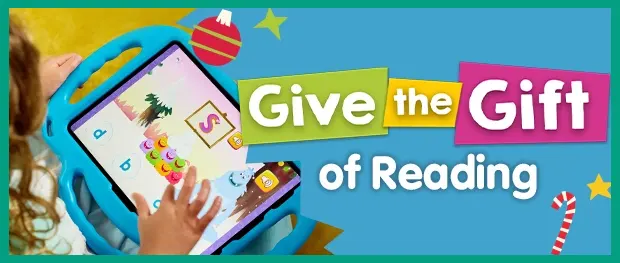
Best for: Preschool through 2nd grade for building foundational reading skills in a fun way.
Pros:
- Super engaging for the target age group
- Systematic phonics instruction
- Rewards system keeps kids motivated
Cons:
- Can feel repetitive after extended use
- Limited usefulness past 2nd grade
- Subscription required for full access
I tested Reading Eggs with a friend’s kindergartener, and her mother told me that she genuinely looked forward to it every day. The lessons are short enough that little kids don’t lose focus.
Grammarly for Education
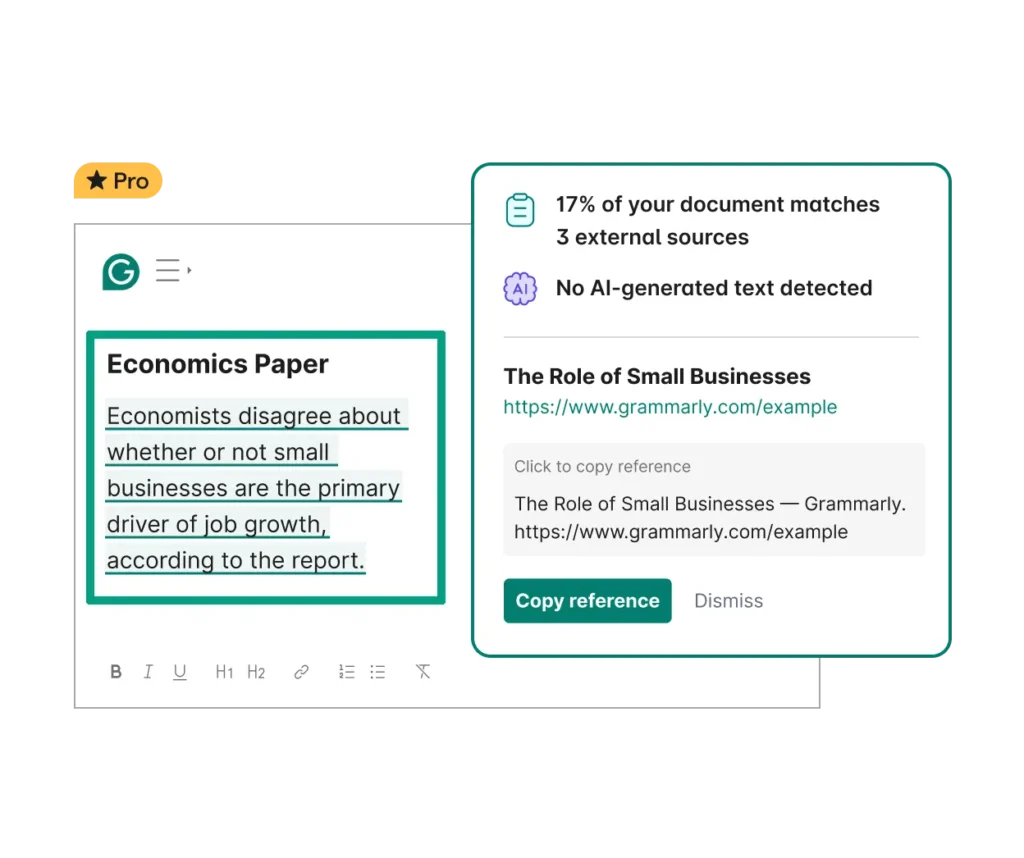
Best for: Middle school through college students who need writing feedback beyond basic spell-check.
Pros:
- Explains why sentences need improvement
- Works across multiple platforms and websites
- Premium features catch tone and clarity issues
Cons:
- Free version is pretty limited
- Can make writing feel mechanical if over-relied on
- Doesn’t replace learning grammar rules properly
Grammarly is one I actually use myself and recommend for older students. My nephew’s essays got noticeably better after a few months of actually reading the feedback instead of just clicking “accept all”!
Labster

Best for: High school and college students needing virtual science lab simulations when real labs aren’t available.
Pros:
- Incredibly realistic lab simulations
- Covers biology, chemistry, and physics
- Safe way to practice dangerous experiments
Cons:
- Expensive for individual subscriptions
- Can’t fully replace hands-on lab experience
- Requires decent computer specs to run smoothly
I mean, you can’t fully replace examining a frog in biology class! But for schools without lab equipment or for remote learning? Labster is honestly impressive.
Khan Academy

Best for: Students at any level who need comprehensive, free content across all major subjects.
Pros:
- Totally free with no ads or upsells
- Covers K-12 through early college
- Excellent video explanations and practice problems
Cons:
- Can feel overwhelming with so much content
- Less personalized than paid platforms
- Interface hasn’t changed much in years
Khan Academy is the gold standard for free content. The best AI tutoring platforms often get compared to it because it sets such a high bar. Also, the AI homework tools for parents features make tracking progress pretty easy too.
IXL
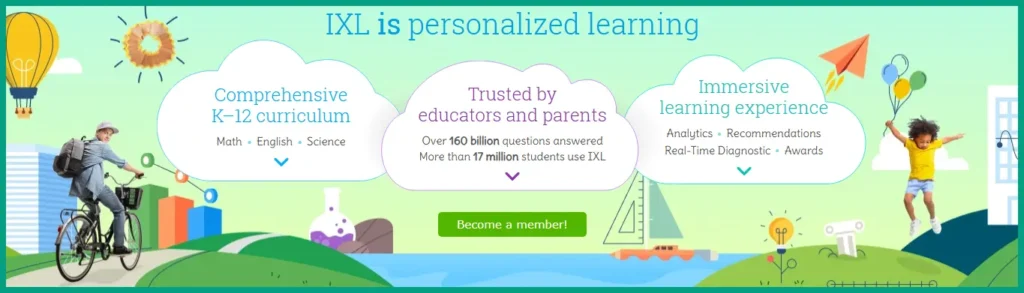
Best for: Students who respond well to drill-and-practice with multiple subjects and detailed skill tracking.
Pros:
- Comprehensive coverage of all major subjects
- Detailed progress reports for parents
- Aligns well with state standards
Cons:
- Can feel repetitive and tedious
- Pricing jumps significantly for multiple subjects
- Some kids find the penalties for wrong answers demotivating
Parents either love or hate IXL! Some kids respond well to that structured, practice-heavy approach. Others burn out fast. I’d recommend trying the free trial before committing.
Brainly
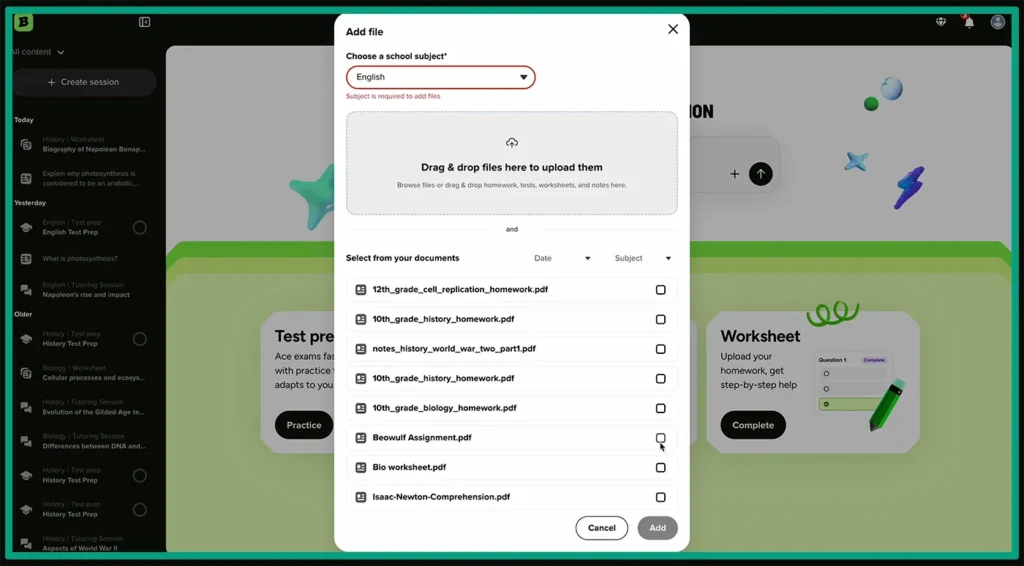
Best for: Students who want quick homework help from peers, not structured learning.
Pros:
- Fast answers from real students
- Covers a huge range of topics and subjects
- Community-driven and often free
Cons:
- Answer quality varies wildly
- Easy to get wrong information
- Not really a learning platform, more like Quora for homework
Brainly is more of a peer-help platform where students answer each other’s questions. It’s hit or miss on accuracy, so I tell parents to use it as a supplement, not a primary resource.
PrepScholar
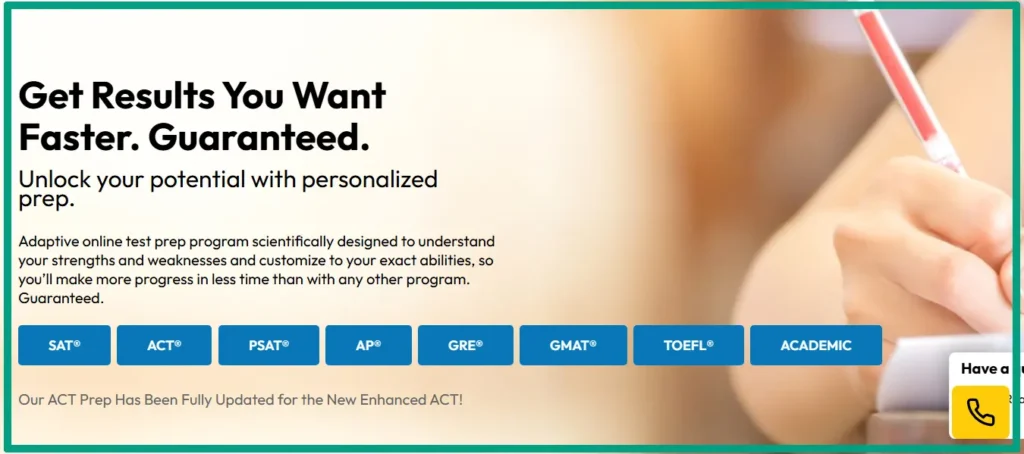
Best for: High school students preparing for SAT/ACT who want personalized test prep programs.
Pros:
- AI identifies specific weak areas on standardized tests
- Customized study plans based on target scores
- Decent score improvement guarantee
Cons:
- Expensive compared to other test prep options
- Requires consistent use to see results
- Can feel overly focused on test-taking tricks
I’ve heard good things about PrepScholar from parents whose kids needed significant score improvements. The AI does a solid job figuring out what to focus on instead of just doing practice test after practice test.
Magoosh
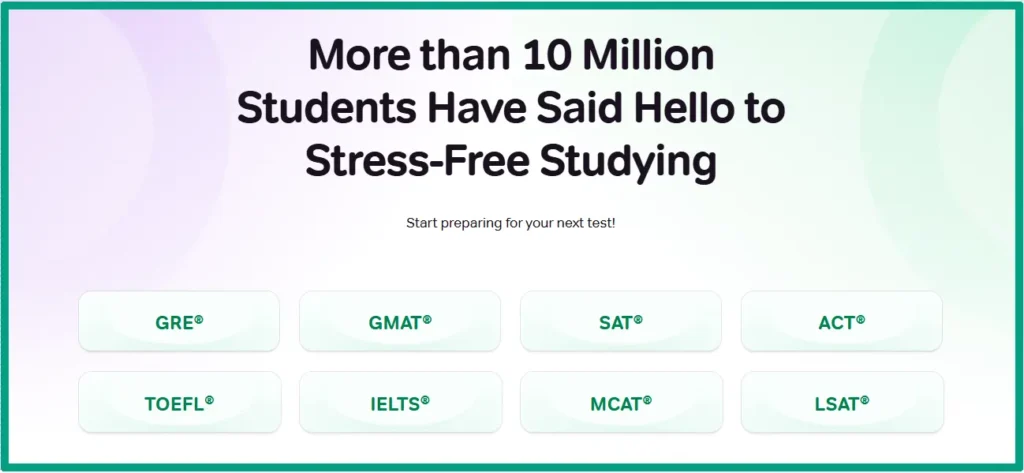
Best for: Budget-conscious students who need solid test prep (SAT, ACT, GRE) without breaking the bank.
Pros:
- Much cheaper than competitors
- Good video explanations for each question type
- Email support from actual teachers
Cons:
- Less personalized than higher-priced options
- Video-heavy format doesn’t work for all learning styles
- Practice questions can feel limited
Magoosh is the one I usually recommend when parents want test prep but can’t afford $500+ programs. It’s thorough without being fancy, and for a lot of kids, that’s exactly what they need.
Now that we have gone over all these options, the question is, when should you use a specialist vs all-in-one platform? If your kid struggles with one specific subject or you’re prepping for a particular test, then specialist tools go deeper. But if you need general homework help across subjects, an all-in-one platform is less hassle than managing multiple subscriptions.
One example is Khan Academy, which is the best free option. The content is high-quality, covers pretty much every subject through high school, and the AI homework tools for parents make it easy to track what your kid is actually doing. But the catch with free platforms is that they’re usually less personalized and have basic progress tracking.
How to Pick the Right Platform for Your Kid
Okay, so this is where it gets personal because every kid is different, and what worked for my client’s daughter totally flopped for another kid I know!
Age matters more than people think. Elementary kids need platforms that are visually engaging without being chaotic. In that case, a platform like DreamBox works well because it’s colorful and game-like and actually teaches stuff. Middle schoolers need something that doesn’t feel babyish but isn’t overwhelming either. So, IXL and Khan Academy hit that sweet spot. High schoolers want tools that respect their intelligence, because they’ll bail on anything that feels patronizing! Carnegie Learning and AI coding learning tools tend to work better for this age group because they’re more sophisticated.
Learning styles are huge, and we already talked about this. If your kid is a visual learner, you need platforms with videos, diagrams, and animations. Auditory learners? Look for platforms with strong video content and explanation features. For kinesthetic learners, interactive simulations and hands-on activities matter most. And to be honest, this is tough to find in AI platforms because most are pretty passive.

Matching features to specific challenges is where you can really make a difference. Got a kid with ADHD? Shorter lesson modules work better than hour-long sessions. Some platforms let you set time limits or break up content into 10-15 minute chunks. How about test anxiety? Platforms that let kids practice in low-stakes environments without timers or grades help build confidence. And for advanced students who are bored in class, look for platforms that let them jump ahead without following a strict sequence.
I always tell parents to take advantage of trial periods. Most platforms offer 7-30 day free trials, and some have money-back guarantees. Actually USE the trial; don’t just sign up and forget about it! Sit with your kid for the first few sessions and watch how they interact with it. Are they engaged? Frustrated? Bored? You’ll know pretty quickly if it’s a fit.
But the real challenge is getting your kid to actually use the platform! This is where so many parents mess up. You can’t just buy a subscription and expect results. I’ve found that setting a specific time each day helps, like right after school or before dinner. Make it routine, not punishment. And honestly? Sometimes you need to sit nearby at first, not hovering but available for questions. The best AI language learning apps even build in parent coaching features for this reason.
One last thing. Don’t overwhelm your student by combining too much. If you’re using an AI platform, it should support school work, not add to it! I’ve seen kids using Khan Academy to understand concepts from class, then applying that to their homework. That works. But using three different AI platforms, plus regular homework, plus a tutor? That’s a recipe for burnout. Pick one or maybe two tools that fill real gaps, and stick with them.
FAQ
Q: Are AI tutoring platforms as effective as human tutors?
A: AI tutors are better at providing instant feedback, unlimited practice, and identifying knowledge gaps quickly. However, they can’t replace the emotional support and nuanced understanding a human tutor offers. The best approach combines both when possible.
Q: At what age should kids start using AI tutoring platforms?
A: Most platforms work well for students aged 6 and up, though some target preschoolers too. The key is choosing age-appropriate interfaces and ensuring younger kids (under 10) have parent supervision during sessions.
Q: Can AI tutoring help with standardized test prep?
A: Yes, platforms like Khan Academy and PrepScholar use AI to create personalized SAT/ACT study plans. They analyze practice test results to focus on weak areas, which can boost scores significantly with consistent practice.
Q: Do these platforms work offline or need constant internet?
A: Most AI tutoring platforms require the internet for the adaptive features to work properly. However, some offer limited offline modes where students can access previously loaded content without connectivity.
Conclusion
So, here’s where we land with all this.
AI tutoring platforms aren’t magic, but they’re pretty close when you find the right match for your kid. Some of the best ones offer free options for serious students, and actually adapt to how they think and learn. They catch the gaps that slip through in busy classrooms.
The trick is being honest about what you need. If your kid just needs extra practice and reinforcement, some options get the job done without breaking the bank. If they’re struggling with specific concepts or preparing for standardized tests, investing in a specialized platform pays off. But again, sometimes the free options work just as well as the expensive ones; it really depends on your situation.
I recommend trying the free trials. Let your kid test a few platforms. The one they’ll actually use is better than the so-called “best” one they ignore! Because at the end of the day, the best AI tutoring platform is the one that keeps them learning without turning homework into a battle!