Best AI Tools for Homeschooling Parents: Planning, Teaching, and Tracking


AI homeschool tools help parents create personalized lesson plans, track progress, and use methods like adapting teaching to each child’s learning style. Most of these platforms combine planning features, real-time feedback, and progress tracking all in one place.
Introduction
Homeschooling often gets sold as freedom and flexibility, but for many parents it feels more like endless paperwork, constant self-doubt, and a daily game of educational guesswork! At least it used to be like this, but if you play your cards right, it doesn’t have to be anymore.
And here’s why. According to the Pew Research, 3.4% of K-12 students in the United States were homeschooled during the 2022-23 academic year, and a ton of those families are now using AI tools in education to make their lives easier, which is exactly what you need to do.
I run a small business helping others, and I’ve seen many homeschooling parents try to balance teaching, tracking progress, and actually having a life. The right AI homeschool tools can handle the busy work so you can focus on the good stuff. Like seeing your kid finally get those math problems right, or watching them get excited about history.
This guide breaks down the best AI homeschool tools for planning lessons, teaching different subjects, and tracking what’s actually working. So, let me introduce you to some of these tools that actually help.
Best Overall in a Glance
Khan Academy
Best For: Free, comprehensive curriculum with AI-powered practice
- Pros:
- Free for all subjects and grade levels
- Adapts difficulty based on student performance
- Tracks mastery for each concept
- Cons:
- The interface can feel overwhelming at first
- Limited customization for lessons
- No built-in parent communication tools
Brisk Teaching
Best For: Creating lesson plans and materials quickly
- Pros:
- Generates customized worksheets in seconds
- Works as a Chrome extension
- Saves hours on prep work
- Cons:
- Requires manual review of AI content
- Limited offline functionality
- Best for text-based subjects
Toddle
Best For: Complete planning and progress tracking system
- Pros:
- Combines lesson planning with portfolio tracking
- Easy-to-read progress reports
- Parent and student collaboration features
- Cons:
- Learning curve for new users
- Monthly subscription required
- Can be overkill for single-child families
AI Tools for Lesson Planning and Curriculum Design
Look, I totally understand that lesson planning can eat up many parents’ Sunday afternoons. You’d sit there with a coffee (or three) trying to map out the week ahead, making sure you hit all the right standards without boring your kids to tears! Now, the good news is, you can always check out AI lesson plan generator tools because they have honestly changed the game.
These tools basically take your learning standards and spit out age-appropriate content in minutes. What used to take you perhaps hours now takes minutes. The AI looks at what grade level you’re teaching, what subjects you need to cover, and even adjusts the pacing based on how fast or slow your students typically move through material. Here are my favorites:
Brisk Teaching
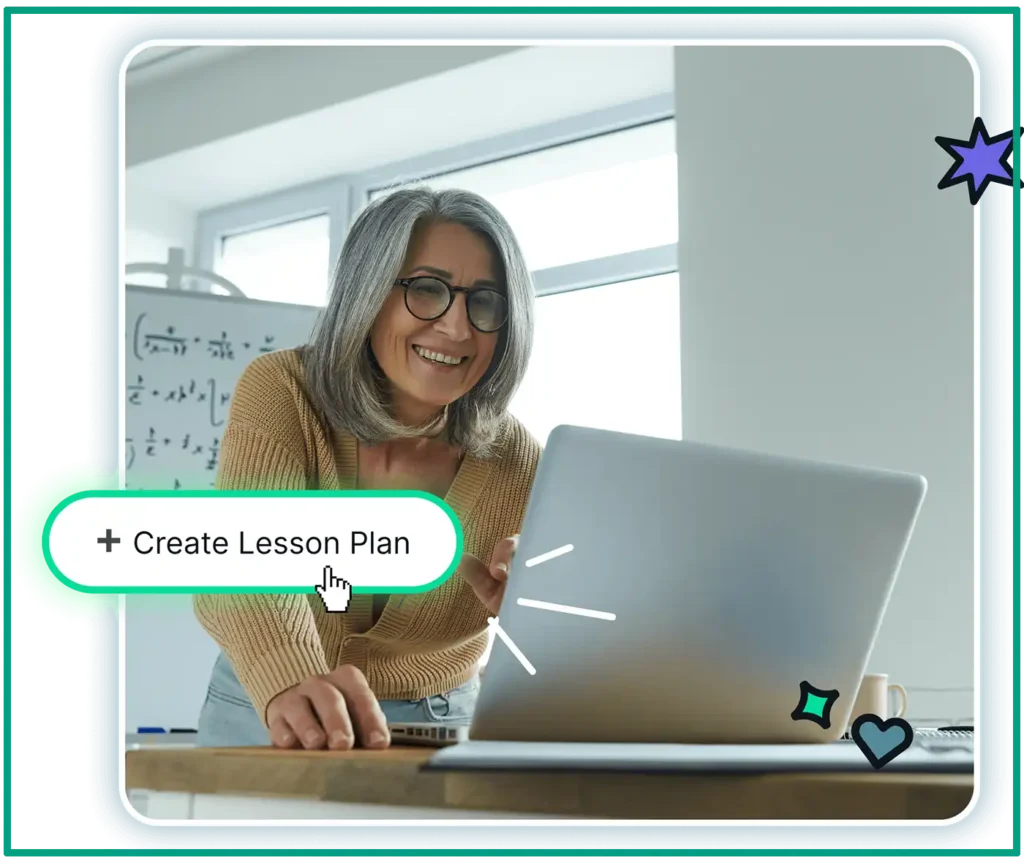
Best for: Teachers who need quick worksheets, quizzes, and lesson materials without the fancy stuff.
Pros:
- Creates materials in under a minute
- Works right in your browser
- The free version is actually useful
Cons:
- Less customization than other tools
- Sometimes too basic for complex topics
- Limited template variety
I tested Brisk for a while just to explore the options, and it’s perfect for those “oh crap, I forgot we need a worksheet for tomorrow” moments! You just type in your topic, pick your grade level, and boom, you’ve got a worksheet or quiz ready to print. The materials aren’t always perfect, but they’re solid enough that you only need to make small edits.
Magic School AI
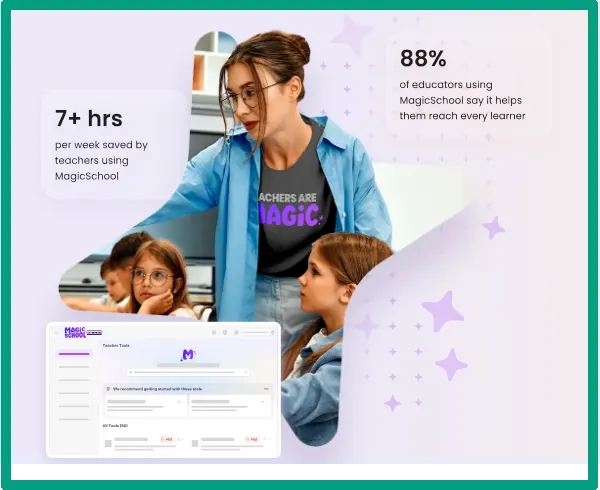
Best for: Creating complete lesson sequences with activities, assessments, and differentiated materials all in one place.
Pros:
- Builds entire units, not just single lessons
- Includes differentiation options
- Made specifically for teachers
Cons:
- Can be overwhelming at first
- Paid version needed for best features
- Takes time to learn all the features
A friend of mine uses Magic School AI for her entire curriculum planning, and she loves it. I tried it out to see what’s what, and yeah, it’s pretty impressive. The tool doesn’t just give you a lesson plan; it gives you the whole package! Warm-up activities, main instruction, practice problems, and even ideas for extension activities if your kids finish early.
ChatGPT with Education Prompts
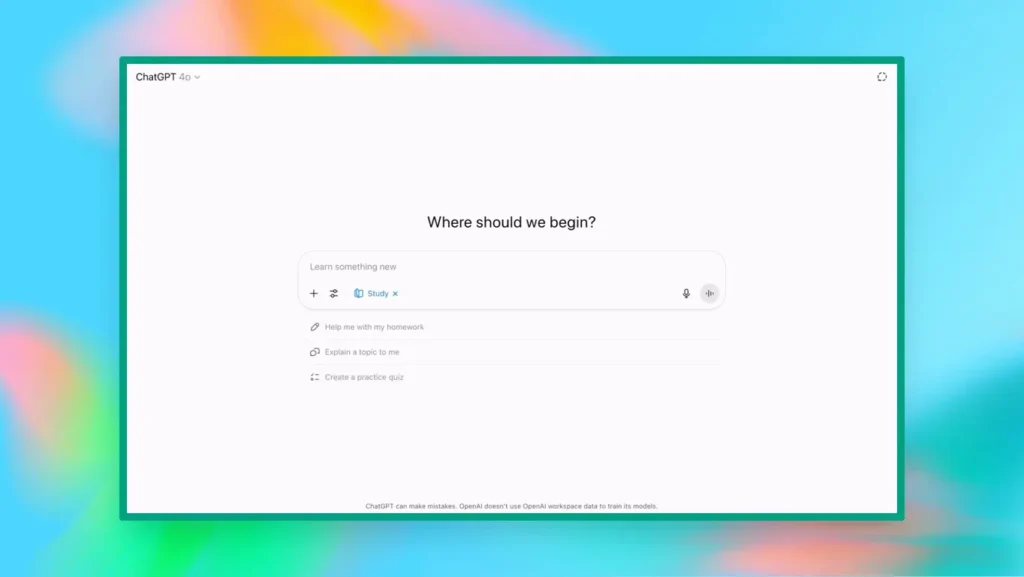
Best for: Custom content creation when you need something specific that other tools can’t quite nail.
Pros:
- Extremely flexible and customizable
- Can handle unusual requests
- Free version is pretty solid
Cons:
- Requires good prompting skills
- Quality varies based on how you ask
I use ChatGPT almost every day, but it took me a bit to figure out how to talk to it properly. You can’t just say, “make me a science lesson!” You need to be specific. Like, “Create a 30-minute lesson on plant photosynthesis for 5th graders who learn best through hands-on activities, including a simple experiment using household items.” The difference and quality are HUGE when you prompt correctly.
The thing is, not all planning tools are created equal. You want something that actually saves you time instead of creating more work! I look for tools that let me customize the output because, let’s be real, AI doesn’t know your kids like you do. It might suggest an activity that sounds great on paper but would be a disaster with your actual children.
My advice? Start with just one subject. Don’t try to AI-fy your entire curriculum at once! Pick your most time-consuming subject, and use AI tools just for that. Once you get comfortable, you can expand. And here’s a pro tip. Keep templates of the prompts that work well. When you find a format that gives you good results, save it and reuse it. Saves even more time.
And always, and I mean always, review the content before you teach it. AI gets things wrong sometimes. So trust, but verify.
Best AI Teaching Assistants for Different Subjects
Okay, so lesson planning is one thing, but what about the actual teaching part? That’s where subject-specific AI tools really shine. I’ve tried a bunch of these with multiple subjects, and some are definitely better than others.
Khan Academy

Best for: Adaptive math practice that adjusts to each student’s level and provides comprehensive STEM content from elementary through high school.
Pros:
- Completely free with no paywalls
- Adapts automatically to student performance
- Covers math through calculus plus science topics
Cons:
- Interface can feel dated
- Video explanations aren’t always engaging
- Limited customization for homeschool needs
You can use Khan Academy for math practice every day if you want. And I know, I know, it’s been around forever, but they’ve added some seriously smart AI features that adapt to each kid’s level. If your child keeps getting fractions wrong, it’ll automatically give them more fraction practice before moving on. It’s like having a patient tutor who never gets frustrated.
The platform tracks progress really well too, so you can see exactly where your kids are struggling without having to grade a bunch of worksheets yourself.
Photomath
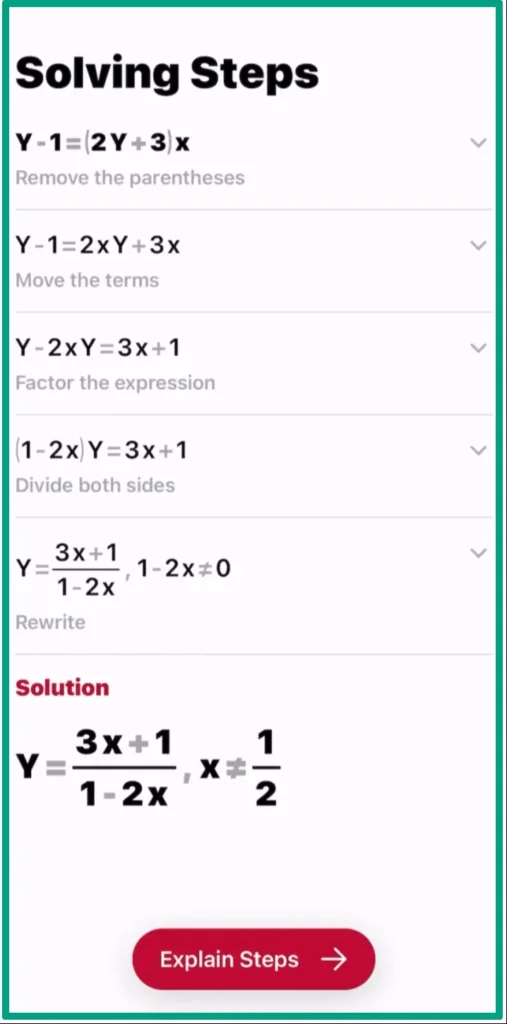
Best for: Getting step-by-step explanations for math problems when kids (or parents) are stuck.
Pros:
- Shows detailed solution steps
- Covers a wide range of math topics
- Easy to use (just snap a photo)
Cons:
- Can allow kids to skip thinking!
- Subscription needed for all features
- Sometimes misreads handwritten problems
A friend of mine uses Photomath all the time when her kids get stuck on homework. You literally take a picture of the problem, and it shows you step-by-step how to solve it. The trick is teaching kids to use it as a learning tool, not a “give me the answer” tool (we’ll talk more about that later)!
Brilliant
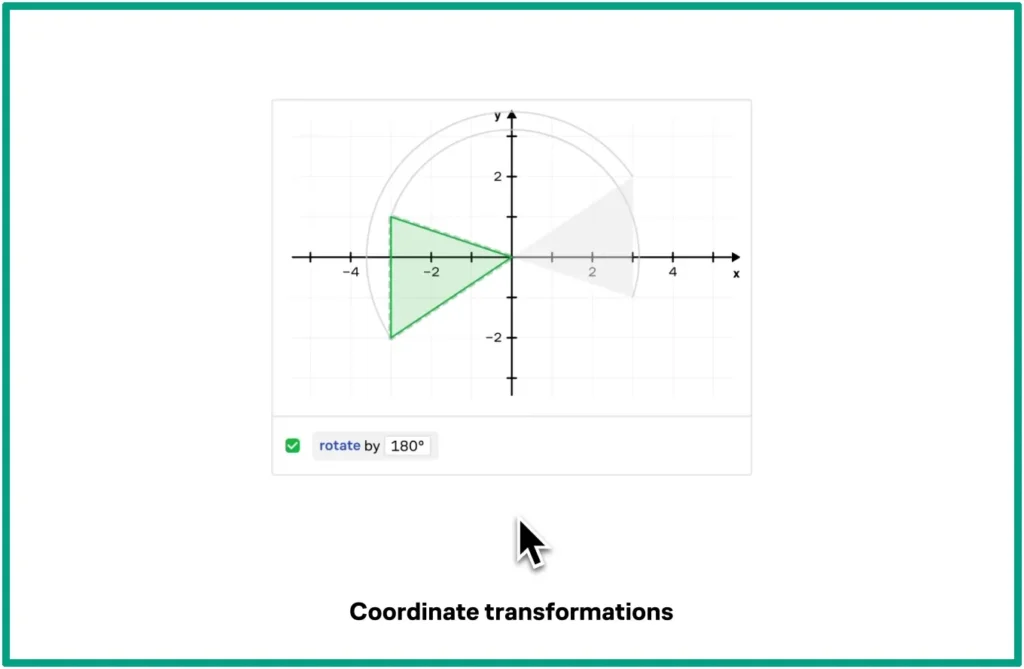
Best for: Building problem-solving and critical thinking skills in math, science, and computer science through interactive challenges.
Pros:
- Focuses on understanding, not just memorization
- Engaging, game-like approach
- Great for gifted or advanced students
Cons:
- Requires a paid subscription
- Not ideal for basic skill practice
- Can be too challenging for struggling learners
For the kids who love problem-solving, Brilliant is pretty amazing. It’s less about drilling basic skills and more about building actual thinking skills. It’s one of the best AI education apps that makes learning feel less like school and more like solving puzzles.
Grammarly
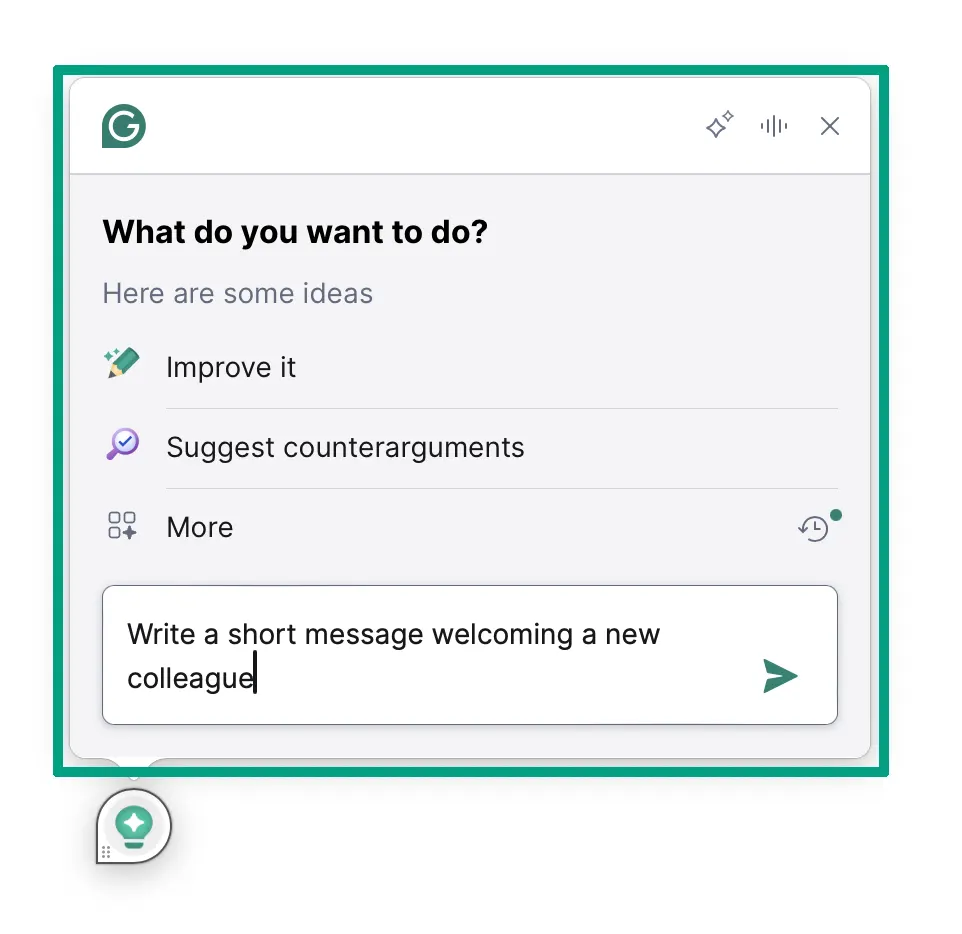
Best for: Real-time grammar and writing feedback that helps students learn from their mistakes.
Pros:
- Explains why corrections are needed
- Works with most writing platforms
- Free version covers basic grammar
Cons:
- Can be overly picky about style
- Might discourage creative writing risks
- Premium features get expensive
Grammarly has been a lifesaver for my writing, to be honest! Yeah, it’s mainly for grammar and spelling, but it also explains why something is wrong, which helps kids actually learn instead of just making corrections. I use it myself, so it’s always open on my computer anyway. The AI catches things I miss, especially when I’m tired and just trying to get through the reviewing phase.
Quill
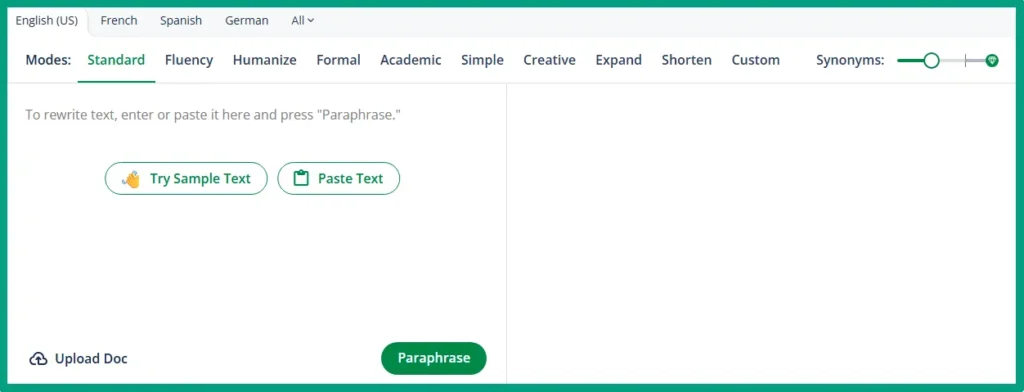
Best for: Interactive grammar practice that feels more like a game than traditional worksheets.
Pros:
- Specifically designed for grammar instruction
- Immediate feedback on exercises
- Free for educators and homeschoolers
Cons:
- Focuses only on grammar, not broader writing
- Limited content beyond grammar rules
- The interface could be more engaging
For grammar practice specifically, Quill is one of the best AI education apps that does one thing really well. It’s got interactive grammar exercises that feel more like games than worksheets. I know a mom who can’t work without it because she’s been using it for about a year now.
Labster

Best for: Virtual science labs with realistic simulations for homeschoolers without access to lab equipment.
Pros:
- Incredible 3D simulations
- Covers biology, chemistry, and physics
- Safer than real lab experiments
Cons:
- Expensive subscription cost
- Not a replacement for hands-on labs
- Requires decent computer hardware
Labster is incredible if you can afford the cost. It’s basically virtual science labs, which is perfect for homeschoolers who don’t have access to actual lab equipment. Some kids have done virtual dissections, chemistry experiments, and even DNA analysis. But is it the same as hands-on? No way! Although it’s way better than just reading about it in a textbook, if I’m being fair!
Duolingo
Best for: Gamified language learning that keeps kids motivated through daily practice streaks and rewards.
Pros:
- Free version is actually useful
- Fun, game-like progression system
- Covers tons of languages
Cons:
- Can feel repetitive over time
- Limited conversation practice
- Grammar explanations are minimal
Duolingo is probably the most well-known, and yeah, it works. The gamified approach keeps kids engaged, and the AI adjusts difficulty based on their performance. I once used it for German every morning, and it was addictive! The streak feature is both a blessing and a curse. It’s great for motivation, but kids might get genuinely upset if they miss a day!
Okay, now that we have covered all the tools, we need to straighten a few more things up first. The best AI tutoring platforms usually let you set up multiple student profiles, each with their own level and pace. Khan Academy does this really well.
On the other hand, the AI homework tools for parents category has exploded lately, and honestly, some of these tools can help you as much as they help your kids! Let’s say my niece asks me about algebra (which I barely remember), we can work through it together using an AI tool that explains it step by step.
One last thing, I’d pick maybe 2-3 core platforms that handle the basics with multiple subjects, then add specialized tools only for subjects where the extra help is needed. Trying to manage 15 different apps is just asking for a headache!
Getting the Most Out of AI Homeschool Tools
Alright, so you’re probably thinking, “this all sounds great, but where do I even start?” And I get it. Even when I’m testing or doing research about these tools to recommend, it’s overwhelming.
First things first (and I already mentioned that), pick just a few core tools. That’s it. Maybe one for lesson planning, one for math practice, and one for tracking progress. Later on, you can add more for subject-specific ones if you really need them. But make sure they actually work together; like, can you export data from one to import into another? Or do they require completely separate accounts and logins (which creates more headaches)?
About those tracking progress tools. I saw that some of the AI reading comprehension tool has this feature built in. It tracks not just whether they’re finishing books, but how well they understand what they’re reading. Whether it’s comprehension levels, reading speed, or vocabulary growth, all of it shows up on one screen.
Also, I think it’s a good idea to use one of the AI quiz generator tools, which are particularly useful to test the level of kids understaning. You can create custom quizzes on specific topics, and the AI will not only grade them but also show you exactly which concepts need more attention. Some of them even generate new practice problems automatically based on what your kid got wrong.
Next, the most important thing you should know is the fact that AI gets things wrong sometimes. Like, a lot! I once showed my relatives’ kids some examples of AI making mistakes, and now they’re more careful about checking the answers instead of just assuming the computer must be right.
Now, I can not talk all day about these tools and not reference the elephant in the room, right? Oh, I mean pricing! Look, these tools can get expensive fast. I’m always looking for free options that actually work well, and honestly, there are quite a few.
ChatGPT‘s free version handles probably 80% of what you need for lesson planning and content creation. Khan Academy is completely free and covers math through calculus. Duolingo‘s free version is solid for language learning if you don’t mind some ads.
And when paid tools are worth it really depends on your situation. If you’ve got one or more kids who need serious extra help in a subject, a subscription to a good platform might be cheaper than hiring a tutor. But if you’re just looking for supplemental practice? Probably stick with free options, unless you don’t mind paying extra for more features and probably better quality.

Next, we need to talk about over-reliance on AI for a minute. You might think it could basically replace you as the teacher. Spoiler alert, it can’t! Your kids still need you to explain things, answer their weird questions, and help them when they’re frustrated.
AI is a tool, not a replacement for actual teaching. Think of it like a really good assistant who can prep materials and grade papers, but can’t actually connect with your kids or adapt on the fly when something isn’t working.
And another trap is getting distracted by shiny new tools. Every week there’s some new AI app that promises to solve all your homeschooling problems. Don’t get FOMO! If what you’re using works, stick with it. You can always explore new tools when you’re ready, not every time something pops up.
And please, don’t ignore your teaching instincts. If an AI tool suggests something that doesn’t feel right for your kid, trust your gut. You know your children better than any algorithm ever will! I know the AI space moves fast. Like, really fast. New features drop constantly, and tools that didn’t exist six months ago are suddenly everywhere. But you and your teaching skills are not going anywhere; I can promise you that.
That being said, you still need to be open to changing tools as your kids grow. What worked great in 3rd grade might not work in 6th. Your tech stack should grow and change with your family’s needs.
The goal isn’t to have the perfect AI setup; it’s to have tools that make your homeschooling life easier and help your kids actually learn. Keep that in mind, and you’ll figure out what works for your family.
FAQ
Q: Are AI tools safe for homeschool kids to use?
A: Most education AI tools are designed with student safety in mind, but parents should monitor usage, check privacy policies, and teach kids not to share personal information. Look for tools with FERPA (the Family Educational Rights and Privacy Act) compliance and kid-safe browsing.
Q: Do I need to be tech-savvy to use AI homeschool tools?
A: Not really. Most tools are designed for regular parents and have simple interfaces. Start with one easy tool like Khan Academy, get comfortable, then add more. YouTube tutorials help too.
Q: Can AI tools replace a full curriculum?
A: AI tools work best as supplements to your main curriculum. They handle practice, tracking, and busy work really well, but shouldn’t replace books, hands-on learning, or parent-led teaching. Use them to save time, not replace connections.
Q: Will using AI make my kids dependent on technology?
A: Balance is key. Use AI for things like grading, practice, and planning, but also include offline activities, outdoor time, and hands-on projects. AI should save you time, not replace real-world learning experiences.
Conclusion
Look, AI tools won’t magically turn you into a perfect homeschool teacher (spoiler, that doesn’t exist anyway)! But they can handle the stuff that eats up your time and energy, whether it’s grading math problems, figuring out what to teach next, or tracking if your kid actually learned something.
The best AI homeschool tools work quietly in the background. They adapt to how your kids learn, show you what’s working, and free up time for the important stuff. You know, like actually talking to your kids instead of doing paperwork all day!
Start small. Pick one or two tools from this list and try them for a month. See what sticks. Maybe Khan Academy becomes your math backbone, or Brisk Teaching saves you hours on lesson plans. The goal isn’t to use every tool out there; it’s to find the ones that make your homeschool life easier.
And hey, if something doesn’t work? Drop it and try another. That’s the whole point of homeschooling anyway, doing what works for your family, not following someone else’s perfect plan!