How to Create Engaging Instagram Reels with AI (Step-by-Step)


AI Instagram content creation tools help small business owners build engaging Reels faster by handling video editing, script writing, and content ideas so you can post consistently without spending hours on production.
Introduction
Here’s something you might not know. According to DemandSage, Instagram users watch over 200 billion Reels every single day across Instagram and Facebook, and if you’re not showing up in that feed, you’re basically invisible!
And trust me, I get it. You’re running a business, talking to clients, and trying to stay on top of everything else. The idea of filming and editing Reels every day? Yeah, that sounds exhausting! But here’s where AI Instagram content creation becomes essential for many folks like us.
As someone who owns a small business and helps other solopreneurs figure this stuff out, I’ve watched AI tools go from kinda good to actually useful. We’re talking about apps that can write your scripts, edit your videos, add captions, and even suggest trending audio, all in way less time than doing it manually.
In this guide, I’m breaking down exactly how to build engaging Reels using AI without feeling like you need a degree in video editing or something like that! Plus, I’ll show you which tools are worth your time and which ones to skip.
Why AI Tools Make Instagram Reels Way Easier
Look, I’ll be honest with you. When one of my dear friends asked to help him with Reels for his business, I spent hours staring at my screen. I had to start writing scripts, recording takes, editing clips, figuring out captions; the whole thing was exhausting and time-consuming. And the worst part? After all that work, half the Reels flopped anyway!
That’s when AI Instagram content creation basically saved my sanity! I’m not saying AI does everything for you (it doesn’t), but it handles the tedious work that used to eat up my entire afternoon.
Here’s what changed for me. Tasks that used to take two hours (like writing a script, finding trending audio, and editing clips together) now take maybe 15 minutes. AI tools can generate video scripts based on trending topics in your niche, suggest cuts and transitions, write captions that actually sound decent, and even research hashtags that might actually get you seen. A client of mine was spending three hours per Reel before trying AI tools. Now she batches five Reels in the same time.
But I get the worry. When people hear “AI,” they picture robotic, soulless content that screams “I didn’t write this!” And yeah, if you just copy-paste whatever AI spits out, your Reels will sound like a corporate press release! The trick is using AI as your assistant, not your replacement.
Think of it this way. AI handles the boring stuff (like “what should I say first” or “how do I phrase this”) while you add your personality, your stories, your weird sense of humor! You’re still the creative brain. AI just speeds up the process so you’re not reinventing the wheel every single time you sit down to create.
Pick the Right AI Tools for Your Reel Workflow
Okay, so you’re sold on using AI. Now comes the fun part, which is picking tools that actually work for you. And honestly, there are so many options out there that it’s kinda overwhelming at first.
I break AI tools down into a few categories to keep things simple. You’ve got video editors (the ones that cut and stitch clips together!), script writers (they help with ideas and text), design apps (for graphics and text overlays), and audio tools (for finding trending sounds and music). You don’t need one of everything. Pick what solves your biggest headache.
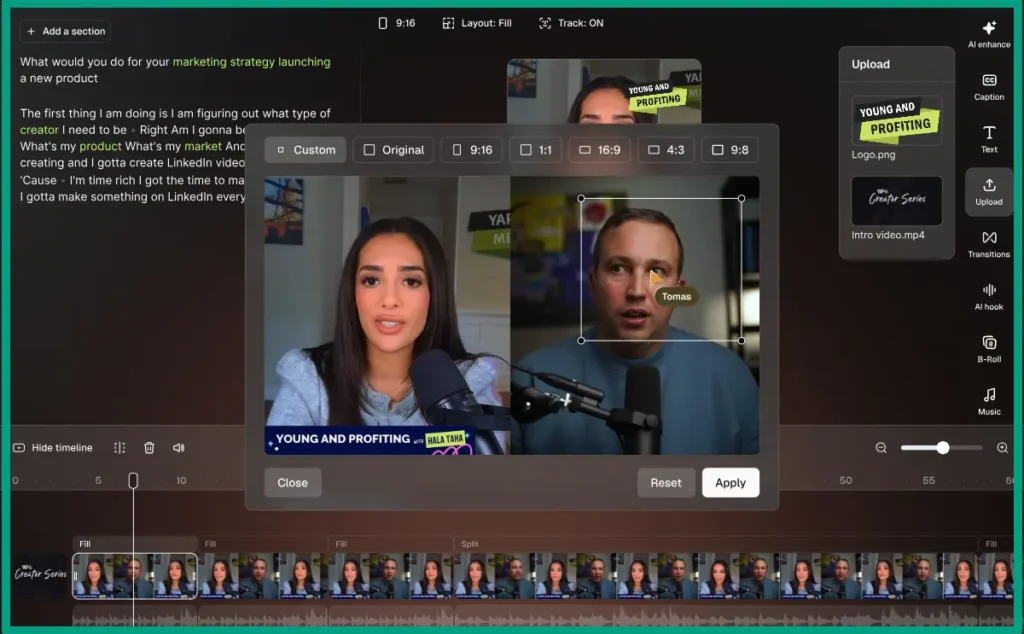
For AI video tools, my go-to is CapCut because it’s free and has solid auto-caption features. A colleague of mine loves Descript for cutting out filler words and awkward pauses, which is super handy if you ramble on camera. If you want something more advanced with AI scene detection and transitions, tools like Runway or OpusClip are worth testing, but they’re pricier.
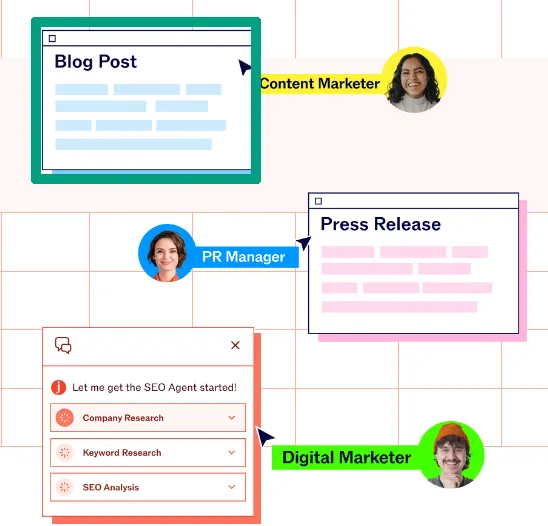
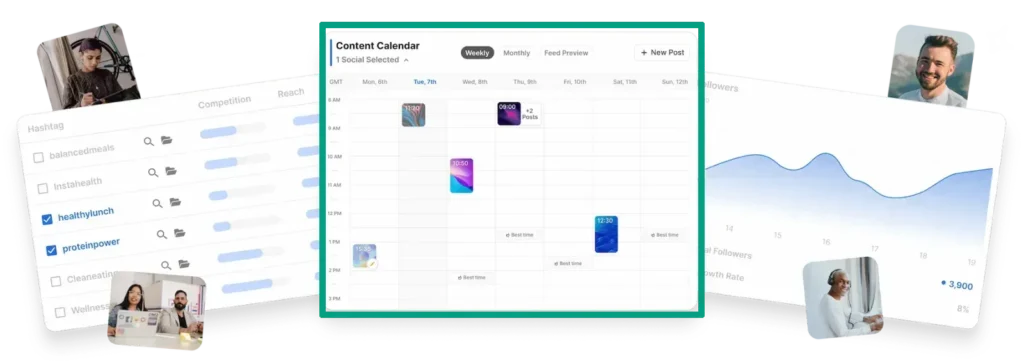
When it comes to script and caption writing, ChatGPT is my go-to for pretty much everything specially brainstorming. I also tested Jasper for a few months, and it’s great if you want more structured templates. For hashtag research, some folks use tools like Flick or Later, but honestly, I usually just ask ChatGPT for hashtag ideas based on my content topic.
But here’s a tip for you. Start with free tools first. Don’t drop money on subscriptions until you know what features you’ll actually use. Test a few options for a week or two and see what feels natural in your workflow. Some tools might slow you down. Others just click. You’ll know when you find the right fit.
Also, look for tools that handle music selection and trending audio. Instagram’s algorithm loves Reels with popular sounds, so having AI suggest what’s hot right now saves you from scrolling through the app for hours trying to find something relevant.
Create Your Reel Script and Storyboard with AI
This is where AI content creation for beginners really shines. Coming up with fresh content ideas week after week is exhausting. I used to sit there with a blank document, feeling like my brain had zero creativity left!
Now I just tell AI what I need. Say I’m a fitness coach. I’ll prompt something like, “Give me 10 Reel ideas about quick workouts for busy parents.” And boom. AI spits out a list, and I pick the ones that fit my vibe. Not all the ideas are winners, but even two good ones save me time.
But here’s the thing. AI-generated scripts often sound… generic. They’re fine as a starting point, but you’ve gotta make them sound like you. I always rewrite the hook in my own words and throw in personal stories or examples. If AI suggests “Transform your business with these tips,” I’ll change it to something like “I tried this hack last month and actually got clients from it.”
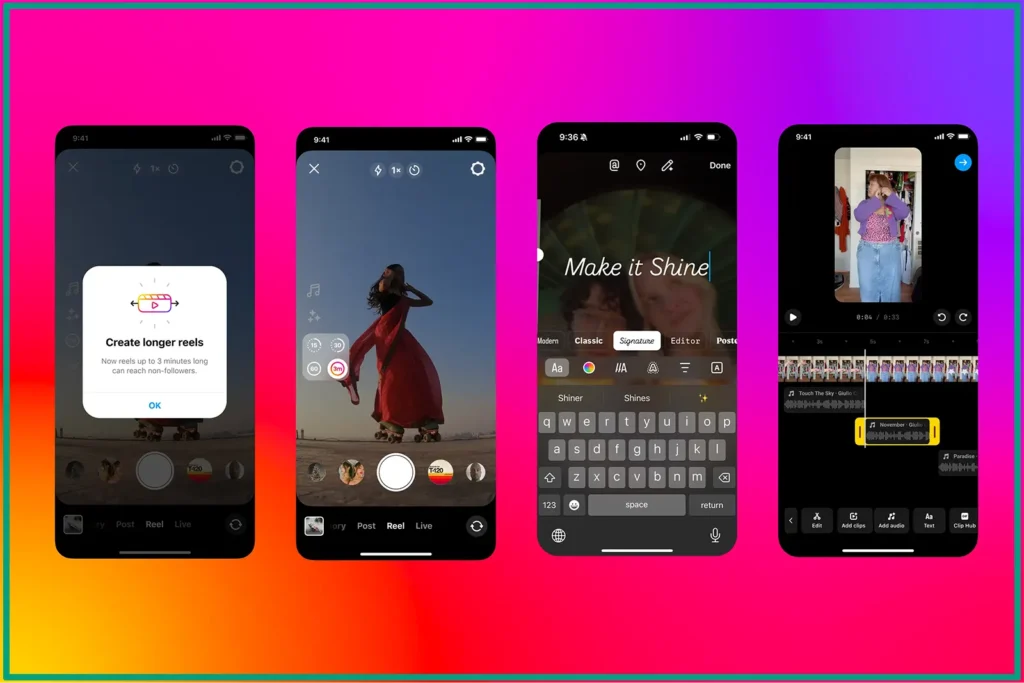
The structure of a winning Reel is pretty simple. Start with a strong hook in the first 3 seconds, valuable content in the middle, and a clear call-to-action at the end. AI can structure this for you, but you need to add the personality.
Here are some prompt examples you can consider using:
For educational content: “Write a 30-second script explaining SOMETHING for beginners who feel overwhelmed.”
For behind-the-scenes: “Create a casual, day-in-the-life script showing the process of SOMETHING with a personal story.”
For promotional: “Write a Reel script that promotes SOMETHING without sounding salesy, focusing on the problem it solves.”
The key is being specific in your prompts. Don’t just say “Write a Reel about marketing.” Say “Write a 45-second Reel about email marketing mistakes small business owners make, with a friendly, reassuring tone.”
And then (this is crucial), read the AI draft out loud. If it sounds stiff or weird, tweak it. Add your own words, throw in a joke, mention a real example from your business. That’s how you turn AI suggestions into content that actually connects with people.
Edit and Polish Your Reels Using AI Features
Editing used to be my least favorite part of making Reels! I’m not a video editor by training, and honestly, I found the whole process tedious (can you blame me)! But AI editing shortcuts changed that completely.
Auto-captions are a lifesaver. You can use CapCut‘s auto-caption feature on every single Reel because it saves precious time from manually typing out subtitles. Plus, captions make your content accessible and keep people watching even when they’re scrolling without sound. The AI isn’t perfect (it messes up words sometimes), but fixing a few errors beats typing everything from scratch.
Background removal is another feature I didn’t know I needed until I tried it. Some AI editors (like CapCut) can remove your background without a green screen. It’s kinda wild. You can use it to put yourself in front of branded graphics without setting up fancy equipment!
AI can also cut clips and remove filler words automatically. If you film yourself talking and say “um” a million times like me, tools like Descript are able to just delete them. Same with awkward pauses. It makes your Reels sound tighter and more professional without hours of manual editing.
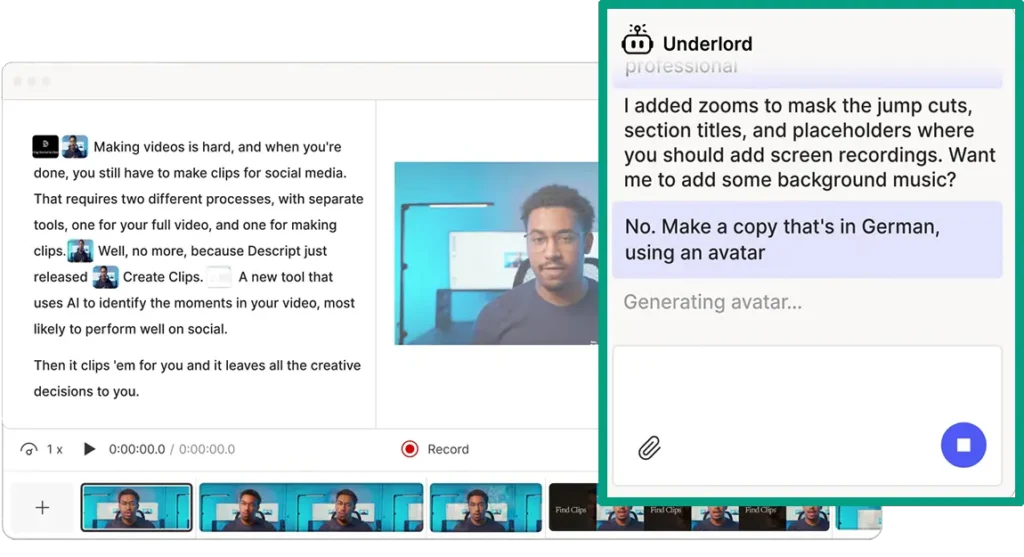
Then there’s lighting and color correction. Some AI tools (like Runway or even Instagram’s built-in editor) can fix bad lighting automatically. Personally, I’m terrible at filming in good light, so this feature has saved countless Reels that would’ve looked dark and bad otherwise!
Adding text overlays, effects, and graphics used to require design skills I don’t have. Now AI tools suggest text placements, animate text for you, and even recommend effects based on your content. You don’t need to be a designer to make visually interesting Reels anymore.
One warning though. Don’t overdo it! I see Reels with ten different transitions, flashing text everywhere, and a million effects, and it’s just… too much! Keep it simple. A few clean text overlays, smooth transitions, and good pacing beat flashy chaos every time.
Post and Optimize Your AI-Created Reels
Alright, your Reel is edited and ready. Now you gotta post it the right way so people actually see it.
Timing matters. I’ve tested posting at different times, and for some audiences, mornings and evenings work best. But your audience might be different. Check your Instagram Insights to see when your followers are most active, and post around then.
Captions and hashtags are where AI social media captions tools come in handy. I usually ask AI to write three caption options based on my Reel’s topic. Then I pick the one I like best and tweak it to sound more like me. For hashtags, you can say something like “Give me 15 hashtags for a Reel about SOMETHING, mixing popular and niche tags.” Instagram lets you use up to 30 hashtags, but I’d stick to 10-15 relevant ones.

Analyzing performance data is how you get better over time. After posting a few Reels, look at which ones got the most views, shares, and saves. What did they have in common? Was it the hook? The topic? The editing style? Use AI to help spot patterns if you’re tracking data in a spreadsheet, but honestly, even just eyeballing your top performers works.
Also, AI content repurposing is a massive trend these days. One Reel can become a YouTube Short, a TikTok, a LinkedIn post, and even a carousel on Instagram. AI tools can help resize and reformat your video for different platforms. I do this all the time because creating one video and getting five uses out of it just makes sense.
Now, the only question is, how often should you post? And of course it depends on your capacity! I’d aim for 3-4 Reels a week because that’s what makes sense for most of us without burning out. Some people post daily. Others post twice a week. The key is consistency, not frequency. Pick a schedule you can actually stick to, and batch-create Reels when you have time so you’re not scrambling every day.
FAQ
Q: Can people tell when you use AI for Instagram Reels?
Not if you personalize it. AI handles the boring stuff like editing and captions, but your voice, style, and ideas should still come through. Think of AI as your assistant, not your replacement.
Q: What’s the best free AI tool for making Reels?
Several options work well depending on your needs. Tools like CapCut have built-in AI features for free users. Many AI caption generators also offer limited free plans that work great for beginners.
Q: How long should my AI-created Reels be?
Most viral Reels run between 15-30 seconds. Short enough to keep attention but long enough to deliver value. AI tools can help you trim content to hit that sweet spot automatically.
Q: Do I need to show my face in Reels?
Nope! Plenty of successful Reels use B-roll, screen recordings, product shots, or text-based content. AI tools can actually help you build engaging Reels without ever appearing on camera if that’s your preference.
Q: How often should I post Reels to see results?
Aim for 3-5 Reels per week to start. Consistency matters more than volume. AI Instagram content creation tools help you batch-create content so you’re not scrambling every single day.
Conclusion
Look, AI isn’t going to magically turn you into a viral sensation overnight. But honestly, it takes away the biggest excuses most of us have for not showing up on Instagram consistently!
You don’t need fancy equipment, editing skills, or hours of free time anymore. What you do need is a willingness to try something new and a commitment to showing up for your audience. AI handles the technical stuff so you can focus on what actually matters, which is connecting with people and sharing value.
Start with one tool. Build one Reel. See how it feels. Most people get stuck in research mode forever, but the ones who actually succeed are the ones who just start creating. It’s that simple. Your first few Reels might feel awkward, and that’s totally fine. Everyone’s first Reels were rough!
The beauty of AI Instagram content creation is that it lets you experiment without wasting tons of time. So grab one of these tools, write a quick script, and hit record. Your audience is waiting for you to show up.