How to Use AI to Edit Podcasts and Remove Filler Words Automatically


AI podcast editing tools can automatically remove filler words, awkward pauses, and background noise from your recordings, with some tools reducing editing time by an average of 45 minutes per episode while improving overall audio quality.
Introduction
I used to spend 3 hours editing a 30-minute podcast episode just a few years ago. Did you get that? Three hours, and I’m not even exaggerating! I was just sitting there, hunting down every “um,” “uh,” and awkward silence like some kind of audio detective. And honestly, I didn’t even like what I did back then, simply because it was boooring!
Here’s the good news though. According to GitNux, AI tools can reduce the average podcast editing time by approximately 50%. That’s not just a little time saved; that’s the difference between dreading your editing sessions and actually enjoying the process.
Look, I get it. The idea of letting AI mess with your carefully recorded audio sounds scary. What if it cuts out the wrong stuff? What if your podcast ends up sounding robotic? I had the same worries.
But after trying out different AI podcast editing tools myself (and watching my business owner friends try them too), I realized that these tools aren’t here to replace your creative judgment. They’re here to handle the boring, repetitive stuff so you can focus on making great content.
What AI Podcast Editing Tools Actually Do (And What They Don’t)
Okay, so here’s the thing about AI podcast editing tools. They’re not magic, but they’re pretty close! These tools can mainly handle the repetitive stuff that eats up hours of your precious time. I’m talking things like removing filler words like “um” and “uh,” trimming awkward silences, reducing background noise, and balancing audio levels so one speaker isn’t way louder than another.
I remember spending an entire Sunday afternoon manually cutting out every single “like” and “you know” from an audio file. It was mind-numbing! That’s where AI steps in and does the tedious work in minutes instead of hours.
But let me be clear about what AI editing can’t do. It won’t make creative decisions for you. It can’t tell if a story should be moved to the beginning of your episode or if a whole segment should be cut because it drags. AI also won’t restructure your content or fix pacing issues where things feel rushed or too slow. Those are still on you, and that’s very important to remember.
There’s basically two types of AI editing you’ll run into. Fully automated editing is where you upload your raw audio, click a button, and get back a polished file without all the “ums” and silences. AI-assisted editing gives you more control though. The AI identifies filler words and marks them, but you decide what stays and what goes. I recommend using AI-assisted ones because those fully automated ones can be too aggressive.
I also recommend a workflow like this. You record the episode like normal, do a quick listen to catch any major issues, then upload to an AI tool. It processes everything and gives you a transcript with all the filler words highlighted. Review the edits, approve most of them, then export. The whole thing takes maybe 20 minutes for an hour-long episode.
And no, AI won’t make your voice sound fake or robotic. That’s a huge misconception. The AI isn’t changing your actual voice; it’s just cutting out the extra stuff. Your voice stays exactly the same. Think of it like trimming a video, not adding a filter.
Understanding these limits actually helps you pick the right tool. If you’re doing a highly produced narrative podcast, you’ll need different features than someone doing casual interview shows. Knowing what AI can and can’t handle saves you from buying a fancy tool you’ll barely use.
The Best AI Tools for Removing Filler Words
Alright, let me break down the AI podcast editing tools I’ve actually tested or that people I trust used all the time. I’m not gonna list every single option out there; just the ones that actually work.
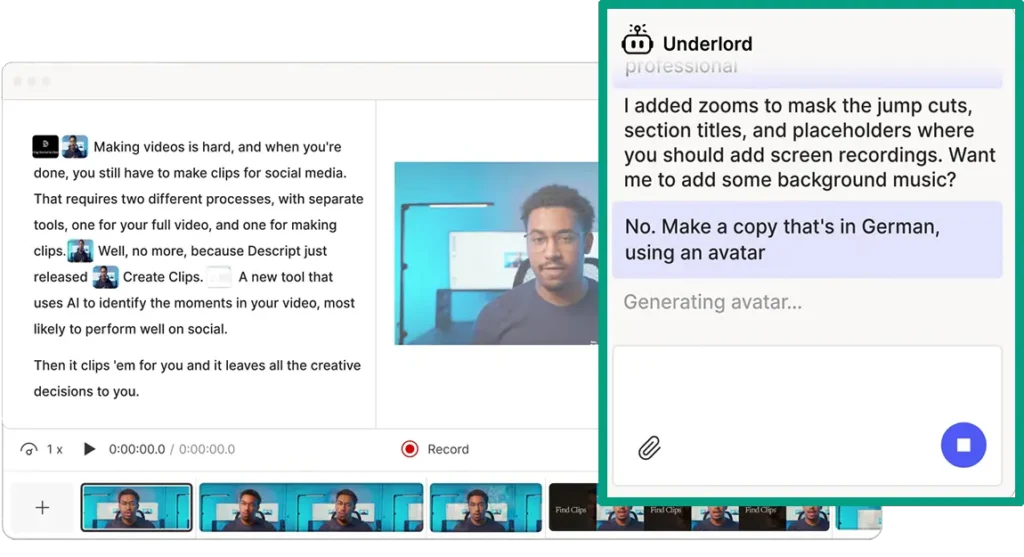
The first one in my list gotta be Descript because it’s amazing. It’s honestly become my go-to because you edit audio by editing text, which feels weird at first but then you realize it’s brilliant. The filler word removal is super accurate, and it handles multiple speakers really well. Pricing is reasonable for what you get, and they have a free tier if you want to test it out. It’s got a bit of a learning curve if you’re new to editing, but once you get it, you’ll fly through episodes.
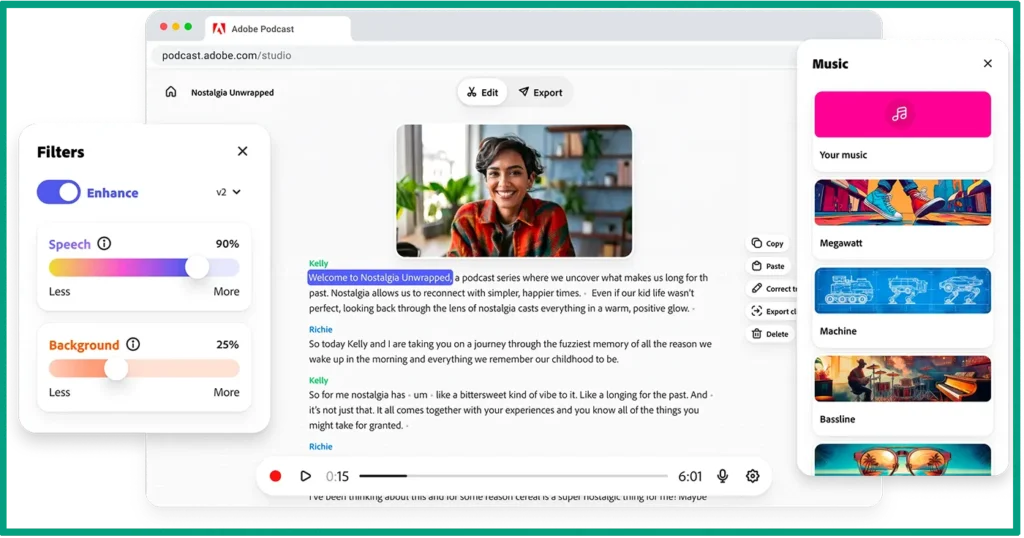
Adobe Podcast is what I tested for a few months last year. It’s web-based, so no downloads needed, and the interface is dead simple. The filler word detection isn’t quite as good as Descript, but the noise reduction feature is incredible. I recorded a file just for test in a coffee shop once (not recommended, by the way!) and Adobe somehow made it sound like I was in a studio.
Alitu is perfect if you’re a complete beginner. A client of mine uses it and loves it because it basically holds your hand through the whole process. It’s designed specifically for podcasters who aren’t audio nerds. The downside is, it’s a bit pricey if you’re just starting out and not sure if podcasting will stick!
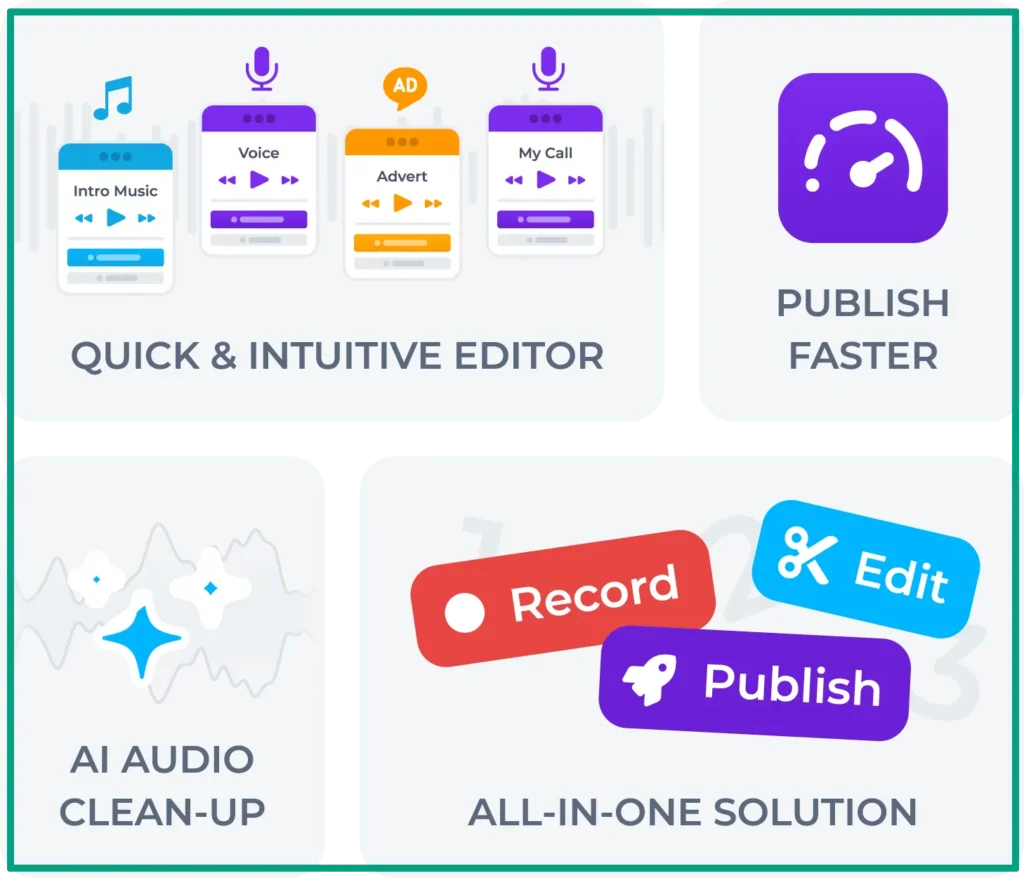
Then there’s Cleanvoice AI. This one specializes in filler words and does it really well. It also removes mouth sounds (like those lip smacks), which is great. The thing is, if you need a full editing suite, this won’t cut it. But if you’re already comfortable with tools like Audacity or GarageBand and just want help with filler words, it’s solid.
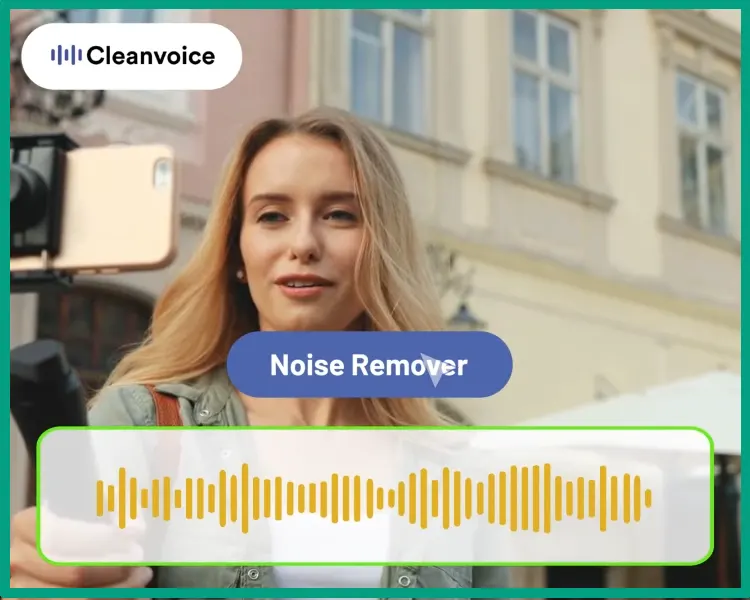
Auphonic is more technical but powerful. It handles audio leveling and noise reduction better than most, and it integrates with publishing platforms. I wouldn’t recommend it for beginners though, because there’s a lot of settings and buttons that can be overwhelming!

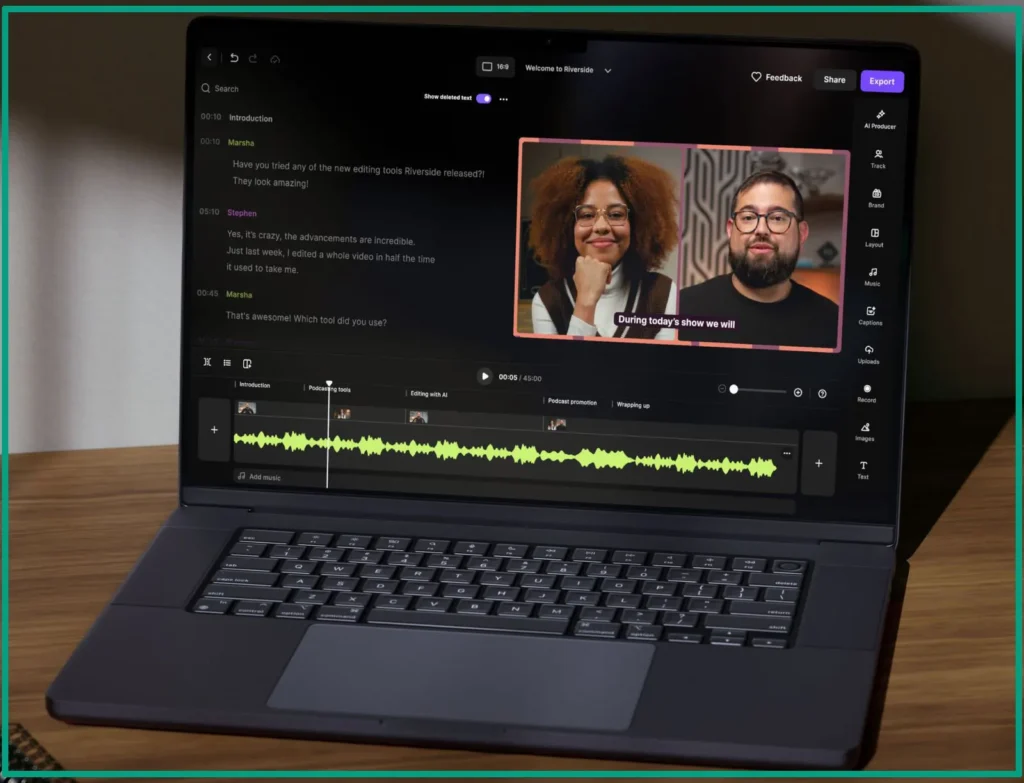
For mobile editing, Riverside has started adding AI features. I haven’t used it much personally, but a colleague records and edits everything from his phone with it. It’s great if you’re on the go, though desktop is still better for detailed work.
Oh, and if you’re exploring AI content creation for beginners, these podcast tools are a good entry point. They’re way less intimidating than trying to figure out things like video editing AI or complex automation stuff.
How to Actually Use AI to Edit Your Podcast (Step-by-Step)
Let me walk you through how to edit a podcast episode using AI, start to finish.
Step 1: Prep your audio file (5 minutes). Before uploading anything, I listen to the first 30 seconds to check that the recording is solid. Then I export it as a WAV or MP3. WAV has higher quality but bigger files. MP3 on the other hand, is fine for most podcasts. Make sure each speaker is on a separate track if possible because it helps the AI tell who’s talking.
Step 2: Upload to your AI tool (1-2 minutes). This step is pretty straightforward. Most tools have a drag-and-drop interface. Just know that longer episodes take longer to process. A 60-minute show usually needs about 5-10 minutes for the AI to do its thing.
Step 3: Review the transcript (10-15 minutes). This is where beginners mess up! They just hit “remove all filler words” and call it done. Don’t do that! Actually read through the transcript. The AI will highlight every “um,” “uh,” “like,” and “you know” it found. But the thing is, sometimes it flags words that sound like filler but aren’t. Like when you say “like” while comparing two things. I always keep those in.
Step 4: Adjust settings for your style (3-5 minutes). Most tools let you tweak sensitivity. High sensitivity catches everything but might be too aggressive. Low sensitivity misses stuff. I usually start at medium and adjust from there. You can also set how much silence to leave between sentences. I go with 0.3 seconds because it feels natural.
Step 5: Let AI do its thing (automatic). Once you’ve reviewed and approved edits, let the tool process everything. For silence trimming, I set it to cut any gap longer than 2 seconds down to 1 second. Keeps things moving without feeling rushed.
Step 6: Listen to the edited version (15-20 minutes at 2x speed). Never, and I mean never, skip this step! Go through the whole episode at double speed to catch weird cuts or spots where the AI didn’t do a good job. You’ll hear weird sections or places where it cuts too close to actual words. Fix those manually.

Step 7: Handle multiple speakers (if applicable). If you’re doing interviews, make sure the AI correctly labeled who’s who. Sometimes it gets confused if speakers have similar voices.
Step 8: Export and check levels (5 minutes). Export your final file and run it through a volume checker. Most AI tools handle leveling, but sometimes one speaker still ends up quieter. That’s why most tools have a loudness normalization feature you can run at the end.
Troubleshooting tips: If the AI keeps missing obvious filler words, your audio quality might be the problem. Background noise confuses the AI. If edits sound too choppy, increase the crossfade duration; usually buried in settings somewhere. And if everything sounds metallic or weird after processing, turn off any noise reduction and try again. Sometimes it’s too aggressive. With some trial and error, I’m sure you’ll get the hang of it.
The whole process for a 45-minute episode usually takes about 30-40 minutes when you learn how to do this naturally. I know it used to take 3-4 hours doing it manually for me. That time savings is real.
When AI Editing Saves Time (And When It Doesn’t)
Okay, let’s talk about when AI editing is actually worth your time and when you should just do it the old-fashioned way.
Solo shows and interview podcasts are where AI absolutely shines. If you’re talking for 30-60 minutes straight, you’re gonna say “um” and “like” a hundred times without realizing it. AI catches all that in minutes.
Interview shows work great too because the AI can handle two or three speakers without getting confused. Let’s say one speaker said “you know” after every single sentence! Manually cutting those out can be torture! AI can handle it perfectly.
But here’s where AI falls short. For highly produced narrative podcasts with music, sound effects, and multiple segments, AI can help with the dialogue cleanup, but you’re still doing most of the creative work yourself. Same goes for panel discussions with four or more speakers. The AI starts struggling to keep track of everyone and you’ll spend more time fixing mistakes than just doing it manually!
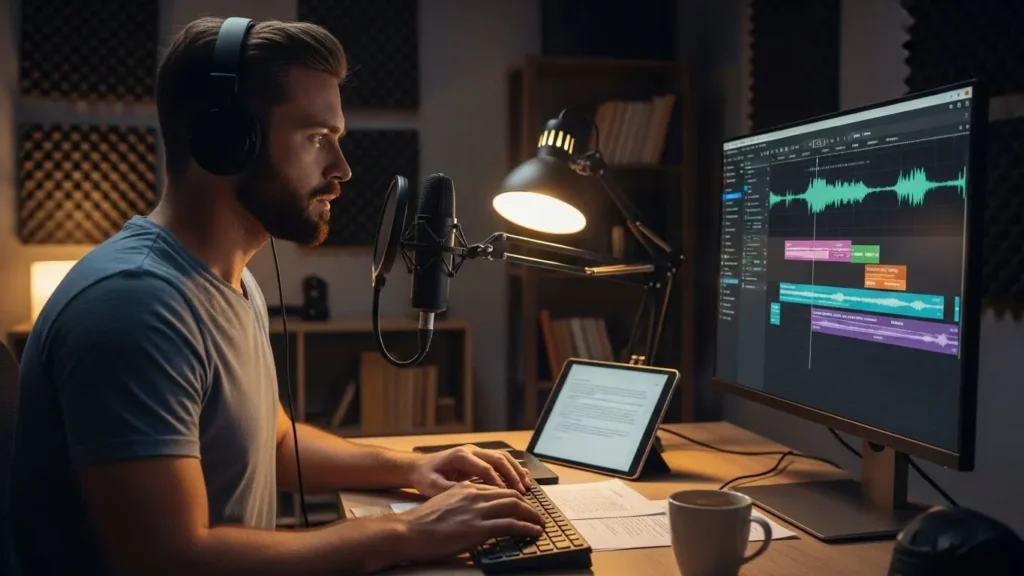
The learning curve is another thing to consider. Most AI tools are pretty easy to figure out in an hour or two. But that initial time investment can feel frustrating if you’re used to your current process. You might drag your feet for a long time before trying AI because you might say, “I already know how to edit, why change?” But when you try it once, you’ll never go back.
Another thing you should consider is that the time investment pays off around episode three or four. First episode, you’re searching through settings. Second episode, you’re getting faster. By the third, you’ve figured out your workflow and you’re saving serious time. And we already know “time is money,” right?
Quality vs speed is a real tradeoff though. AI editing is faster but not perfect. If you’re okay with 90-95% quality and can live with the occasional weird cut, AI is amazing. If you need absolute perfection for every single episode, you’ll still need to do significant manual work. (By the way, you can argue otherwise, but personally, I don’t believe in perfection!)
And my last point here is, if you’re also getting into AI YouTube script writing, the same principle applies. AI does the heavy lifting, you do the creative polishing. It’s about working smarter, not harder!
Making Your AI-Edited Podcast Sound Natural (Not Robotic)
So you’ve used AI to edit your podcast and now it sounds like someone chopped it up with scissors and taped it back together! Yeah, I’ve been there. Let me show you how to fix that.
The choppy sound happens because AI tools are too aggressive by default. They cut filler words right up against the next word with zero breathing room. Humans don’t talk like that. We pause. We breathe. We let thoughts land before moving to the next one.
The first trick is to adjust your crossfade settings. Most tools have this buried in the preferences somewhere. Set it to at least 10-20 milliseconds. This creates a tiny smooth transition between cuts. It can make a huge difference when you’re figuring this out.
Second, mess with the sensitivity settings. If your tool lets you choose between aggressive, moderate, or light filler word removal, start with moderate. Aggressive will catch everything but sounds robotic. Light mode misses too much. But moderate is balanced.
Here’s the thing nobody tells you. Sometimes you should leave filler words in (and I already gave you an example). I know that sounds backwards, but it’s true. When you’re telling an emotional story or building to a punchline, those natural pauses and “ums” actually add to the moment. They make you sound human. Think about natural conversation. When someone’s explaining something complex, they pause to gather their thoughts. When they’re excited, words tumble out faster. AI doesn’t get that context, so you need to preserve it manually.

Oh, and watch out for emphasis words too. If you stress “really” or “absolutely” in your original recording, the AI might cut too close and lose that emphasis. Those need manual attention. Similar thing with AI voice generator tools. You can tell when something’s AI-generated vs when a real person recorded it because of how emphasis and emotion come through.
Another tip, review your edits with fresh ears. Let’s say you edit an episode, walk away for an hour, then come back and listen again. Mistakes you missed the first time become super obvious. Sometimes you realize that you over-edited and need to add some breathing room back in.
For interview shows, pay extra attention to the back-and-forth rhythm. Natural conversation has overlaps, interruptions, and pauses that show active listening. If the AI removes all of that, it sounds like two people reading scripted lines! You’ll often need to add little reaction sounds or brief pauses where the guest was thinking.
At the end of the day, AI should be invisible to your listeners. They shouldn’t be able to tell you used it. If they can, you probably over-edited. Aim for “cleaned up but still human” rather than “perfectly polished but weird!”
The sweet spot I’ve found is removing obvious distractions (excessive filler words, long awkward silences, weird mouth noises) while keeping enough natural imperfection that it still sounds like a real conversation. That’s what keeps people coming back.
FAQ
Q: Will AI podcast editing tools make my voice sound weird or robotic?
A: Not if done correctly. AI editing tools only remove unwanted sounds; they don’t change your actual voice. Your personality and speaking style stay exactly the same. Think of it like deleting sentences from a document; the remaining text is still in your voice.
Q: How accurate are AI tools at finding filler words?
A: Most good AI editing tools catch 90-95% of filler words, but you’ll still want to do a quick review. They sometimes miss context-specific words or accidentally flag intentional phrases. A five-minute manual check usually catches anything the AI missed.
Q: Can I use AI editing tools if I record interviews with guests?
A: Yes, and it works great. Most AI tools can handle multiple speakers and will remove filler words from everyone in the conversation. Just make sure you record in decent quality so the AI can tell voices apart.
Q: Do I need expensive equipment to use AI podcast editing software?
A: Not at all. AI editing works on any decent recording, whether you used a $50 USB mic or a $500 studio setup. Better equipment helps, but the AI focuses on removing unwanted sounds, not improving your mic quality.
Conclusion
So yeah, AI podcast editing tools won’t fix everything! You’ll still need to show up, record your episodes, and make the big creative decisions. But they still will give you back hours of your life that you were spending on tedious, mind-numbing editing tasks!
I’m not saying you should hand over complete control to AI. What I am saying is that if you’re spending three hours editing a 30-minute episode (like I was), something’s gotta change. These tools handle the tedious work so you can focus on what actually matters, which is creating content your audience wants to hear.
Try one tool. Just one. Most of them have free trials anyway, so you’re not risking anything except maybe 20 minutes of your time. Upload an episode, let the AI do its thing, and see how it feels. You might be surprised at how much easier this whole podcasting thing becomes when you’re not drowning in filler words.
And hey, if you save even 30 minutes per episode, that’s 30 more minutes you can spend recording, promoting, or just taking a break. Because building a business is hard enough without spending half your week saying “um” into a microphone and then spending the other half cutting it out!