Learning to Code with AI: What Beginners Need to Know


AI coding learning tools like ChatGPT and GitHub Copilot help beginners learn programming faster by providing real-time code suggestions, bug fixes, and explanations. Over 84% of programmers now use AI code generators, making these tools essential for their coding journey.
Introduction
I have a confession to make! I once tried to become a programmer, but I wasn’t very good at it, and my heart was never really in it! And of course, it all started at university (where we were forced to learn to code!). I was spending days stuck on error messages, flipping through tick textbooks, and basically wanting to throw my laptop out the window! But now, AI has changed everything about how beginners can learn programming.
Get this. According to Second Talent, around 84% of programmers have tried at least one AI code generator tool, showing just how common these assistants have become. But what really caught my attention was that younger developers are twice as likely to use AI coding assistants compared to older developers. That means if you’re starting now, you’re actually in the perfect position to build your skills with tools that work the way your brain works!
And look, I’m not saying AI will write perfect code for you while you enjoy your morning coffee. But as someone who tried this route once, I’ve seen beginners go from “I don’t know where to start” to building real projects in weeks, not years. The trick is knowing which AI coding learning tools to use and how to use them without turning into a copy-paste machine!
So let’s break down what you actually need to know.
Why AI Actually Makes Learning to Code Easier (Not Cheating)
Look, I get it. Many programmers who used AI coding for the first time felt like they were cheating! Like, shouldn’t I be struggling through Stack Overflow threads at 2 AM like everyone else did back in the day?
But here’s the thing. AI isn’t doing your homework for you. It’s more like having a tutor who never gets tired of your questions. When you ask ChatGPT something like, “why doesn’t this loop work?” You get an actual explanation in plain English, not some forum thread from 2012 where someone just says “fixed it” without explaining how!
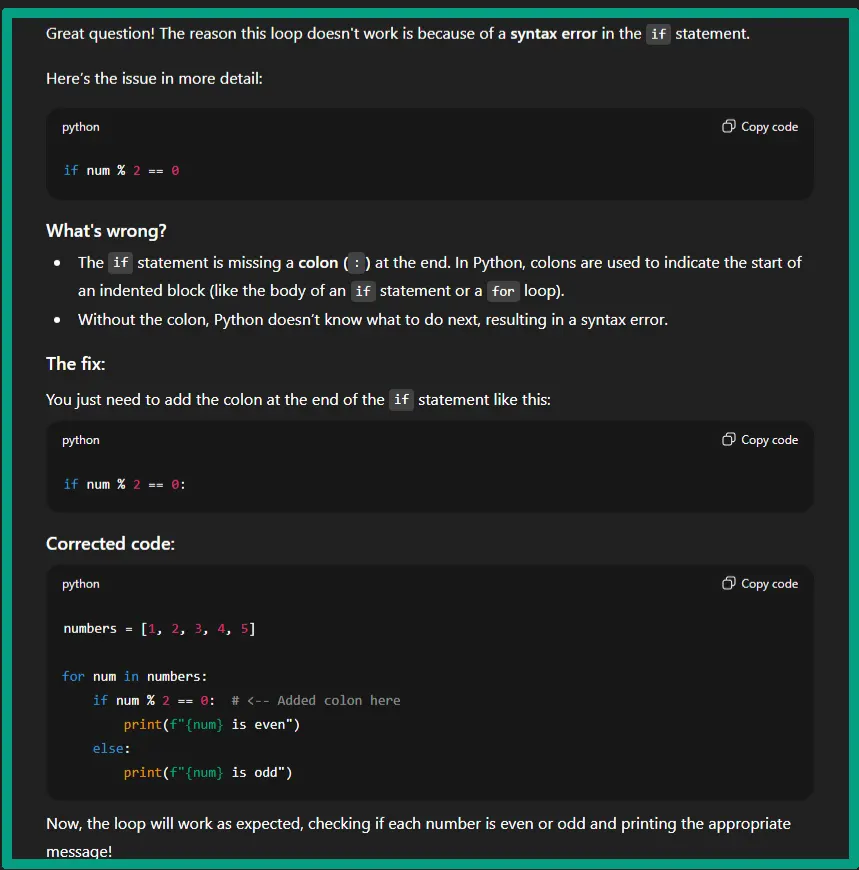
The difference is huge. I used to Google error codes and end up opening five tabs deep into documentation I didn’t understand! Now I can paste my broken code into an AI tool and ask it to explain what’s wrong. It’s like having someone translate technical jargon into normal human language.
And honestly, you still need to understand what the code does. Let’s say you copied an AI-generated function without reading it. It’s probably gonna work fine until you need to modify it, and then you’re completely lost! The code was there, but you had zero clue how it actually worked.
So, if you use AI coding tools the right way, you build better debugging skills way faster. Instead of spending two hours stuck on a syntax error, you fix it in 10 minutes and move on to actually learning new concepts. Traditional learning might take you six months to just feel comfortable with basics. But with the best AI learning tools, I’ve seen people get there in half the time, or maybe less.
It’s not about shortcuts. It’s about spending your time actually understanding programming concepts instead of fighting with vague error messages!
The Best AI Coding Learning Tools for Complete Beginners
Okay, so I’ve tested a bunch of these AI coding learning tools, and some are way better than others for beginners. Let me break down what actually works.
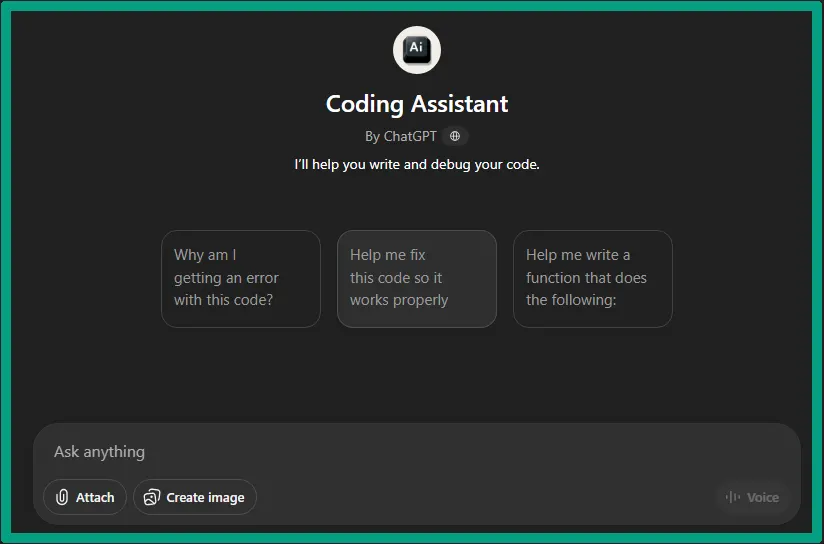
ChatGPT is where I started, and the free tier is honestly all you need at first. I use it constantly for understanding syntax and fixing bugs. Like, I’ll paste in my code and ask something like, “why is this printing ‘None’ instead of my list?” and it explains exactly what’s happening. It’s also great when you’re learning new concepts. Just ask it to explain something like you’re ten years old, and you’ll actually get it.
Here’s a real example. I once spent 30 minutes trying to figure out why my function kept returning the wrong value. Asked ChatGPT, and turns out I was returning inside my loop instead of outside it. Would’ve taken me hours to spot that on my own. That’s the power of AI some people are missing!
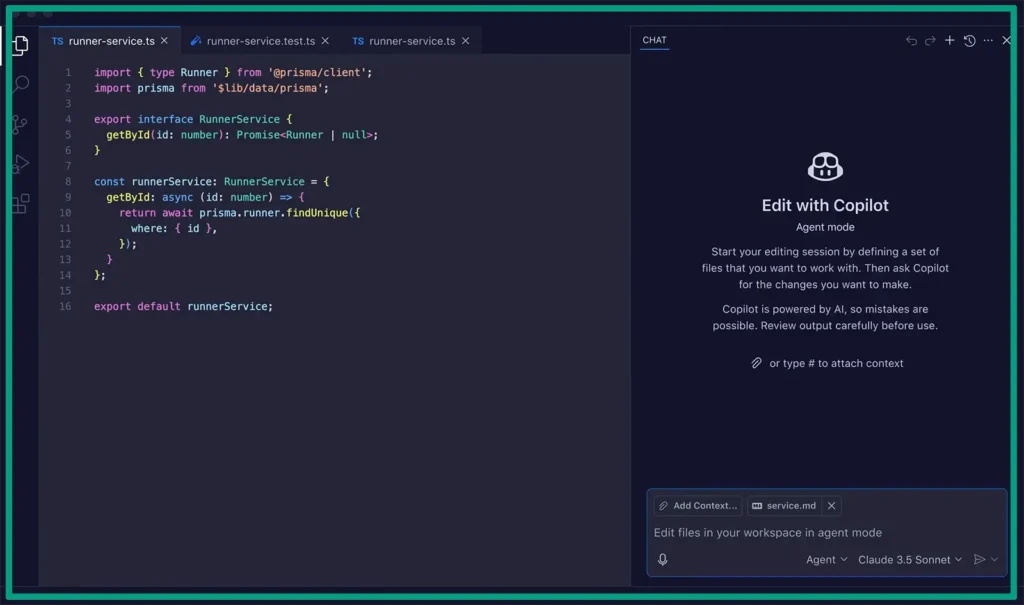
GitHub Copilot is different. It autocompletes your code as you type, like predictive text, but for programming. I tested this just to see what’s what, and it’s wild how it sometimes suggests an entire function. The student discount makes it cheap if you’re serious about learning. But honestly, I’d wait on this until you understand basics, because you need to know if its suggestions are gonna help you for what you’re trying to achieve.
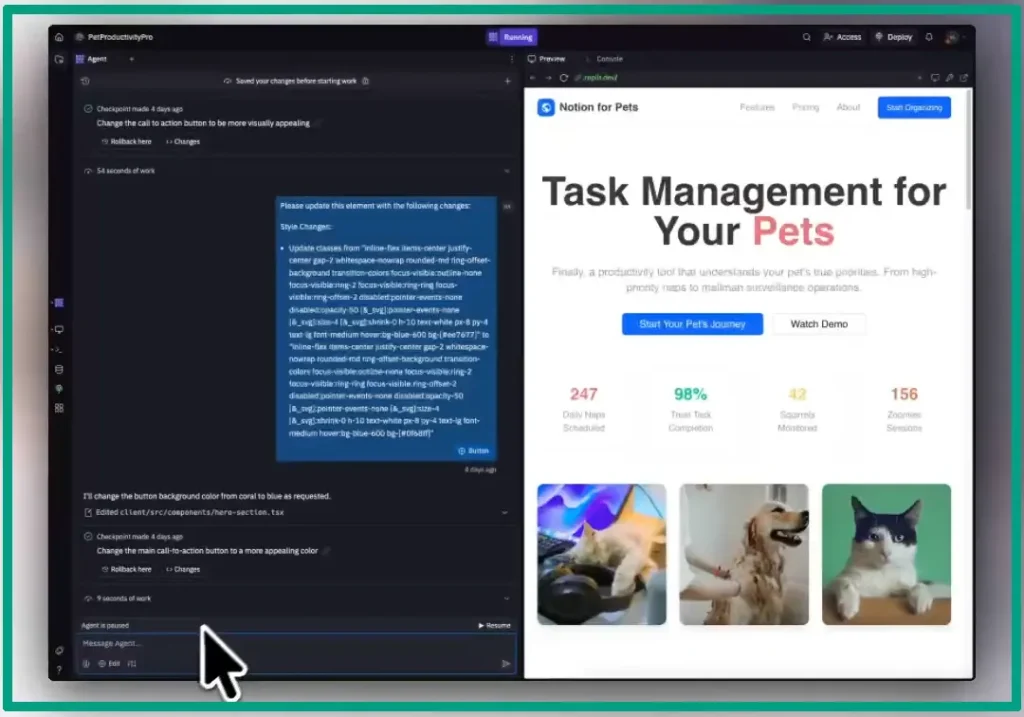
Replit with AI features is what I saw a friend using. No setup, no installing Python on your computer, just open your browser and start coding. The built-in AI will explain what your code does right there in the editor. I know someone who uses this with her kids, and they’re building simple games just to have some fun.
Claude or Gemini are better for code reviews and bigger questions about how to structure a project. When you want someone to look at your whole program and suggest improvements, these work better than ChatGPT.
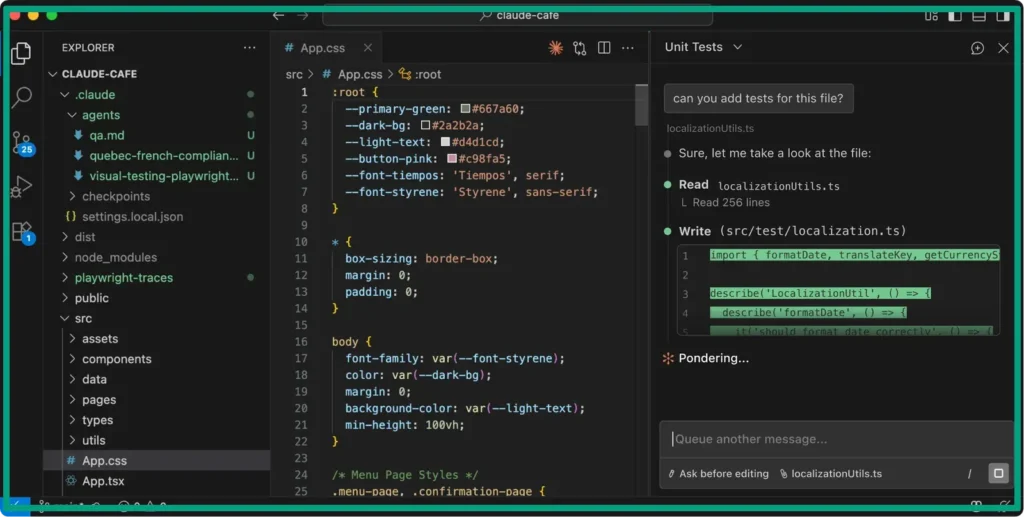
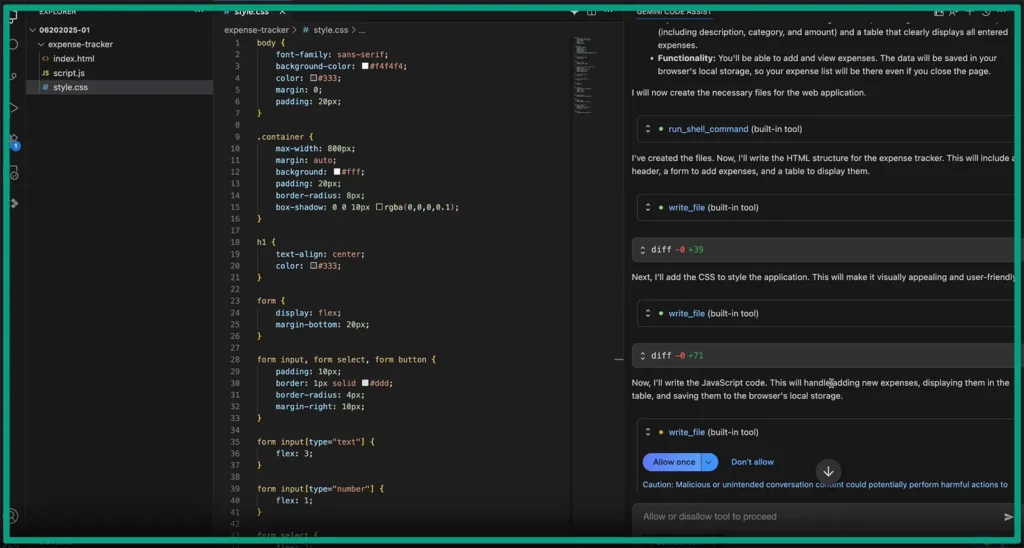
Quick comparison. ChatGPT is your daily go-to, Copilot speeds up typing once you know what you’re doing, Replit is perfect for absolute beginners, and Claude/Gemini are for when you need deeper feedback. Most are free or cheap to start, and the learning curve is pretty much just “type your question and hit enter”!
How to Actually Learn (Not Just Copy) with AI Tools
Here’s where most people mess up, and I definitely did at first! You can’t just copy-paste AI code and expect to learn anything. Trust me, I tried.
The trick that finally clicked for me is what I call the “explain it back to me” method. After AI gives you code, you have to explain what it does in your own words. Out loud if possible, because that’s when you realize you don’t actually get it! I do this all the time now (I’m not necessarily talking about coding!). I’ll look at a solution and then try to explain each line to myself. Sounds silly, but it works!
Next, build your projects in chunks, not all at once. Let’s say you’re building your first web scraper. You don’t ask AI for the whole thing. You ask it to help fetch a webpage first. If you got that working. Then ask how to parse HTML. Then how to save data (you get the point). Breaking stuff down like this means you actually understand each piece.
And here’s my 30-minute rule. Try solving the problem yourself first. Set a timer. Seriously struggle with it for at least 30 minutes before asking AI. Because that struggle is where the learning happens. When AI finally shows you the answer, it sticks way better because you’ve already tried five wrong approaches.

Here’s a very important tip for you. How you prompt matters a ton. Here’s a bad prompt, “Write me a calculator program!” You learn nothing. But here’s a good prompt, “I’m trying to build a calculator, but I’m stuck on how to handle user input. Can you explain the concept and show a simple example?” See the difference? You’re asking to be taught, not asking for finished homework.
And by the way, the best AI tutoring platforms work when you use them right. Another good prompt is, “Here’s my attempt at a sorting function. It’s not working correctly. Can you help me figure out what’s wrong instead of just giving me the answer?” This forces the AI to guide you instead of doing it for you.
Also, practice exercises help too. Pick a simple project (like a to-do list or a number guessing game) and build it step by step with AI as a guide. Ask questions along the way. Like, “Why did you use a while loop here instead of a for loop?” Make it explain every detail.
And you also need to pay attention to warning signs. If you can’t explain your own code, if you’re copying without reading, or if you panic when AI isn’t available, these are clear signs that you’re relying too much on AI! And it’s possible that sometimes AI gives you the wrong code. Like, maybe 10-15% of the time it suggests something that doesn’t work! You need to test everything and learn to spot messy or outdated solutions.
Last point, the best free AI study tools are amazing, but they’re not perfect. I’ve had ChatGPT confidently tell me to use a Python library that doesn’t even exist. You need to verify things, test thoroughly, and question suggestions that seem off.
Your First 30 Days: A Realistic Learning Path with AI
Alright, so you’re ready to actually do this. Here’s what most people wish they knew, which I’m gonna break down week by week.
Week 1: Pick Python. Yeah, I’m just gonna tell you which language to pick!! Python is easiest for beginners; it reads almost like English, and there’s a huge community. Plus, all the best AI learning tools work great with Python.
Set up your first project in Replit or a similar browser tool. No installing stuff on your computer yet, that comes later. Just get to a point where you can write something simple like, “print(‘hello world’)” and see it work. Then spend the week learning variables, loops, and functions. Ask AI to explain each concept, then write your own examples.
Week 2: Build something small that actually matters to you. This is important. Pick a project you care about. I built a simple budget calculator because I wanted to track my spending. If you like games, build a number-guessing game (or something easy). If you like music, build something that generates random chord progressions. Whatever. Just make it personal. And remember, you need to break the project into tiny chunks (we already talked about this).
Week 3: This is when you learn to fix bugs. Because trust me, your code from Week 2 has bugs you haven’t found yet! Spend this week breaking your project intentionally and then fixing it. Ask yourself, what happens if I enter text instead of a number? Or what if I try to divide by zero? There is nothing wrong with doing something crazy to learn; it becomes a problem when you do not know the answer to those questions! Learning to debug with AI assistance is huge. Paste your error, ask what’s wrong, but also try to understand the explanation, not just fix it.
When it comes to AI ethics in education, there’s a real conversation about whether using AI to fix bugs is learning or cheating. In my opinion, if you understand the fix after AI explains it, you’re fine. But if you just blindly apply fixes without understanding, that’s when it becomes a problem.

Week 4: Build your first real project. Do something bigger. It can be a web scraper that pulls data from a website you care about. A Discord bot. A simple Flask web app. Whatever sounds exciting. This will probably take the whole week, maybe longer, and that’s totally fine.
Here are some other project ideas. If you like data, scrape sports stats. If you like art, generate ASCII art from images. If you like social media, build a simple Twitter/X bot (they’re easier than you think). Pick something that makes you want to keep coding when you get stuck.
And here are a few tips for you. Use free resources alongside AI. FreeCodeCamp is still great. So is the official Python tutorial. Watch YouTube videos on concepts you’re struggling with. AI is a tool, but not your only tool. It’s like having a friend who codes explain stuff to you, but books and courses give you structured learning paths that AI can’t really replace.
And look, my final thought, there will be days when nothing makes sense and you feel stupid! That’s normal. The people who stick with it aren’t smarter than you; they just didn’t quit on those days. AI makes learning easier, but it doesn’t make it automatic. You still gotta put in the work.
FAQ
Q: Can I really learn to code using AI tools, or am I just cheating?
A: You’re learning, not cheating. AI coding tools are tutors, not answer sheets. They explain concepts, catch errors, and show you how code works. The key is asking AI to explain solutions rather than just copying them. Think of it like learning math with a calculator that also teaches you the formulas.
Q: Which AI coding tool should I start with as a complete beginner?
A: Start with ChatGPT (free) for learning concepts and asking questions, then add GitHub Copilot or Replit once you’re writing actual code. ChatGPT is great for “what does this do” questions, while Copilot helps you write code faster. You don’t need expensive tools to start learning.
Q: How do I know if I’m learning or just copying code from AI?
A: If you can explain what each line does and why it’s there, you’re learning. If you copy code and it “just works” but you couldn’t write it again without AI, then you’re not! Try rebuilding parts of your project from memory. If you’re stuck immediately, you need more practice.
Q: Will learning with AI tools hurt my job prospects as a developer?
A: Actually, the opposite. Learning with AI while understanding fundamentals makes you faster. Employers want developers who can build things efficiently, and AI skills show you’re adapting to modern development practices.
Q: How long does it take to learn coding with AI tools?
A: Although it deponds but, most beginners can build simple projects in 4-6 weeks using AI tools versus 3-4 months traditionally. However, “learning to code” is ongoing. Plan for at least one hour or more daily for 2-3 months to feel comfortable building real projects. AI speeds up learning, but you still need consistent practice to actually understand programming concepts.
Conclusion
So here’s where we land. AI coding learning tools aren’t magic, but they’re pretty close to it for beginners! You can learn faster, get unstuck quicker, and build real projects while you’re still figuring out the basics.
The trick is treating AI as your coding tutor, not your ghostwriter. Ask questions. Break down the code it gives you. Build things that matter to you, even if they’re small. And honestly? Mess up a lot! Because debugging with AI actually teaches you more than getting it right the first time.
Look, I’ve watched absolute beginners go from zero to building working apps in weeks using these tools. Not because AI did it for them, but because they had a guide that spoke their language and helped them when they got stuck. That’s powerful stuff.
Now, if you’re ready to start, pick one tool from this guide, give yourself 30 minutes today, and write your first line of code. Then ask AI to explain what you just did. That’s honestly all it takes to begin. You’ve got this.