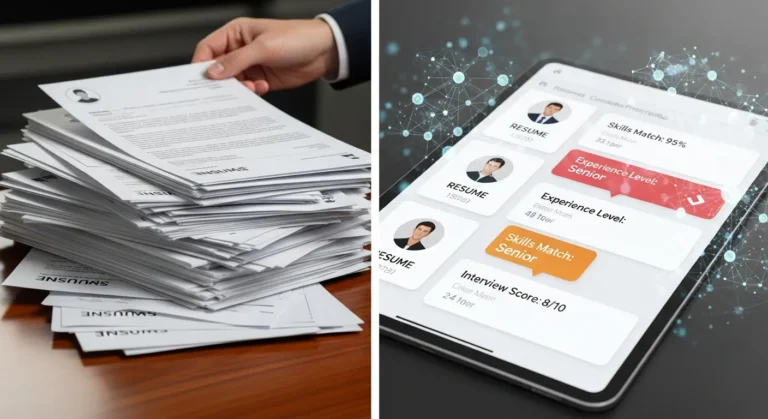
Using AI to Create Custom Quizzes and Practice Tests


AI quiz generators help educators, trainers, and content creators build custom assessments in minutes instead of hours, using smart algorithms to generate relevant questions from any source material.
Introduction
I think most people have gone this route at least once in their lives for different purposes. Some used to spend hours creating quizzes for themselves or others. And when I say hours, I’m not even exaggerating because I’ve done it myself! I’d sit there trying to come up with smart questions, and honestly? Half the time, I’d end up rewriting the whole thing over and over because the questions felt too easy or too tricky, and I couldn’t make up my mind!
Then I decided to test one of those AI quiz generators to see what all the fuss is about!
Besides that, I found this interesting research that made me think twice about what I was doing before. According to DemandSage, 88% of students now use AI specifically for assessments in 2025, up from just 53% in 2024. That’s a HUGE jump in just one year. And you know what? There’s a reason everyone’s jumping on this; why not me?
The AI quiz tools take your content (like articles, PDFs, or even videos) and turn them into actual quizzes in minutes. Whether it’s multiple choice, true/false, or fill-in-the-blank. Whatever you need. Plus, they understand the material well enough to create questions that actually make sense.
So if you’re tired of spending hours creating quizzes manually, stick around. I’m going to show you how AI quiz generators work and how to pick one that fits your needs.
What Is an AI Quiz Generator and How Does It Work?
Okay, so an AI quiz generator is basically a tool that reads your content, whether it’s a PDF, article, video transcript, whatever, and spits out quiz questions for you. I remember the first time I tried one, I was honestly a bit skeptical. Like, how does a computer just know what questions to ask?
Turns out, it’s all about natural language processing. The AI scans through your text and figures out the important concepts, definitions, and relationships between ideas. It’s kinda like how you’d underline key points when studying, except the AI does it in tiny milliseconds and then turns them into actual questions.
These tools can create pretty much any question type you can think of. Like multiple choice, true or false, short answer, fill-in-the-blank, you name it. Some even do matching questions or essays. The variety is actually wild.

After my trial ends, what I like about it is that you’re not stuck with just text files. I’ve fed these things PDFs from training manuals, YouTube video URLs (the AI pulls the transcript), plain text I copied from websites, and even PowerPoint slides I converted to PDFs. The flexibility is pretty handy when you’re working with different content formats.
Let me give you a real example. A few months back, I needed to create a quiz for a client training module on email marketing basics. I had this 15-page PDF guide, right? I uploaded it to the AI quiz generator, told it I wanted 20 multiple-choice questions with intermediate difficulty, and boom, about two minutes later, I had a full quiz. Sure, I had to tweak a few questions that were too similar or weirdly worded, but the heavy lifting was done.
The AI also tries to understand context and difficulty. So if you’re creating a quiz for beginners, it’ll focus on basic definitions and concepts. For advanced learners, it’ll pull in more complex scenarios and questions. It’s not perfect though. I’ve had it generate “beginner” questions that were actually pretty tough! That’s why you gotta review everything before using it.
The thing is, some people think these tools just randomly grab sentences and turn them into questions! Not really. Good AI quiz generators actually analyze the structure and meaning of your content. They’re looking at things like relationships, key terminology, and important facts. Also, some folks assume the AI will create perfect quizzes every single time. Nope! You still need to be the human in the loop, editing and improving what it gives you.
Why Small Business Owners and Educators Actually Need This
I remember I was working on a personal project and I was spending hours making quizzes manually. Like, I’d sit there with a cup of coffee (that would go cold), staring at my training materials and trying to come up with smart questions. It was exhausting! But now? I can turn three hours of work into about 10 minutes of setup time, plus another 10-15 minutes to review and edit. That’s pretty impressive when you’re running a business and every hour counts.
But it’s not just about speed. The consistency is huge. When you’re creating multiple quizzes or assessments, you want them to feel similar in quality and style. The AI helps with that because it’s using the same logic and patterns across all your quizzes.
Here’s another thing. Quizzes are one of the easiest ways to check if people actually learned something. And look, let’s say you’re a teacher creating quizzes for your students. It’s kinda essential to know the students absorbed the info. The AI grading tool capabilities that come with some of these platforms make it even better when you can auto-grade multiple-choice questions and get instant feedback on how students did.

For course creators, this is basically a lifesaver. I have a client who runs an online course business, and she was constantly complaining about needing fresh quiz content for different topics. She didn’t want to reuse the same questions because, you know, people talk and share answers. With a bit of my guidance and the help of an AI tool, now she generates new variations of questions from the same source material whenever she wants. It’s like having an endless question bank without doing the manual work!
And let’s be real, most of us aren’t “quiz experts!” I’m not a trained educator or instructional designer. I’m a small business owner who sometimes needs to create assessments for clients or other purposes. The AI quiz generator gives me a solid starting point so I don’t have to figure out question-writing from scratch.
Here are some real-world use cases and scenarios for these tools that I’ve seen:
- Last-minute client requests when you need training materials by tomorrow.
- Creating certification exams for professional development courses.
- Building knowledge checks for employees.
- Making practice tests for students (and yes, these tools pair great with other best AI education apps for a complete learning setup).
- And anytime you need assessment content fast and don’t want to compromise on quality, this is the move.
Top Features to Look For in an AI Quiz Generator
When I first started looking around for these tools, I had no idea what actually mattered. I just picked one that looked cool and had good reviews. Big mistake! After testing and researching a bunch of these platforms, here’s what you should actually care about.
Question variety and customization is number one for me. You want a tool that can create multiple question types, not just multiple choice. I’m talking about question types like true or false, short answer, matching, fill-in-the-blank, and even essay prompts if possible. And you should be able to customize things like how many answer options to include, such as randomizing answers and stuff like that.
Being able to set difficulty levels is super important. Some tools let you pick beginner, intermediate, or advanced. Others are more basic and just generate questions without considering difficulty. Trust me, you want the control. I’ve made quizzes that were way too easy or way too hard because I couldn’t dial in the difficulty level.
Multiple input formats is another big one. If the tool only accepts plain text, that’s limiting. You want something that can handle PDFs, Word docs, YouTube URLs, web links, maybe even PowerPoint files. I’ve run into situations where I had content in different formats, and it was a pain to convert everything just to use the quiz tool!
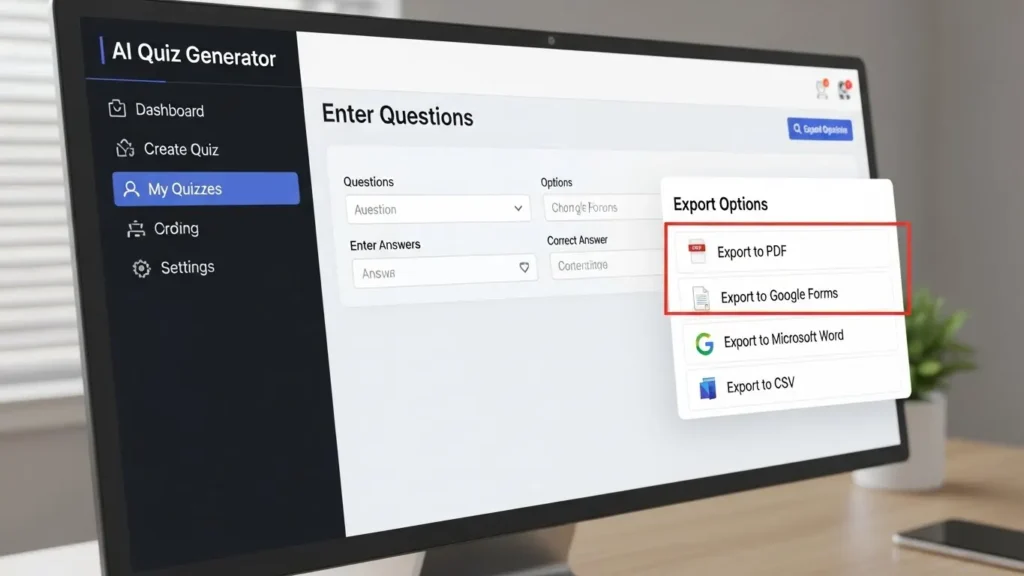
Export options matter more than you think. Can you export to PDF? Google Forms? Directly into your learning management system? Some tools are great at generating questions but terrible at getting those questions out of the platform and into the format you actually need. I learned this the hard way when I spent an hour manually copying questions into a Google Form because the tool didn’t have a proper export feature!
I’ve already mentioned that AI is not perfect. So you absolutely need strong editing capabilities. The best tools let you easily modify questions, add new answer options, delete bad questions, and rearrange things. Some platforms make editing a nightmare with hard-to-work-with interfaces, and that defeats the whole purpose of saving time!
If you’re creating large assessments, bulk question generation is a must. Being able to say “give me 50 questions from this document” and having the AI actually deliver quality results is huge. Some tools tap out at like 10 questions max, which is fine for small quizzes but not helpful for bigger projects.
Anti-plagiarism and question uniqueness features are something I didn’t think about at first. But if you’re using the same source material repeatedly, you want the AI to generate different questions each time. Some tools have this built in, others just give you the same questions over and over!
Language support is critical if you work with international clients or create content in multiple languages. Not all AI quiz generators handle languages beyond English well. I have a colleague who creates training materials in Spanish, and she had to try three different tools before finding one that actually worked properly.
And finally pricing. Oh boy, pricing! Look, these tools range from completely free to like $50+ per month. You want pricing that actually makes sense for your business size and usage. Some tools charge per quiz generated, others have monthly limits on questions, some are unlimited. Do the math on what you actually need before committing. I’ve seen small business owners overpay for features they never use or choose a cheap tool that’s too limited for their needs!
Best AI Quiz Generator Tools to Try Right Now
Alright, so there are a bunch of options out there, and I’ve tested most of them at this point. Let me break down what’s actually worth your time.
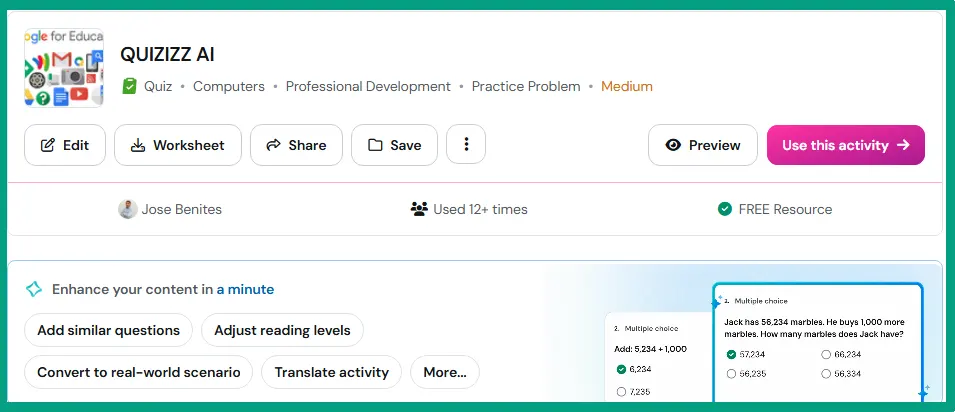
Quizizz/Wayground is one I use pretty regularly for clients’ stuff. It’s got a nice interface, and the free version is actually decent for basic quizzes. The paid version adds more question types and better analytics. I like it because it’s not super complicated. You can get up and running in minutes. It also integrates well with Google Classroom if you’re in the education space.
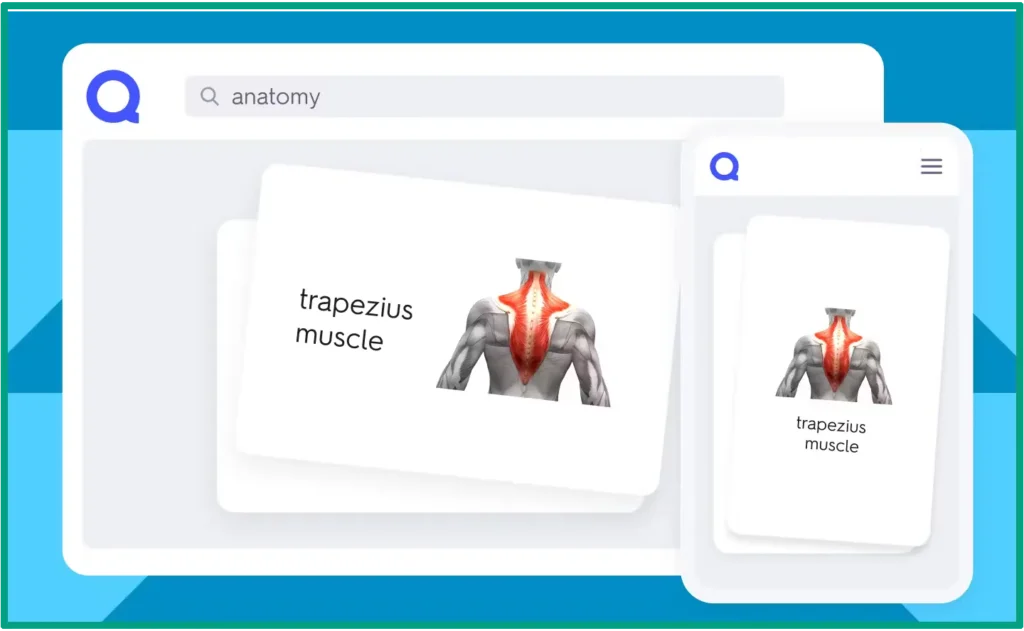
Quizlet is another popular one. Honestly, it’s better known for flashcards, but the quiz generation features are solid. I have a friend who’s a teacher, and she uses it all the time for her classroom. The AI isn’t as advanced as some other tools, but it gets the job done. Plus, students can use it on mobile pretty easily, which is a bonus.
Questgen is more AI-focused. This one actually uses some pretty smart natural language processing to create questions. I tested it a few times, and the question quality was better than average. It handles different input formats well, though the interface feels a bit technical. Not my first choice for beginners, but if you want strong AI capabilities, check it out.

There are also tools like OpExams, Quizbot, and PrepAI that are worth looking at. I haven’t used these as extensively, but from what I’ve seen and heard from others, they each have their strengths. OpExams is good for more formal assessments, Quizbot is super user-friendly, and PrepAI has some interesting features for creating AI test prep tools style content.
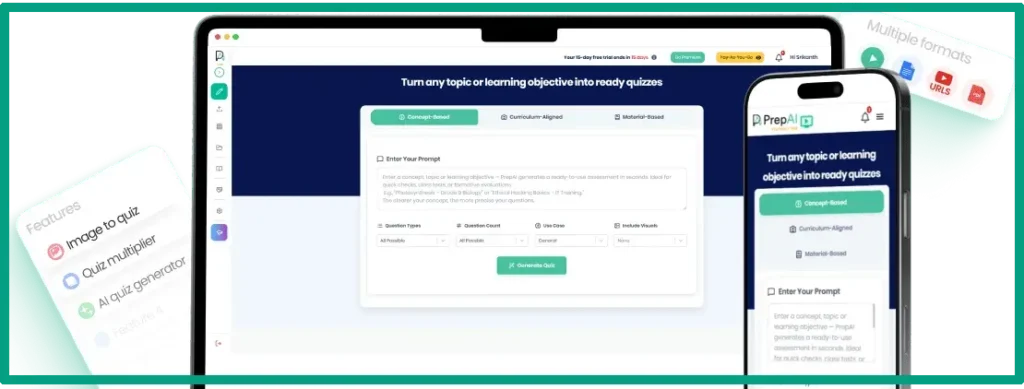
Here’s the thing about these tools. Different use cases need different tools. For corporate training, I’d go with something that integrates with your LMS and has good analytics (try Quizizz or OpExams). For course creation, you want flexibility and bulk generation (Questgen or PrepAI work well). For student assessments, ease of use is key (try Quizlet or Quizbot). For client onboarding materials, pick whatever exports to your preferred format easily.
Also, in terms of user-friendliness, Quizlet and Quizizz win hands down. They’re designed for regular people, not tech experts. Questgen and some of the newer AI tools have steeper learning curves. If you’re not comfortable with technology, stick with the simpler options. Your time is valuable, and you don’t want to spend hours figuring out how to use the tool.
Mobile vs. desktop functionality is another aspect. Most of these work fine on desktop, but mobile is another story. If you need to create or take quizzes on your phone, test that before committing. And just so you know, these quiz tools work great alongside other best AI homeschool tools if you’re creating educational content for home-based learning.
Tips for Getting Better Results From Your AI Quiz Generator
So you’ve got your AI quiz generator picked out. Great. But don’t forget that garbage in, garbage out! If you feed the AI messy, poorly organized content, you’re gonna get messy, poorly organized questions. It’s that simple.
Prep your source material before uploading it. Clean up formatting, make sure headers are clear, remove any irrelevant stuff like footnotes or references that the AI might grab by mistake. I once uploaded a document that had a bunch of random page numbers and citations scattered throughout, and the AI tried to turn those into quiz questions! Not helpful.
If the tool lets you write prompts or give instructions, be specific. Don’t just say “make me some questions!” Say something like “Create 15 multiple-choice questions at an intermediate difficulty level, focusing on the main concepts in sections 2-4.” The more detail you give, the better the results. Think of it like talking to a really literal assistant who needs clear directions.
And remember, always review and edit what the AI gives you. I can’t stress this enough. Even the best tools make weird mistakes. Look for questions that don’t make sense, answer options that are too similar, questions that are way too obvious or way too vague. I usually spend about 15 minutes reviewing a 20-question quiz, fixing weird wording, and sometimes rewriting questions entirely.
Next, mix up your question types to keep things interesting. If every single question is multiple choice, people zone out! Throw in some true/false, maybe a short answer or two. It keeps test-takers on their toes and actually helps with learning retention. Plus, it makes your quiz feel more professional.
Also, it’s a good idea to test your quiz before sending it out. Seriously, take it yourself. See if the questions make sense, if the answers are actually correct, or if the difficulty feels right. You’d be surprised at how many mistakes you can catch. It’s embarrassing to send out a quiz with errors, and it makes you look unprofessional!
One more tip. You need to combine AI-generated questions with your own custom additions. The AI is great for covering the basics, but you might have specific scenarios or examples you want to test. You can let the AI generate about 80% of your quiz, then add a few custom questions that are more tailored to your specific audience or situation. It’s like having the AI do the heavy lifting while you add the personal touches.
And look, if you’re already using an AI lesson plan generator or other educational AI tools, this quiz generator stuff fits right in. You can create a whole learning experience (lessons, quizzes, assessments) all with AI assistance. It’s pretty wild how much you can automate these days without sacrificing quality. Just remember to stay involved in the process and keep that human touch.
FAQ
Q: Are AI-generated quizzes accurate enough for professional use?
A: Yes, but always review them first. AI quiz generators create solid questions about 80-90% of the time. You’ll still want to check for context, clarity, and any weird phrasing before using them with clients or students.
Q: Can I use an AI quiz generator for free?
A: Many tools offer free plans with basic features. You can usually create a decent number of quizzes per month for free. But paid plans remove limits while adding advanced features like custom branding and analytics.
Q: How long does it take to create a quiz with AI?
A: Most AI quiz generators create a complete quiz in a few minutes once you upload your content. You’ll need another 5-10 minutes to review and tweak questions, so figure about 15 minutes total for a solid quiz.
Q: Will AI quiz generators replace teachers and trainers?
A: Nope! These tools handle the boring, time-consuming parts of quiz creation. Teachers and trainers still need to guide learning, provide feedback, and connect with students. Think of it as a helpful assistant, not a replacement.
Q: Can AI quiz generators work with video or audio content?
A: Some can! Tools like Questgen accept video and audio files. The AI transcribes the content first, then creates questions based on what was said. Pretty handy for turning webinars or lectures into practice tests.
Conclusion
So yeah, AI quiz generators are amazingly time savers if you create any type of training or educational content. I mean, going from hours of work to minutes? That’s huge for small business owners who wear a million hats already!
The key is finding a tool that fits your workflow and actually delivers questions you’d be proud to use. Try out a few free options first. Play around with them. See which one feels right. And remember, AI is your assistant here, not your replacement. You still need to bring the expertise and judgment.
Once you get the hang of it, you’ll probably wonder how you ever made quizzes the old way! I know I do. If you’re ready to give it a shot, then start small. Pick one quiz you need to create this week and run it through an AI generator. See what happens. You might be surprised at how much time you get back for the stuff that actually matters in your business.