AI-Powered Reading Comprehension Tools for Struggling Students

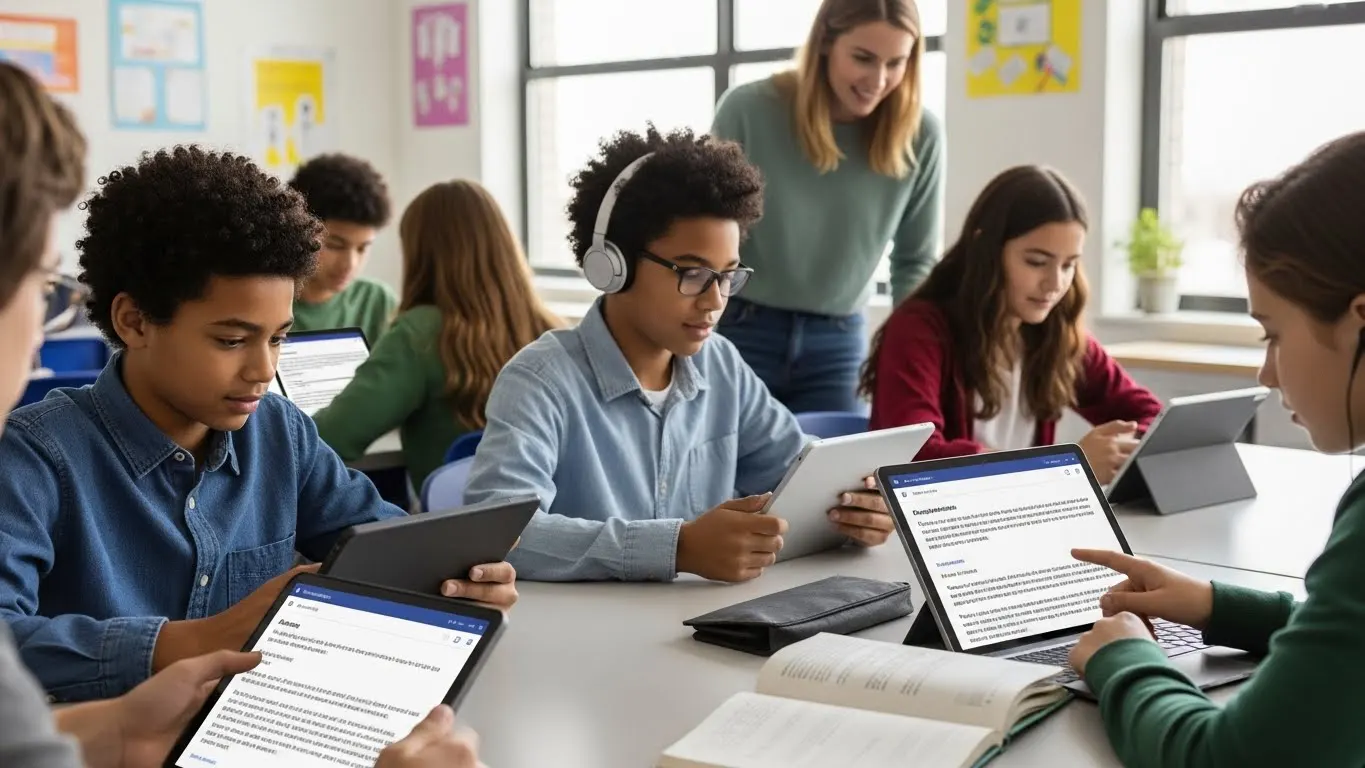
AI reading comprehension tools use machine learning to help struggling students understand texts better by breaking down complex passages, providing instant feedback, and adapting to each student’s reading level.
Introduction
Look, to be honest, it’s okay if you’re skeptical about using AI to help with reading comprehension. At first, I was pretty skeptical too, not to mention I use AI in my business and personal life all the time! But the thing is, the numbers don’t lie.
According to a 2025 study by the National Literacy Trust, about 2 in 3 young people (aged 13 to 18) are now using generative AI, and the most popular uses of that are asking questions and getting help with homework. That’s a massive shift in how students approach learning.
But what really caught my attention was that these AI reading comprehension tools are actually helping struggling readers in ways traditional methods couldn’t. We’re talking about kids who were so frustrated when it came to reading, now actively engaging with texts because the tech not only makes it easy (and understandable) but also pleasant for them.
So yeah, I’ve spent a pretty good amount of time digging into which AI reading comprehension tools actually work. I’ll try my best to help you with real tools that tutors and parents can use to help kids who need extra support with reading.
What Makes an AI Reading Comprehension Tool Actually Work
Okay, so here’s what I’ve learned after working with a bunch of struggling students and teachers who were helping them. An AI reading comprehension tool isn’t just fancy software that reads text out loud. The real magic happens when it uses natural language processing (NLP) to actually break down what makes a passage confusing in the first place.
Think about it this way. When a kid hits a tough paragraph, they’re usually stuck on multiple things at once. It can be weird vocabulary, long sentences, and maybe cultural references they don’t get. A basic text-to-speech tool just reads those same confusing words in a robot voice! Not helpful. But a real AI comprehension tool? It spots where the kid is stuck and adjusts on the fly.
I tested this with one student last year. She was reading at maybe a 4th grade level, and the AI picked up on that within like five minutes. It started simplifying sentence structures automatically, offering vocabulary hints before she even asked, and breaking down complex ideas into smaller chunks. The difference between that and just having text read aloud was honestly like night and day.

The adaptive learning piece is huge. The tool tracks what types of questions the student gets wrong and figures out their actual reading level. Then it adjusts the difficulty of passages and the amount of support it offers. One kid might need every other word defined, while another just needs help with context clues. The AI figures this out without the teacher having to manually set a bunch of settings.
But here’s what actually helps struggling readers in these tools. First is instant vocabulary support. They hover over a word and boom, there’s a simple definition plus an example sentence. Next, context clues pop up when the AI notices the student slowing down or rereading. Some tools even simplify sentences on demand, which is amazing for kids with processing issues.
Also, progress tracking matters more than I thought it would. Parents want to see actual data showing their kid is improving. Teachers need to know which students are falling behind. These tools spit out reports showing reading speed, comprehension accuracy, vocabulary growth, all the stuff that helps adults know if the AI is actually working or if we need to try something different.
Top AI Reading Comprehension Tools for Students Who Need Extra Help
Let me tell you about the tools I’ve actually tested or seen work with real kids. I’m not gonna pretend I’ve personally used every single one out there, but I’ve spent enough time in this space to know what’s legit.
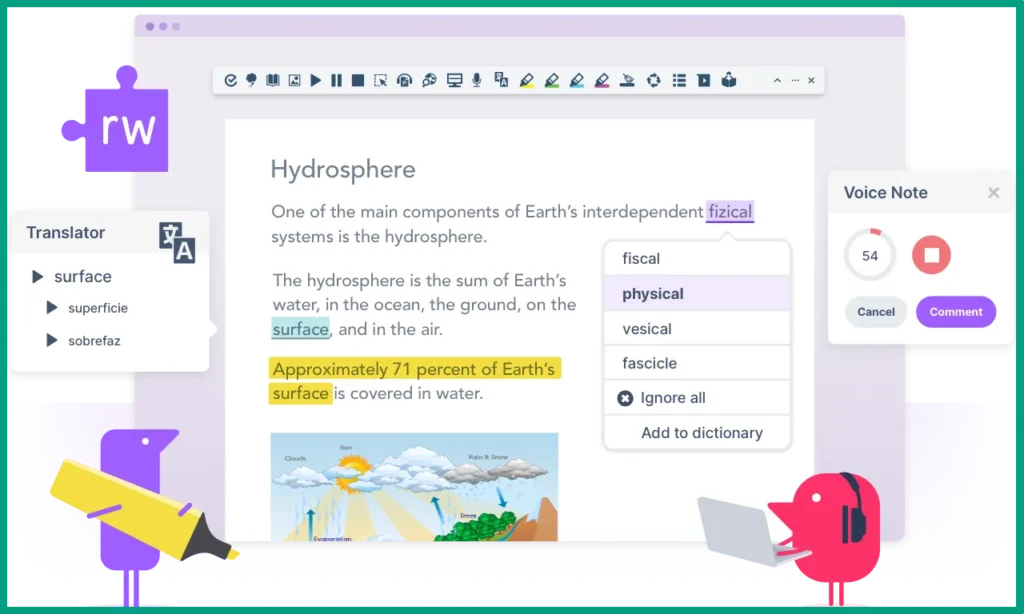
Tool #1: Read&Write is what I recommend most for elementary students. The text-to-speech is smooth, not robotic, and it highlights each word as it reads. But the real winner feature is the vocabulary builder that creates personalized word lists based on what the kid struggles with. It’s not cheap though, but for kids with diagnosed reading disabilities, it’s worth every penny.
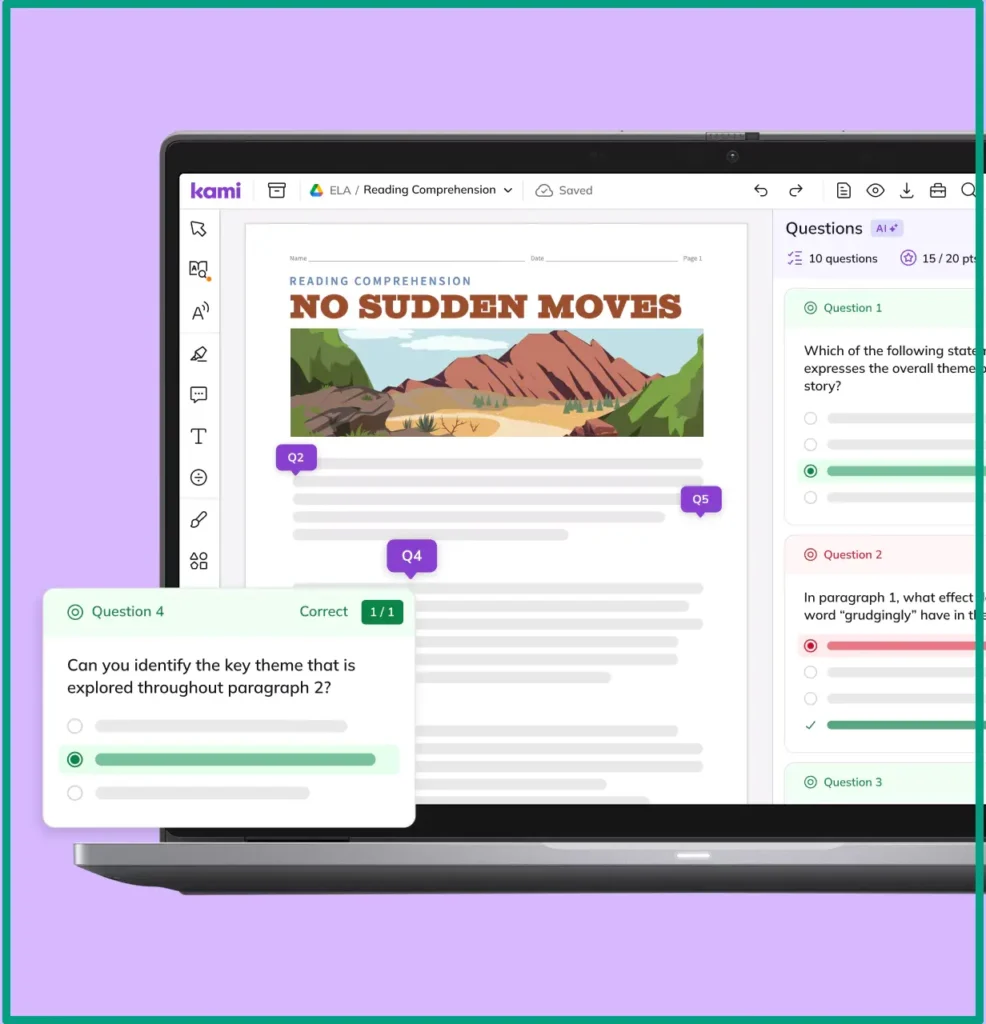
Tool #2: Kami is what a client of mine uses the most for older students. It’s more of a PDF annotation tool that happens to have AI reading support built in. The big difference here is that students can work directly on their actual assignments (highlighting, taking notes, answering questions), all while getting AI help when they need it. It feels less like “special reading software” and more like a normal study tool, which middle and high schoolers appreciate. The AI isn’t as powerful as dedicated reading tools, but the trade-off is that kids are more likely to actually use it because it doesn’t single them out.
Tool #3: Kurzweil 3000 is the heavy hitter. A friend who runs a special ed program uses this for her most struggling readers. It’s got everything, like text-to-speech, word prediction, study skills support, etc. The AI adjusts complexity automatically and offers multiple ways to interact with text. The downside is, it’s expensive and honestly overkill for kids who just need a little boost.

Now, here’s my honest comparison. For younger kids (K-5) who need lots of support, Read&Write is your best bet. Middle schoolers do better with Kami because it doesn’t feel babyish. High schoolers and kids with serious disabilities might need Kurzweil’s full feature set. Budget-wise, if you’re a parent paying out of pocket, start with the best free AI study tools. They’re surprisingly decent for occasional use.
Features That Actually Matter
Look, marketing materials for these tools list like fifty features. But in real life? Only a handful actually make a difference for struggling readers!
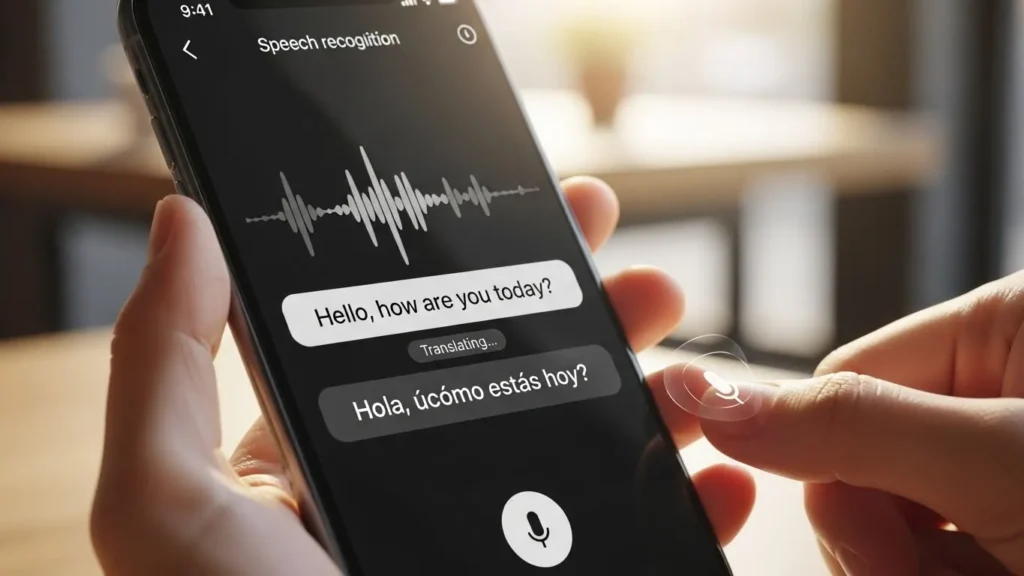
Text-to-speech with adjustable speed is non-negotiable. Some kids need it super slow, others just want a slight boost. One-speed-fits-all doesn’t work! Plus, the voice quality matters more than you’d think. A natural-sounding voice keeps kids engaged, but a robotic one drives them crazy!
Built-in dictionaries and vocabulary builders save so much time. Instead of stopping to Google every unfamiliar word, the definition pops up right there. Even better when the tool remembers which words a student looked up and creates review quizzes later.
Interactive questions that actually check understanding can make a huge difference. Good AI tools ask things like inference questions, main idea questions, and stuff that proves the kid actually comprehended what they read. And they need to explain wrong answers, not just mark them incorrect!
Visual aids and graphic organizers help visual learners make sense of information. When some students can see a story map or a Venn diagram while reading, comprehension jumps noticeably. Not every tool does this well, but the ones that do are worth their weight in gold.
Note-taking and highlighting capabilities let kids interact with the text. Passive reading doesn’t work for struggling readers. They need to mark important parts, write questions in the margins, all that active reading stuff. Digital tools that allow this while also providing AI support are the sweet spot.
How to Actually Use These Tools Without Your Students Getting Dependent
Okay, real talk. I’ve seen kids become totally reliant on AI reading tools to the point where they won’t even try to read without them. And I’m not necessery talk about the struggling students alone, because it’s true for all kids who use AI for things like learning or homework. It’s a real problem, and honestly, it’s usually the adult’s fault for not setting boundaries from the start!
Here’s what I recommend. AI reading tools are for homework and practice, not for every single reading task. One of my friends, in her tutoring sessions, uses the AI tool for maybe 60% of the reading time. The other 40%? Kid reads on their own, struggles through it, and they talk about strategies for when the AI isn’t there. I tell parents the same thing. Don’t let your kid use it for every book they read. Sometimes struggling through a chapter of a fun book without help actually builds skills.
Teaching students to verify AI explanations is huge for building critical thinking. When the AI says something is the main idea, ask them follow-up questions like, “Does that make sense? Can you find evidence in the text that supports that?” Getting kids to question the AI and think for themselves is actually one of the best parts of using these tools.

The balance when using these tools is the tricky part. I try to think of it like training wheels on a bike. You start with full AI support for really challenging texts, like when a 6th grader is trying to read an 8th grade science textbook. But for pleasure reading or texts at their actual level? They should be trying it solo first, only pulling in the AI when they’re truly stuck.
Here are practical strategies for gradual reduction. Start by having “AI-free” days once a week. Then increase it. Or use the AI for the first read-through but make them reread sections without it to find specific information. Another trick could be turning off certain features one at a time. Maybe they still get text-to-speech but lose the automatic vocabulary hints. Forces them to try first before getting help.
Last point, let’s talk about a few common mistakes teachers and parents make for a minute. The biggest one is letting the AI do all the heavy thinking. Just because a kid can listen to text and answer questions doesn’t mean they’re actually learning to read better! Another mistake is using the AI as a babysitter, like just putting the kid in front of it without checking in on what they’re actually doing. And finally, some adults give up on traditional reading instruction entirely once they find these tools. That’s backwards. The AI is a supplement, not a replacement.
What the Research Really Says About AI and Reading Comprehension
So I’ve spent a lot of time looking into whether these AI reading tools actually work or if they’re just expensive tech with good marketing. The research is actually pretty encouraging, but it’s not the miracle solution some companies want you to believe!
From what I’ve seen in the research and in my own tests with students, AI reading comprehension tools really do help struggling readers improve, but we’re talking moderate gains, not dramatic overnight transformations. If you track students who are using AI tools consistently, it’ll show measurable improvements in reading comprehension over time. That’s honestly pretty good, but the keyword is “consistently.” We’re talking regular use multiple times per week, not just here and there!
Improvement rates vary a ton depending on how the kid starts. Students who are only slightly below grade level tend to catch up faster. Kids with significant reading disabilities need more time and often need the AI combined with other interventions.
But let’s be honest about limitations because AI isn’t magic. These tools work best for decoding and basic comprehension support. They’re not great at teaching deep critical thinking or helping kids make personal connections to text. For example, students can answer factual questions pretty well after using AI tools, but what if you ask them to write a thoughtful response about themes or character motivation? Still a struggle. The AI gives them the words but doesn’t necessarily build those higher-level thinking skills.

Now, the real question is who benefits the most? From what I’ve seen and what research suggests, it’s kids with dyslexia, processing speed issues, or students who are just behind in reading but don’t have diagnosed disabilities. English language learners also do really well with these tools because the instant vocabulary support is huge for them. But kids with more complex learning disabilities might need something more specialized than the best AI tutoring platforms can offer.
There are also some potential downsides to watch for. Some research suggests that overreliance on text-to-speech can actually slow down natural reading development. If a kid never practices decoding words because the AI always reads them aloud, that’s a problem. And also, there’s concern that students start expecting instant help for every difficult word, which doesn’t build perseverance or problem-solving skills.
Expert opinions from educators I know who’ve used these tools in actual classrooms are mixed. Most say they’re helpful as one tool in the toolkit but shouldn’t be the only intervention. A special ed teacher I know uses AI tools alongside traditional instruction and one-on-one support. She says the AI is great for homework and practice, but she still needs to teach the foundational skills in person. Makes sense to me.
Getting Started: Your Quick Action Plan
Alright, you’re convinced these tools might help, but where do you actually start? Let me walk you through what I tell parents who ask.
Step 1: Figure out your student’s specific reading struggles. Don’t just say “they’re bad at reading!” Be specific. Is it cracking individual words? Understanding vocabulary? Following complex sentences? Or remembering what they read? Different tools are better for different issues. You need to spend the first session just watching a kid read and asking questions to see where they break down. If you’re a parent, talk to your kid’s teacher or do an online reading assessment; lots of free ones exist.
Step 2: Try free versions before buying anything. Seriously, don’t drop money on premium tools until you know your kid will actually use it. Start with the best AI homeschool tools that offer free trials or basic free versions. Microsoft’s Immersive Reader is built into lots of apps and it’s free. Natural Readers has a free version. Let your kid play around with these for a couple of weeks. See if they actually engage with the tools or ignore them completely.
Step 3: Set up the tool correctly because this is where everyone messes up! Most AI reading tools have a setup wizard that asks about reading level and needs. Don’t skip this. I’ve seen so many parents just blast through setup and then wonder why the tool isn’t helping. Take ten minutes to input the right grade level, turn on the features your kid needs, and adjust the voice speed. Test it yourself first to make sure it’s working right.

Step 4: Create a usage schedule that actually works. Don’t just say “use it whenever.” Be specific. Use the AI tool at the start for warm-up reading, then switch to independent practice. For homework, tell students to try reading on their own first, then use the AI for the second read-through if they’re stuck. Figure out what works for your situation, but have an actual plan instead of random use.
Step 5: Track progress and adjust. Most tools have built-in progress tracking. You need to actually look at it every couple of weeks and answer questions like, Is comprehension improving? Reading speed increasing? Vocabulary growing? If you’re not seeing any movement after a month or two, something needs to change. Maybe the tool isn’t right, maybe your kid needs more traditional help alongside it, or maybe they’re not using it enough.
One more thing. When you’re looking at the best AI learning tools, don’t just go for the fanciest or most expensive. Start simple. Most successful students usually aren’t using the most sophisticated tools; they’re using something straightforward that they’ll actually stick with. Consistency beats features every single time. Also, an AI text summarizer for students can help save time by turning long text into clear, easy-to-understand summaries.
FAQ
Q: Do AI reading comprehension tools really help struggling students?
A: Yes, research shows AI tools can improve comprehension for lower-performing students by providing instant feedback and personalized support. However, they work best when combined with traditional reading strategies, not as a complete replacement.
Q: At what age do students benefit most from AI reading tools?
A: Students from 3rd grade through high school can benefit, but middle schoolers often see the biggest gains. Younger students may need more hands-on guidance, while older students can use tools more independently.
Q: Can students become too dependent on AI reading tools?
A: Yes, this is a real concern. Set clear boundaries on when to use AI support versus reading independently. Gradually reduce assistance as comprehension improves. Think of it as training wheels, not a permanent solution.
Q: Which AI reading comprehension tool is best for dyslexic students?
A: Tools with strong text-to-speech, adjustable fonts, and visual supports work best. Look for options that let students control reading speed and highlight text while listening. Many dyslexic students respond well to multi-sensory AI features.
Conclusion
Here’s where I land on all this. AI reading comprehension tools aren’t going to fix every reading problem overnight! But for struggling students who’ve tried everything else? They’re worth a shot.
The key is finding the right tool for your specific situation and using it smart. Don’t just hand a kid an AI tool and hope for the best! You’ve got to teach them how to use it, when to use it, and most importantly, when NOT to use it. I’ve seen kids make real progress when parents and teachers get this balance right.
So yeah, start small. Try a few free options. See what clicks with your student. Track what’s actually working vs what just looks cool. And remember, these tools are supposed to build independence, not create a new issue!
If you’re running a tutoring service or just a parent trying to help your kid, these AI reading comprehension tools can sometimes make a difference. Just keep it real, stay involved, and trust your gut on what’s helping.