
Best AI Learning Tools for Students: Ultimate 2026 Guide


AI learning tools are becoming more and more popular for academic success. This guide reviews the top AI-powered platforms that help students learn faster, write better, and achieve higher grades through personalized learning experiences and instant feedback.
Introduction
Let me tell you something that completely changed how I run my business and support students. AI learning tools aren’t just for cheating or fancy stuff anymore! They’re genuinely transforming how we learn.
I run a small business helping others to succeed, whether in business or life, whether you’re a student or an entrepreneur. And I’ve seen how these tools level the playing field. But here’s a stat that blew my mind. According to DemandSage, as of 2025, 86% of students globally use AI for different purposes, including their studies. That’s not a trend anymore. That’s the new normal.
Whether you’re grinding through late night study sessions, trying to improve your writing, or just wanting to understand complex topics faster, AI learning tools can be your secret weapon. I’ve tested dozens of these platforms (some amazing, some… not so much), and I’m excited to share what actually works.
In this guide, I’ll walk you through the best AI learning tools for students in 2026. We’ll cover writing assistants, study helpers, personalized learning platforms, and more. No side talks, just honest reviews from someone who’s been using and testing some of these tools. Let’s do this!
Best Overall in a Glance
Grammarly
Best For: Students who need help with grammar, clarity, and plagiarism detection
- Pros:
- Real-time grammar and spelling correction
- Plagiarism checker
- AI-powered tone and clarity suggestions
- Cons:
- Premium features require paid subscription
- Plagiarism checker only available in premium
- Can be overly strict with writing suggestions
QuillBot
Best For: Students needing paraphrasing help and affordable AI writing tools
- Pros:
- Excellent paraphrasing tool with multiple modes
- Grammar checker and summarizer included
- More affordable than competitors
- Cons:
- Free version has word limits
- Paraphrasing can sometimes change meaning
- Fewer features than competitors
Coursera
Best For: Students seeking structured courses with AI-powered learning paths
- Pros:
- Courses from top universities and companies
- AI-powered recommendations and personalized learning
- Certificates add value to resumes
- Cons:
- Most quality courses require payment
- Takes significant time to complete
- Not focused purely on AI assistance
Why AI Learning Tools Are Necessary for Students
When I was a student, there was no AI to use for anything, let alone in education. So, when AI tools first started popping up with big promises for students, I wasn’t a fan! I mean, how could a computer really understand what you need? But after watching my nephew transform his grades using these tools (and testing a bunch myself for my business), I immediately became a super fan!
Let’s start with the biggest benefit AI brings to the table, which is personalized learning. Think about it. In a classroom of 30 kids, teachers can’t always catch when one student needs extra help with fractions while another is bored and ready for advanced concepts! AI tools adapt in real-time, kind of like having a patient tutor who never gets tired of explaining the same thing five different ways.
How to use AI for studying has become one of those questions I hear constantly from parents and students. The answer isn’t just “plug in ChatGPT and you’re done”! It’s about finding tools that address specific pain points. I’ve seen students use AI to break down complex biology concepts into simpler language, get instant feedback on essay drafts at 11 PM when no human tutor is available, and even manage their chaotic schedules better.
But the one thing that really sold me was the data. A survey found that 51% of college students believe AI helped them get better grades, and 56% reported being more efficient in their studies, according to eCampus News. That’s more than half of the students, which is the difference between struggling and getting better results.
And it’s not just for one type of learner either. My colleague’s daughter is super visual and uses AI tools that generate diagrams and mind maps from her notes. Meanwhile, I know a college kid who learns best by reading and uses AI to summarize dense textbook chapters. The flexibility is incredible. Whether you’re trying to master calculus, improve your writing, or just stay organized, there’s probably an AI tool designed for exactly that challenge.
This flexibility reminds me a lot of what I see with the best AI tools for small business; in the same way entrepreneurs need different tools for different business challenges, students need AI that adapts to their unique learning style and goals.
Top AI-Powered Writing Assistants for Students
Writing assignments can feel overwhelming, but AI tools have completely changed the game for students who want to improve their work without spending hours struggling alone. While there are tons of best AI writing tools out there for professionals, these are the ones I’ve tested and recommend specifically for students based on real results.
Grammarly
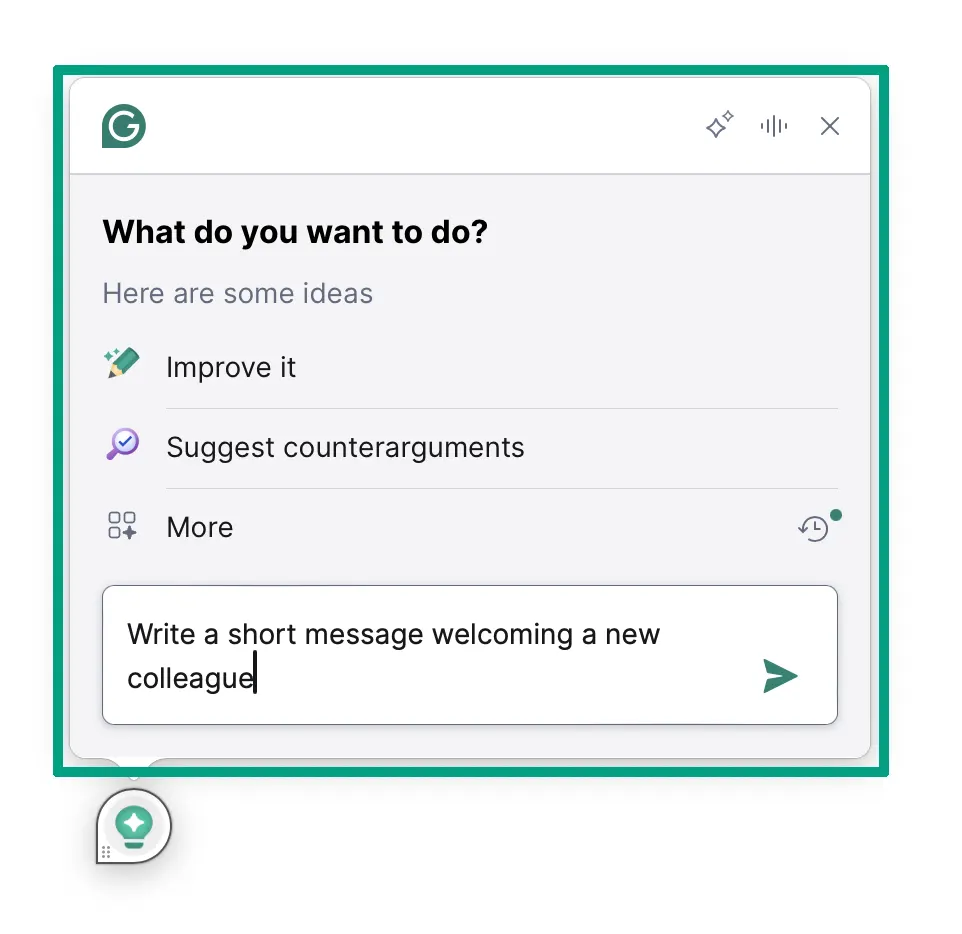
Best for: Students who need comprehensive writing support beyond just catching typos. This thing basically acts as your personal editor for everything from quick emails to research papers.
Pros:
- Catches grammar mistakes you’d never spot yourself
- Tone suggestions help you sound more professional or conversational depending on the assignment
- Plagiarism checker gives you peace of mind before submitting
- Works everywhere (Google Docs, Word, even social media)
Cons:
- Free version is pretty limited
- Premium can feel pricey for students on a budget
- Sometimes suggests changes that make your writing sound robotic
I’ve been using Grammarly for years now, and honestly, it’s saved my butt more times than I can count. The real magic happens when you’re writing something important at midnight and your brain is fried! Grammarly catches those embarrassing mistakes, like when I wrote “pubic speaking” instead of “public speaking” in a professional email. Oops!
The premium version unlocks the plagiarism checker, which is huge for students. I’ve had clients whose kids were accused of plagiarism just because they didn’t realize they’d accidentally copied phrasing from a source. Having that safety net before you submit is worth it.
One thing that surprised me was how much the tone detector helps. It’ll tell you if your email to a professor sounds too casual or if your essay comes across as uncertain. For students who struggle with writing style, that feedback is gold.
The browser extension integrates with pretty much everything. I use it in Gmail, Google Docs, even when I’m writing LinkedIn posts. Students can use it for scholarship applications, lab reports, discussion board posts, and basically any writing they do online.
QuillBot
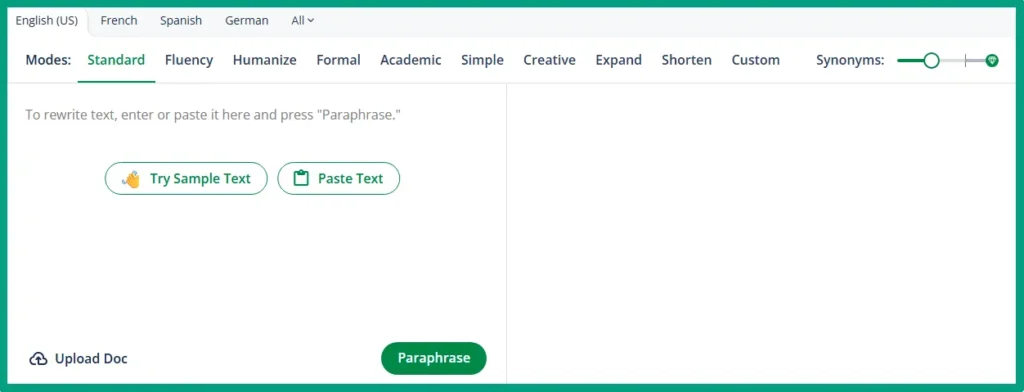
Best for: Students who need to rewrite or summarize content while maintaining the original meaning. Also, perfect for note-taking and paraphrasing research sources properly.
Pros:
- Paraphrasing tool helps you rewrite without plagiarizing
- Summarizer condenses long articles quickly
- Citation generator saves tons of time
- More affordable than most premium writing tools
Cons:
- Free version has strict word count limits
- Paraphrasing quality varies depending on the mode
- Grammar checker isn’t as robust as Grammarly’s
QuillBot is one of those tools I tested for a few months for a specific project. What impressed me most was the paraphrasing feature. I know that students need to reference sources, but they can’t just copy-paste. QuillBot helps them understand and rewrite information in their own voice.
The AI text summarizer for students feature is ridiculously useful. I watched my nephew paste in a 10-page research article and get a concise summary in seconds. It’s not perfect, but it helps you quickly decide if a source is worth fully diving into or not.
Here’s where QuillBot really shines: the citation generator. Instead of manually formatting MLA or APA citations (which nobody enjoys), students can generate them automatically. I’ve seen kids spend hours getting citations wrong, so anything that automates that process is a win!
The pricing is more student-friendly than Grammarly’s premium tier, which makes it accessible for high schoolers who might not have much budget. That said, when comparing features head-to-head, Grammarly still wins for pure grammar and style checking. QuillBot is better for research and paraphrasing tasks.
Other Notable Writing Tools
Beyond the heavy hitters, there are a couple of specialized tools good for specific writing challenges. These are worth knowing about if you need help with readability or deeper style analysis.
Hemingway
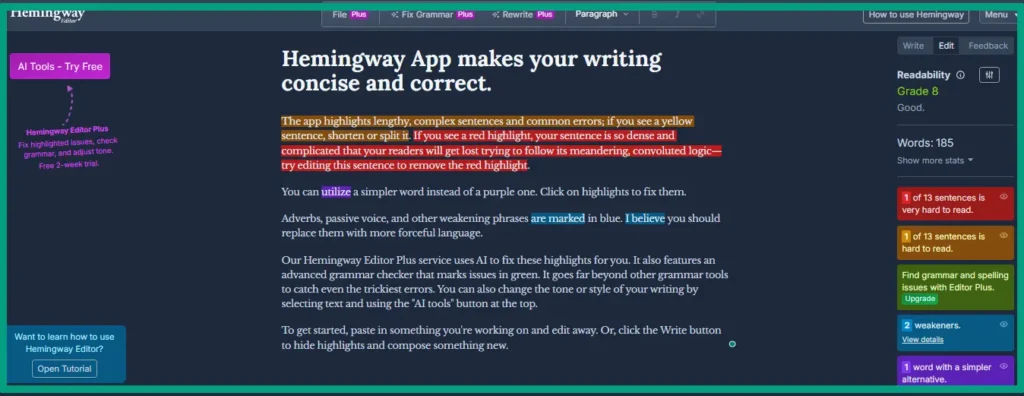
Best for: Simplifying overly complex writing and improving readability.
Pros:
- Highlights dense, hard-to-read sentences instantly
- Color-coded system makes issues easy to spot
- Free web version available
- Great for making academic writing more accessible
Cons:
- Can be too aggressive about simplifying
- Doesn’t catch grammar errors like other tools
- Limited AI features compared to competitors
Hemingway Editor is fantastic if you need to write long, complicated sentences without losing your reader! It highlights complex sentences and suggests simpler alternatives. I don’t use it daily, but when I’m editing something important, it’s my go-to for making my writing more readable.
ProWritingAid
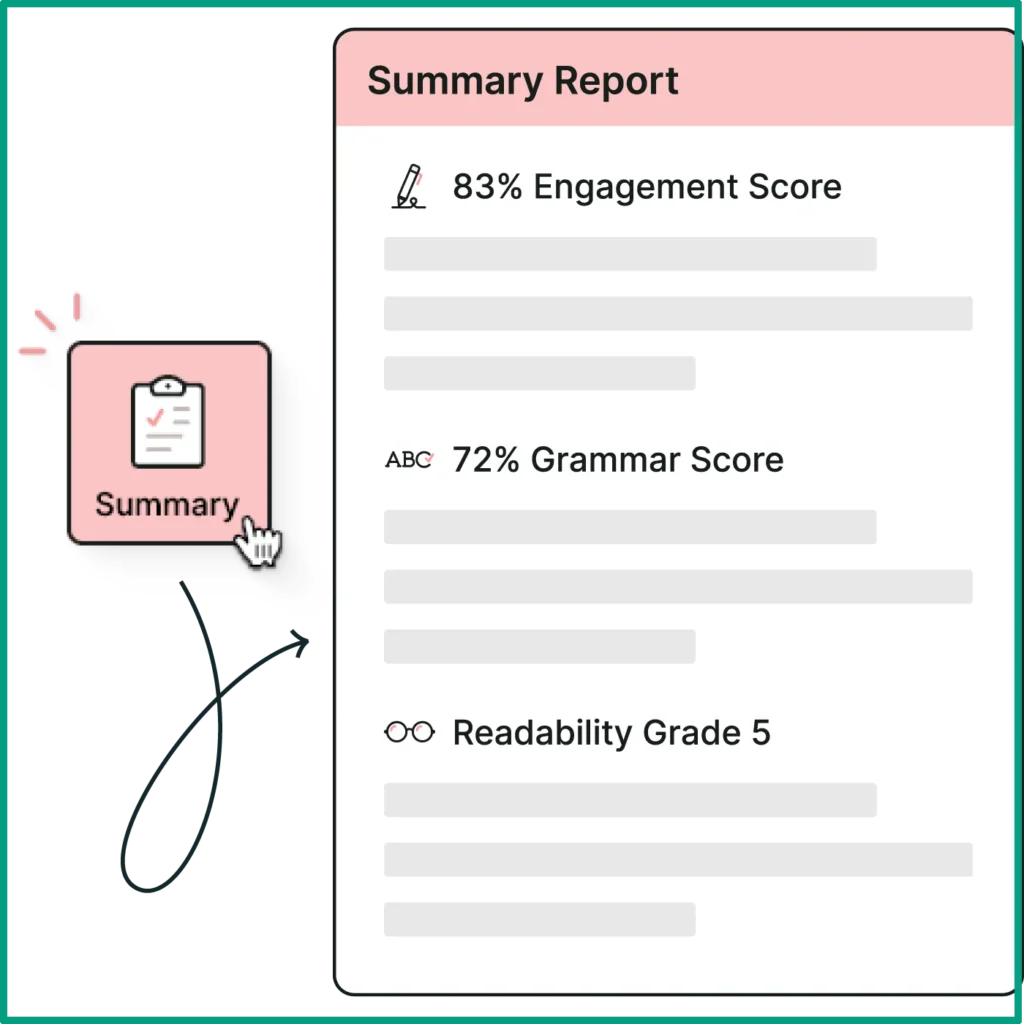
Best for: Students who want detailed writing analysis beyond basic grammar checking.
Pros:
- In-depth reports on writing style and habits
- Identifies overused words and repetitive phrasing
- Readability scores help the audience have better experience
Cons:
- Steeper learning curve than simpler tools
- Interface can feel overwhelming at first
- Slower processing for longer documents
ProWritingAid is another one that deserves attention. A client of mine swears by it because it gives more detailed writing reports than Grammarly (things like overused words, sentence length variation, and readability scores). It’s more robust but also has a steeper learning curve. For students who really want to level up their writing skills, not just fix mistakes, it’s worth exploring.
Best AI Study Assistants and Personalized Learning Platforms
Finding the right study platform means the difference between struggling through material alone and having a personalized tutor guiding you every step of the way. These AI-powered platforms have helped countless students (including several I know personally) transform how they learn.
Coursera (with AI Features)

Best for: Students who want structured learning with AI-powered recommendations that actually match their goals and skill level.
Pros:
- AI suggests courses based on your interests and career goals
- Access to university-level content from top schools
- Certificate programs add real value to resumes
- Financial aid is available for most courses
Cons:
- Can be overwhelming with too many options
- Some courses require significant time commitment
- Certificates cost money (though aid is available)
I started using Coursera when I wanted to level up my business skills, and the AI recommendation is impressive. Instead of scrolling through thousands of random courses, it suggested ones based on what I’d already completed and what skills I was trying to build. For students, this means less time searching and more time actually learning.
What I love about Coursera is the range. You’ve got everything from high school level math to advanced machine learning courses. A student struggling with AP Statistics can find supplementary courses, while someone prepping for college can get ahead with intro-level university content.
The certificate programs are where Coursera really stands out from free resources. Sure, you can join most courses for free, but earning a certificate from a school like Yale or Michigan carries weight on college applications and resumes.
The AI study planner functionality helps you set learning goals and reminds you to complete coursework. It’s like having a personal assistant keeping you accountable.
Khan Academy (Khanmigo)
Best for: Students who need a patient AI tutor that explains concepts step-by-step without judgment, and it won’t cost you a fortune!
Pros:
- Khanmigo provides tutoring that guides you to answers
- Completely free core content for all grade levels
- Covers math, science, humanities, test prep, and more
- Safe and designed specifically for educational use
Cons:
- Khanmigo (the AI tutor) requires a paid membership
- Interface isn’t as flashy as newer AI tools
- Limited advanced college-level content
Khan Academy is one of those resources that makes me genuinely happy about technology in education. I’ve recommended it to so many people over the years because the core platform is completely free and actually good. When they added Khanmigo (their AI tutor feature), it took things to another level.
Here’s what makes Khanmigo different from just chatting with ChatGPT. It’s designed to teach, not just give answers. When a student asks for help with a math problem, Khanmigo asks guiding questions that help them figure it out themselves. That’s real learning. ChatGPT will just solve it for you, which doesn’t help when test day comes!
The best free AI study tools category is crowded, but Khan Academy sits at the top for pure educational value. I know a student used it to prep for the SAT, and the personalized practice recommendations helped him identify exactly which math concepts he was weak on.
The only real downside is that Khanmigo requires a paid membership (the core Khan Academy content is free though). For families on a tight budget, you can still get incredible value from the free version. But if you can pay for the paid tier, having an AI tutor available 24/7 is tough to beat.
Study.com
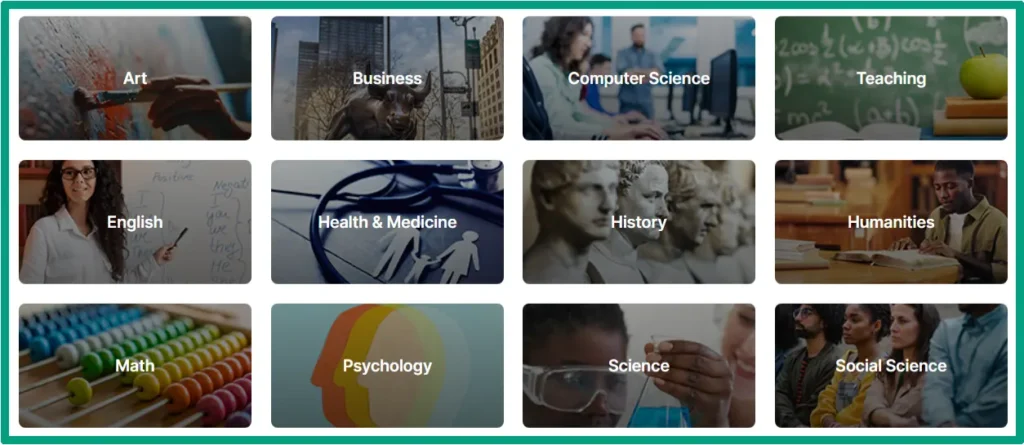
Best for: High school and college students who need comprehensive course support with AI-powered practice and personalized study paths.
Pros:
- AI creates customized study plans based on your progress
- Thousands of video lessons across all major subjects
- Practice tests adapt to your knowledge gaps
- College credit options available for some courses
Cons:
- Subscription required for full access
- Can be pricey compared to free alternatives
Study.com is one of those platforms that flies under the radar but deserves way more attention. A client’s daughter used it to prepare for her AP exams, and the AI-driven practice questions were incredibly helpful. The platform tracks which concepts you’re struggling with and automatically serves up more practice in those specific areas.
Leveraging AI capabilities is how it personalizes the entire learning experience. It’s not just about watching videos; the AI analyzes your quiz performance, identifies patterns in your mistakes, and adjusts your study plan accordingly. If you’re consistently missing questions about something in biology, it’ll prioritize that topic in your practice sessions.
The best AI homework helper tools often include quiz generation features too. Study.com and similar platforms can generate practice tests based on your curriculum. For students preparing for exams, having unlimited practice questions that adapt to their knowledge level is incredibly valuable.
AI Flashcard and Quiz Generators
Okay, so here’s where AI gets really practical for everyday studying. An AI flashcard generator can take your messy class notes or even a textbook chapter and automatically create flashcards. I tested this with Quizlet’s AI features, and while it’s not perfect, it’s about 80% there, which beats spending two hours making cards manually!
Quizlet
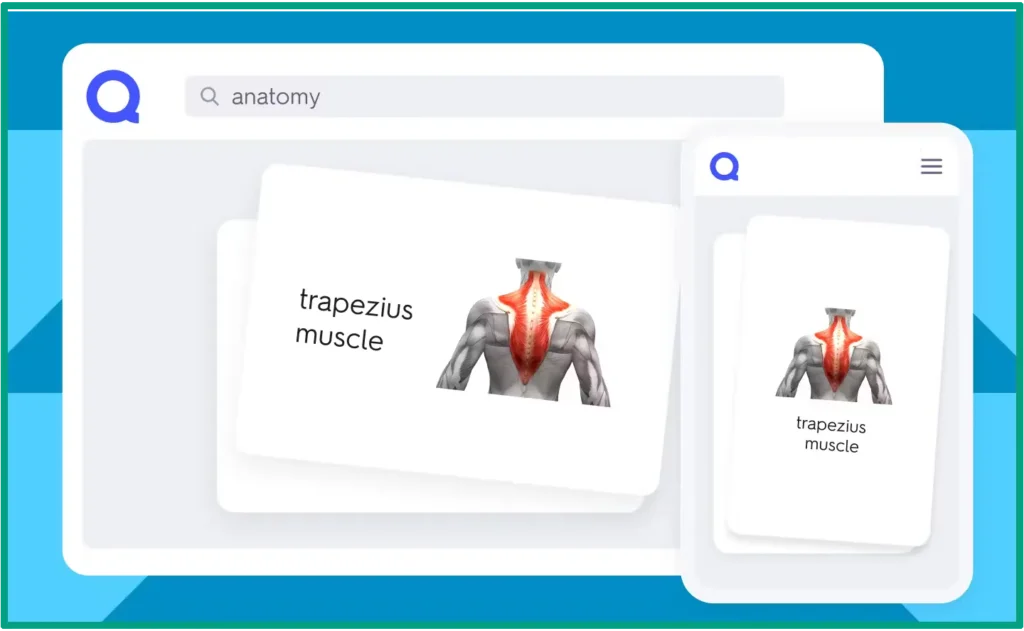
Best for: Quick flashcard creation with AI assistance and collaborative study features.
Pros:
- AI generates flashcards from notes or textbook photos
- Spaced repetition helps with long-term retention
- Massive library of existing study sets
- Multiple study modes keep practice engaging
Cons:
- Free version has ads and limited features
- AI-generated cards need manual review
- Quality varies based on input material
Quizlet has integrated AI in some clever ways. You can upload photos of your handwritten notes, and it’ll extract the key concepts and create study sets. I tested this with a college student’s biology notes, and it pulled out terms, definitions, and even practice questions. You still have to review and fix a few cards, but it cut the study prep time in half.
Anki
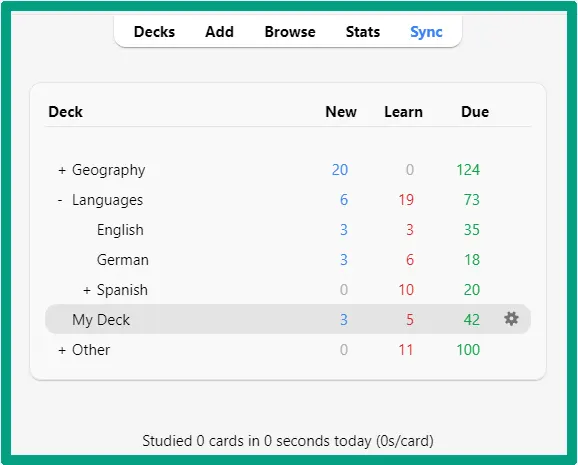
Best for: Serious students tackling massive amounts of information who want scientifically-backed spaced repetition.
Pros:
- Powerful spaced repetition algorithm backed by research
- Highly customizable for different learning needs
- Free and open-source with active community
- Syncs with all devices
Cons:
- Steep learning curve for new users
- Interface looks dated
- Requires more manual setup than modern alternatives
Anki is another tool worth mentioning, especially for serious students tackling massive amounts of information. Medical students and language learners swear by it because the spaced repetition algorithm is backed by actual cognitive science. Personally, I used it years ago to learn German, and my decks are still popular among new learners. The AI helps schedule when you see each card based on how well you know it. Cards you struggle with appear more frequently until you’ve got them down.
One last point. Don’t just blindly trust AI-generated study materials. I’ve seen tools make mistakes or miss subtle things in complex topics. Always review what’s generated and double-check against your actual course material. The AI note-taking app might create flashcards from your lecture notes, but you still need to verify they’re accurate.
How to Choose the Right AI Learning Tool for Your Needs
Look, I get it. There are about a million AI learning tools out there now, and picking the right one feels overwhelming. So let me break down how to actually make a smart choice instead of just downloading everything and hoping something sticks!
Start by getting brutally honest about your specific challenges. Are you struggling to organize your time? Then you need an AI study planner more than you need another writing tool. What about essays with grammar issues? Well, writing assistants should be your priority. How about the problem with absorbing information from textbooks? Then look for summarization and note-taking tools.
Budget matters more than people want to admit. The good news is there are solid free options in almost every category. Like Khan Academy, Google Docs with basic AI features, and free tiers of Grammarly can get you surprisingly far. But if you’re serious about improving and can afford it, well then, premium tools often offer features that make a real difference. I usually tell students to try free versions first, then upgrade only if they’re actually using it regularly.
Integration is huge and often overlooked. The best tool in the world is useless if it doesn’t fit into your actual workflow. If you write everything in Google Docs, make sure your AI tool has a solid integration there. If you take notes on an iPad, check that the AI note-taking app you’re considering actually works well on iOS.
Student discounts and free trials are your friends. Most companies offer significant discounts for students with a .edu email address. I’ve seen 50-60% off premium plans just for verifying you’re enrolled. And free trials let you test before committing. So use them to see if the tool actually helps with your specific homework and study patterns.

Accuracy and reliability are important for academic work. This is where you need to be careful. AI tools make mistakes, especially with complex subjects. I once saw an AI chatbot confidently give completely wrong information about a historical event. Always verify important facts, especially if you’re using them in assignments. Your professor won’t accept “but the AI told me” as an excuse!
Next, let’s talk about AI ethics in education for a second, because it matters. Using AI to help you understand concepts and improve your work is great. But using AI to write your entire essay while you learn nothing is cheating, plain and simple! Most schools are developing policies around this, and the consequences of getting caught are serious. Use AI as a learning tool, not a shortcut to avoid work.
Privacy and data security might sound boring, but it’s important. Some AI tools collect and use your data in ways you might not be comfortable with. Check what information they’re storing, especially if you’re pasting in personal essays or sensitive academic work. Stick with reputable companies that clearly explain their privacy policies.
Here’s a useful tip for you. Combining multiple tools is where you can really optimize your studying. For example, you can use Grammarly for writing, Coursera for learning new skills, and a simple AI planner for time management. They each do one thing really well rather than trying to be everything!
Also, here are some red flags to watch for. If you find yourself letting AI do all your thinking, that’s a problem. If you’re spending more time messing with tools than actually studying, that’s another problem. And if you’re anxious about getting caught using AI inappropriately, that’s your gut telling you you’ve crossed a line! Remember, the goal is to learn more effectively, not to cheat the system.
FAQ
Q: Are AI learning tools allowed in schools and colleges?
A: It depends on your institution’s policies. Most schools allow AI writing assistants for grammar checking and editing, but prohibit using them to generate entire assignments. Always check your school’s academic integrity policy and ask your professors before using AI tools.
Q: Can AI learning tools replace tutors or teachers?
A: No, AI tools complement but don’t replace human instruction. They provide instant feedback and practice opportunities, but teachers offer critical thinking development, personalized guidance, and subtle understanding that AI cannot replicate. Use them together for best results.
Q: How do AI learning tools help improve grades?
A: AI tools help by providing instant feedback on writing, explaining complex concepts in multiple ways, creating personalized study plans, identifying knowledge gaps, and offering unlimited practice opportunities.
Q: Are AI-generated study materials reliable?
A: Quality varies by tool. Established platforms like Coursera, Khan Academy, Grammarly, and QuillBot have high accuracy rates. However, always verify important information against authoritative sources, especially for factual content. Never submit AI-generated work as your own.
Conclusion
Here’s the bottom line. AI learning tools aren’t going anywhere, and students who embrace them thoughtfully are seeing real results. I’ve watched students go from struggling to improving once they found the right combination of tools for their needs.
Start with one tool that addresses your biggest challenge. If writing is your weakness, try Grammarly or QuillBot’s free versions. But if you need help understanding the course material? Check out Coursera or Khan Academy’s AI features. Don’t try to use everything at once. That’s overwhelming and counter-productive!
Remember, these tools are meant to enhance your learning, not replace the hard work of actually studying. Use them to understand concepts better, catch writing mistakes, and organize your thoughts. But the thinking, the connections, the real learning? That still has to come from you.
Ready to improve your learning? Then pick one tool from this guide and give it a try for a week. I bet you’ll notice a difference. And hey, if you found this guide helpful, bookmark it and come back when you’re ready to explore more tools. Your future self will thank you for investing in better learning strategies!