
Best Free AI Study Tools for College Students on a Budget


The best free AI study tools for college students include Grammarly for writing assistance, QuillBot for paraphrasing and summarizing, and Notion AI for note organization. These platforms offer robust free plans with essential features without a paid subscription.
Introduction
Let me give you a hard truth just to think about! If you’re still hesitating about whether or not to use AI tools for studying, then sorry to break it to you, but that means you’re already competing with other students who are using AI to study smarter, not harder!
And here’s why. According to HEPI (Higher Education Policy Institute), student usage of AI tools skyrocketed from 66% in 2024 to an impressive 92% in 2025. That’s not just a trend anymore; it’s basically how modern students survive.
But here’s where it gets tricky for college students on a budget. While tons of AI study tools promise to change your academic life, most of them hide their best features behind paywalls. Sure, they’ll let you try the basics for free, but the moment you actually need help? Sorry, upgrade to premium!
As someone who runs a small business and helps other solopreneurs figure out tech solutions, I’ve spent months testing these tools. I wanted to find which ones actually deliver value without demanding your grocery money.
So I put together this guide on the best free AI study tools that won’t leave your wallet empty. These aren’t just “free trials”; these are legit platforms with solid free versions that college students can actually use long-term.
Best Overall in a Glance
Grammarly
Best For: Catching grammar mistakes and improving writing clarity for all your assignments
- Pros:
- Works on 500,000+ websites and apps
- Real-time grammar and spelling checks
- Tone detector helps you sound more professional
- Cons:
- Advanced suggestions locked behind premium
- Can be overly picky about style choices
- Limited plagiarism detection on free plan
QuillBot
Best For: Paraphrasing research and summarizing long articles quickly
- Pros:
- Free paraphrasing tool with multiple modes
- Summarizer condenses lengthy texts fast
- Grammar checker included in free version
- Cons:
- Free plan limits paraphrasing word count
- Some modes only available in premium
Notion AI
Best For: Organizing notes and creating study guides with AI assistance
- Pros:
- Beautiful interface for note organization
- AI can summarize and generate content
- Syncs with all your devices
- Cons:
- AI features limited on free plan
- Learning curve for new users
- Collaboration features need paid plan
Why Free AI Study Tools Actually Matter for College Students
Look, I remember when I first started working with college students who were building small businesses on the side, one thing hit me pretty hard. These kids are broke! Like, choosing between textbooks and groceries broke. The sad part is, the brilliant kids who are working two jobs to pay tuition, they’re stuck with whatever free version they can find. That doesn’t sit right with me.
Here’s the thing though. After testing dozens of these tools myself (and watching others use them), I realized something cool. Most free AI tools give you like 70-80% of what the paid versions offer. Sure, you’re missing some bells and whistles, but for actual studying? You’re more than good.

I had a client whose daughter was struggling in her sophomore year. Started using some of the best AI learning tools we recommended (the free versions, of course) and her GPA jumped from 2.8 to 3.4 in one semester. Now, I’m not saying AI did all the work! But it helped her study smarter, not harder.
The real question isn’t whether these tools work. It’s how to use AI for studying without falling into traps. Because yeah, there are traps! Some “free” tools are just glorified trials that lock you out after a week. Others are so limited they’re basically useless.
So what makes a free AI tool actually worth your time? For me, it’s simple. Can you use it every day without hitting a paywall? Does it solve a real problem? And most importantly, does it actually save you time or just add another thing to learn?
Because honestly, if a tool takes longer to figure out than just doing the work yourself, what’s the point?
Top Free AI Writing and Research Tools for Students
Grammarly
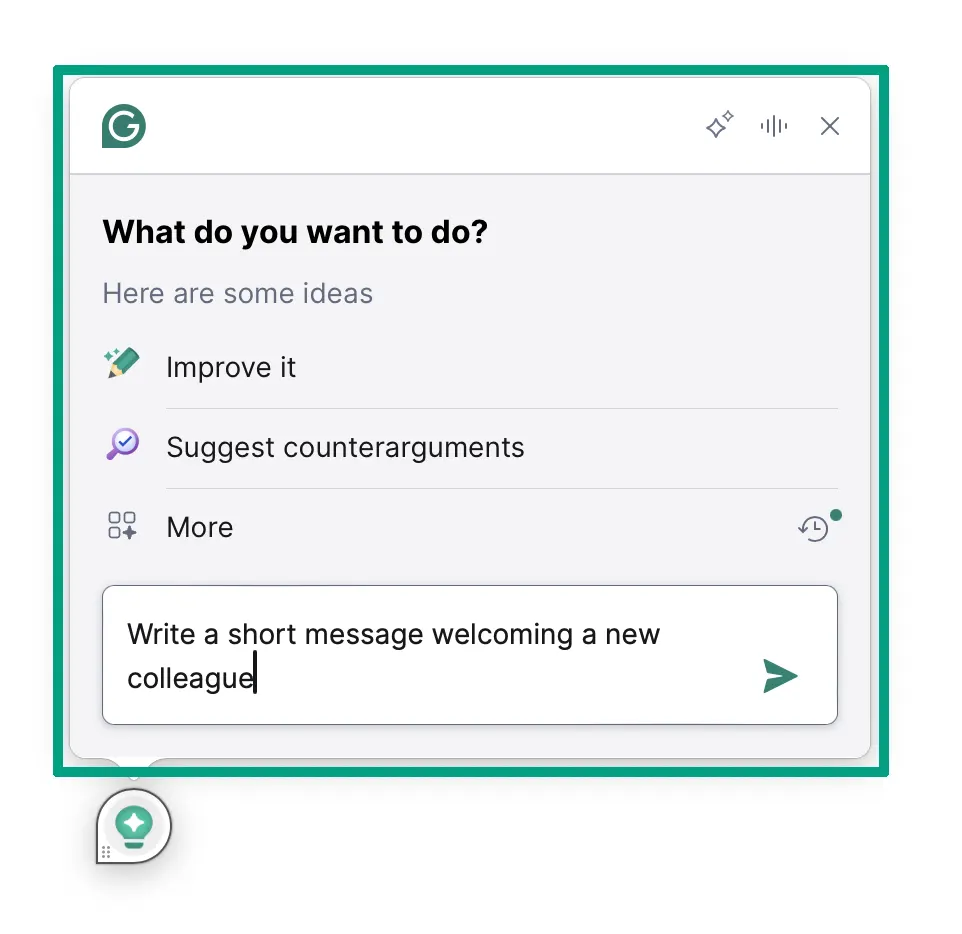
Best for: Students who need quick grammar and spelling checks. This is my go-to recommendation for anyone writing essays, emails, or anything else.
Pros:
- Catches typos and grammar mistakes in real-time
- Browser extension works everywhere (Google Docs, email, social media)
- Free version covers all the basics you actually need
- Simple interface that doesn’t slow you down
Cons:
- No plagiarism checker on the free plan
- Advanced suggestions are locked behind a paywall
- Can be overly picky about style sometimes
- Doesn’t always understand context in technical writing
Okay, so here’s my honest take on Grammarly. I’ve been using it for years, and the free version is actually pretty solid. You get grammar checking, spelling corrections, and basic punctuation fixes. That covers probably 90% of what college students actually need.
The browser extension is ridiculously easy to set up. You install it once, and boom, it works in Gmail, Google Docs, wherever you’re typing. The students catch embarrassing typos in emails to professors because of this thing.
But let’s be real about the limitations. The free version won’t check for plagiarism. That’s a bummer! And those “premium” suggestions that pop up? Sometimes they’re genuinely helpful, but you can’t see them without paying. It’s kinda like window shopping. You see there’s something there, but you can’t touch it!
One weird thing I’ve noticed is that it doesn’t always play nice with technical terms or discipline-specific language. If you’re writing a computer science paper or a biology lab report, Grammarly might flag stuff that’s actually correct! Just something to watch out for.
QuillBot
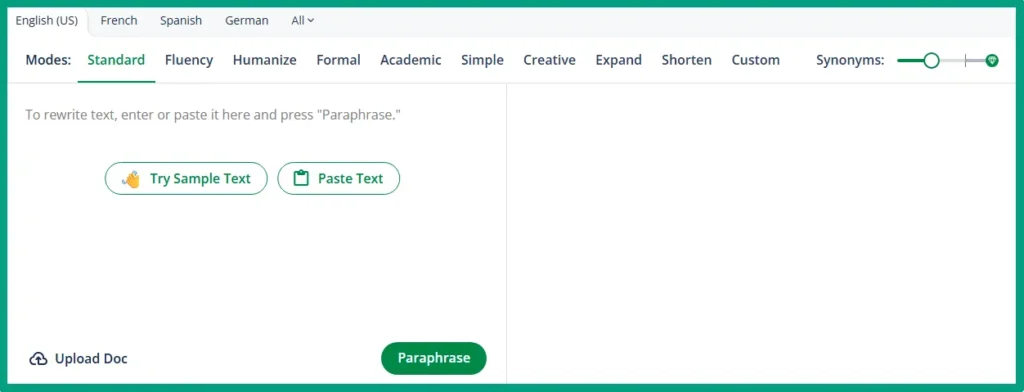
Best for: Students who need to paraphrase sources or condense long research articles without spending hours rewriting.
Pros:
- Paraphraser works well for rewording sentences
- Summarizer tool is actually useful for research
- Grammar checker as a backup option
- Multiple paraphrasing modes even on free plan
Cons:
- Word limit per use gets annoying fast
- Free version lacks the best paraphrasing modes
- Sometimes produces awkward phrasings
- Can’t process really long documents
I tested QuillBot pretty extensively a while back because I was curious if it could help with content repurposing. Turns out, it’s way more useful for students than I expected.
The paraphraser is the main attraction. You paste in a sentence or paragraph, and it rewrites it in different words. Now, before you get any ideas, this is NOT for copying someone else’s work and just changing the words! That’s still plagiarism. But for taking notes from sources or rewording your own drafts? It’s actually pretty handy.
Here’s the annoying part. That Word limit. If you’re paraphrasing a long quote, you gotta break it into chunks. It’s doable, just tedious! I’ve seen students get around this by splitting their text into smaller sections, but it adds time.
The summarizer tool though? That’s where QuillBot shines. You can paste in a whole research article, and it gives you the key points. Of course, you still need to read the actual article, don’t be lazy! But for identifying which papers are worth your time, it’s a massive timesaver. Think of it as an AI text summarizer for students that actually works.
ChatGPT
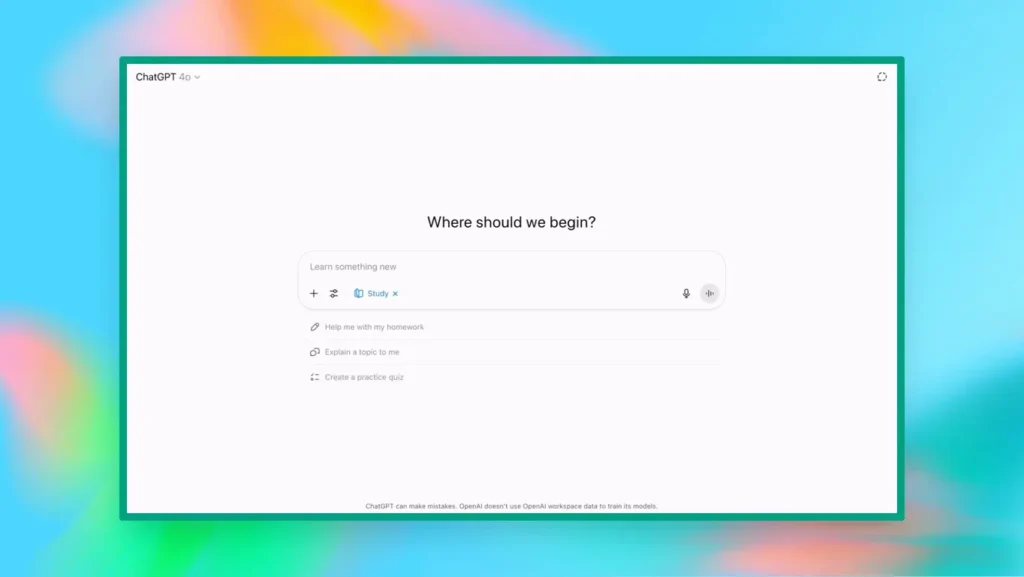
Best for: Explaining complex concepts, brainstorming essay ideas, and acting as a study partner when you’re stuck on something.
Pros:
- Completely free for the basic version
- Explains things in simple terms
- Great for generating study questions
Cons:
- Can confidently give you wrong information
- Requires fact-checking everything it tells you
Okay, so everyone and their mom is using ChatGPT now! I get it. It’s free, it’s easy, and it feels like having a smart friend on call.
But here’s what I tell every student. ChatGPT is a starting point, not a finish line. It’s amazing for breaking down concepts you don’t understand. Say you’re struggling with photosynthesis or supply and demand curves. Then ask ChatGPT to explain it like you’re five! Seriously, that works.
Where students get in trouble is because they’re using it to write their actual essays. Look, professors aren’t stupid! They can tell when an essay sounds like AI wrote it. Plus, most schools now have policies about this stuff, and they’re not messing around.
The smart way to use ChatGPT is to ask it to help you outline an essay. Have it generate practice questions for your upcoming exam. Use it to explain a reading you didn’t quite get. Those are all legit uses that help you learn, not cheat.
Oh, and another thing. It can hallucinate sometimes! That’s a fancy way of saying it makes stuff up. It’ll cite sources that don’t exist or give you facts that are just wrong. So please, for the love of everything, fact-check anything important. Google exists; use it.
Also, here’s a tip for you. When you’re using ChatGPT for studying, ask it to quiz you instead of just giving you answers. That actually helps you learn the material.
Notion AI
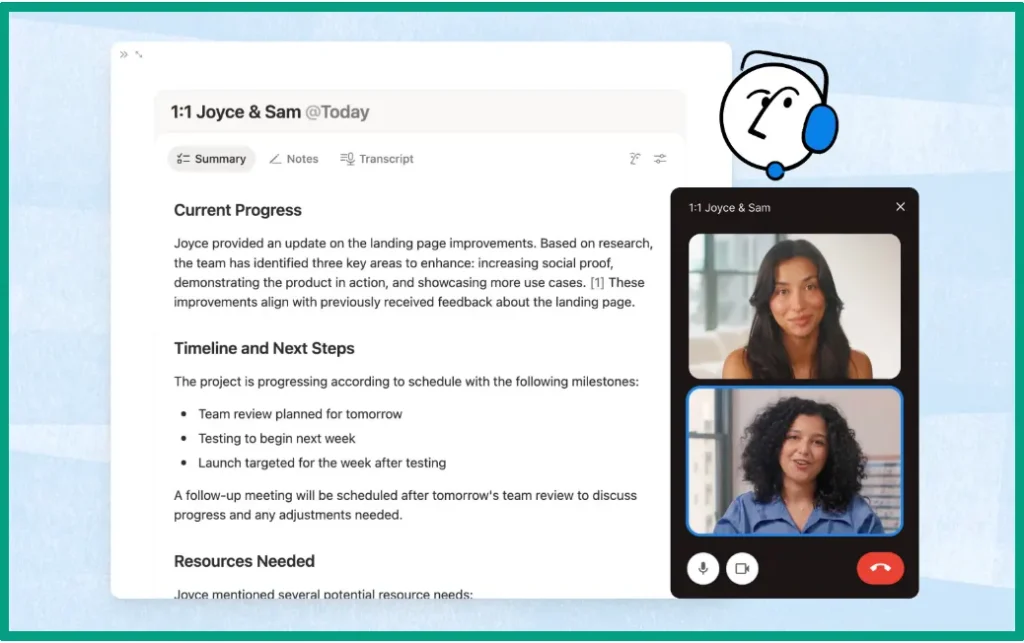
Best for: Students who want an all-in-one workspace for notes, assignments, and project planning without paying for multiple apps.
Pros:
- Unlimited pages and blocks on free plan
- Works with all your devices
- Customizable templates for any subject
- Basic AI features included for free
Cons:
- Steep learning curve if you’re new to it
- Can be overwhelming with all the options
- Free AI has limited queries per month
- Requires internet connection for full features
I’m gonna be honest; I was late to the Notion party. I thought it was just another productivity app that people are psyched about for no reason! Then I actually sat down and used it for a few months, and okay, I get it now.
For students, Notion is basically an AI note-taking app that can also be your AI study planner, task manager, and calendar all rolled into one. You can create a page for each class, organize your notes by week, and even build a database to track assignments.
The free plan is actually generous. You get unlimited pages, which means you can go wild creating notebooks for every single class. But the AI features on the free plan are limited though. You get a certain number of AI responses per month, but honestly, it’s enough for most students.
Also, setting it up takes some time. Like, you ginda have to invest a few hours figuring out how you want to organize everything. There are tons of templates online (study planners, course trackers, all that stuff), which I’d recommend starting with those and then tweaking them to fit your needs.
One thing I love about Notion is how it syncs with all devices. Take notes on your laptop in class, review them on your phone on the bus, and add to them on your tablet at the library. It all just works.
The AI part can help you summarize notes, brainstorm ideas, or even generate study questions from your notes. It’s not as powerful as, say, ChatGPT, but it’s right there in your workspace, which is convenient.
How to Use AI Study Tools Without Crossing the Line
This is the part where I need to get serious for a minute. Because honestly, there’s a lot of confusion about what’s okay and what’s not when it comes to AI and schoolwork.
First thing, every school has different policies. Like, wildly different. Some professors are cool with you using ChatGPT to brainstorm. Others will fail you if they suspect AI was involved at all. So before you use any AI tool for a graded assignment, check school’s academic integrity policy. Or ask your professor if you’re not sure.
I had a client whose kid got accused of plagiarism because he used AI test prep tools to study and used some of the AI materials as his own! The school had to investigate the whole thing, and it was a mess. Don’t be that person.
Here’s my rule of thumb. AI should help you learn, not do the learning for you. For example, what if you use an AI flashcard generator to create study materials from your notes? It’s totally fine. What about having AI write your entire essay? That’s definitely not fine! Or using an AI math tutor to walk through a problem step by step? Good. But copying the solution without understanding it? Bad.
Think of AI as a study partner, not a ghostwriter. If you wouldn’t be comfortable telling your professor exactly how you used AI, you probably shouldn’t use it anyway.
Some examples of acceptable AI use:
- Generating practice questions from your course material
- Explaining concepts you don’t understand
- Helping you outline or brainstorm essay ideas
- Summarizing your own notes for review
- Creating study schedules or flashcards
Examples of unacceptable AI use:
- Writing your essays or assignments
- Solving homework problems for you without explanation
- Paraphrasing sources to avoid proper citation
- Taking shortcuts that skip the actual learning
And by the way, if your assignment says to cite AI tools, do it. Some professors want you to acknowledge when you used ChatGPT or whatever. It’s gonna help you not to catch if you used AI in the first place!
The other thing I want to mention is that using an AI reading comprehension tool or the AI coding learning tools is awesome for building skills. But if you’re always relying on AI to do the heavy lifting, you’re not actually learning the material. When exam time comes, and you can’t use AI? You’re gonna be in trouble.
Between us, I’ve seen too many smart students shoot themselves in the foot by getting dependent on AI! They stop practicing the actual skills they need. They assume AI will always be there to help. And when the test came… You can guess the rest!
So yeah, use these tools. They’re incredibly helpful. But use them to build your skills, not replace them. The goal is to get smarter, not just to get through the assignment.
FAQ
Q: Are free AI study tools actually effective, or do I need paid versions?
A: Free AI study tools like Grammarly, QuillBot, and ChatGPT offer genuinely useful features without payment. While paid versions unlock extras, free plans provide enough functionality for most college students to improve their writing, summarize research, and organize notes effectively.
Q: Will using AI study tools get me in trouble for academic dishonesty?
A: It depends on how you use them and your school’s policy. Using AI for grammar checking, brainstorming, or explaining concepts is usually fine. Using AI to write entire assignments or take exams typically gets you in trouble. Always check your school’s policy and ask professors to be safe than sorry.
Q: Which free AI tool is best for writing essays?
A: Grammarly excels at grammar and clarity, while ChatGPT helps with outlining and overcoming writer’s block. QuillBot shines for paraphrasing research. But for the best results, use all three. ChatGPT for brainstorming, QuillBot for working with sources, and Grammarly for polishing your final draft.
Q: Can I use free AI tools on my phone for studying on the go?
A: Yes! Most free AI study tools have mobile apps. Grammarly works through your phone’s keyboard, ChatGPT has an official app, Notion syncs with all devices, and QuillBot has a mobile-friendly website. This lets you study between classes.
Q: How do I know if an AI study tool is actually free or just a trial?
A: Check for phrases like “free forever, no credit card required, or free plan” rather than “free trial.” Tools like Grammarly and QuillBot explicitly offer permanent free tiers. If a tool asks for payment info upfront or mentions a trial period, it’s not truly free.
Conclusion
Look, I get it. College is expensive enough without adding monthly subscriptions to the list. But the good news is, you really don’t need to pay for AI study tools to get solid results.
The best free AI study tools (Grammarly, QuillBot, ChatGPT, and Notion) give you enough firepower to improve your writing, organize your notes, and actually understand the material better. Yeah, the paid versions have extra bells and whistles. But honestly? Most students do just fine with the free plans.
Just remember to use these tools as study partners, not replacements for actually learning. Your professors can usually tell when something’s been fully AI-generated, and besides, you’re in school to build skills that’ll matter after graduation.
Start with one or two tools from this list. Try them out for a week. See what clicks with your study style. And if you find yourself wishing for premium features down the road, at least you’ll know exactly what you’re paying for. Your wallet (and your GPA) will thank you!